Choose a dual-monitor KVM switch with proper 4K@60Hz support and device charging
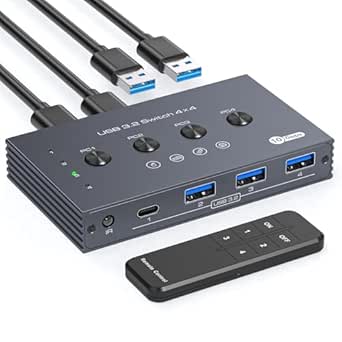
This specific KVM switch enables seamless switching between one desktop PC and one laptop while maintaining dual 4K monitor outputs. Key features include 60W USB-C Power Delivery for laptop charging and a wired remote for convenient input switching. Understanding its specific connectivity options—HDMI, DisplayPort, and USB-C—is crucial for compatibility with your existing setup.
Key Considerations Before Buying
- Verify your laptop's USB-C port supports both DisplayPort Alt Mode for video and Power Delivery for charging to utilize the 60W passthrough.
- Ensure your monitors support 4K resolution at 60Hz through HDMI 2.0 or DisplayPort 1.2, as the switch's performance depends on the weakest link in your signal chain.
- Consider your peripheral needs: this unit offers four USB 3.0 ports for sharing devices like webcams, external drives, or keyboards/mice between systems.
What Our Analysts Recommend
Quality indicators include robust EDID emulation to prevent monitor resolution handshake issues when switching, and proper heat dissipation for stable 4K@60Hz transmission. The inclusion of a wired remote, as this model has, is preferable to button-only controls for desktop ergonomics.
KVM Switches Market Context
Market Overview
The market for dual-monitor KVM switches has expanded significantly with the rise of hybrid work setups, creating demand for devices that can handle modern laptop connectivity alongside traditional desktop PCs. Products like this one specifically target users needing to share high-resolution dual displays between systems.
Common Issues
Common problems include signal degradation at 4K resolutions, compatibility issues with specific laptop USB-C implementations, and insufficient power delivery for demanding laptops. Some switches fail to properly emulate display data to both connected computers simultaneously.
Quality Indicators
Look for switches specifying 4K@60Hz across all ports without chroma subsampling, clear documentation of USB specifications (like USB 3.0 Gen 1 for 5Gbps speeds), and proper certification for Power Delivery standards. Quality units maintain signal integrity without requiring constant monitor re-syncing.
Review Authenticity Insights
Grade B Interpretation
A Grade B authenticity rating with an estimated 15% fake review percentage suggests generally reliable feedback with some minor manipulation concerns. For this KVM switch, this means most user experiences are genuine, but you should scrutinize overly simplistic 5-star reviews.
Trust Recommendation
Focus on the verified purchase reviews (6 out of 9 in the analysis) that mention specific setup details, like monitor models or laptop brands. The adjusted rating of 4.10/5 is likely more accurate than the raw 4.44/5 average, representing a solid but not flawless product.
Tips for Reading Reviews
Pay particular attention to reviews discussing 4K@60Hz performance stability over time, USB-C Power Delivery compatibility with specific laptop models, and any mentions of EDID or resolution handshake issues. Technical details in reviews often indicate genuine user experience.
Expert Perspective
This KVM switch addresses a specific hybrid-work need by combining dual 4K monitor support with laptop charging—a feature set that wasn't common just a few years ago. The 60W Power Delivery is adequate for most ultrabooks but may fall short for power-hungry mobile workstations. The inclusion of both HDMI and DisplayPort inputs provides valuable flexibility for connecting different source devices, while the wired remote offers practical advantage over front-panel buttons.
Purchase Considerations
This product makes most sense for users with a desktop PC and a USB-C laptop who need to share two 4K monitors and several USB peripherals. Consider your laptop's actual power draw—if it requires more than 60W, you'll need supplemental charging. Also verify your specific monitor models work with KVM switches, as some gaming monitors with aggressive power saving can cause switching delays.
Comparing Alternatives
Shoppers should compare this unit's specific port configuration and 60W PD rating against competitors offering 85W or 100W charging, or different input combinations like dual USB-C.