
Choosing a 1080P Webcam: Balancing Features, Privacy, and Software Control
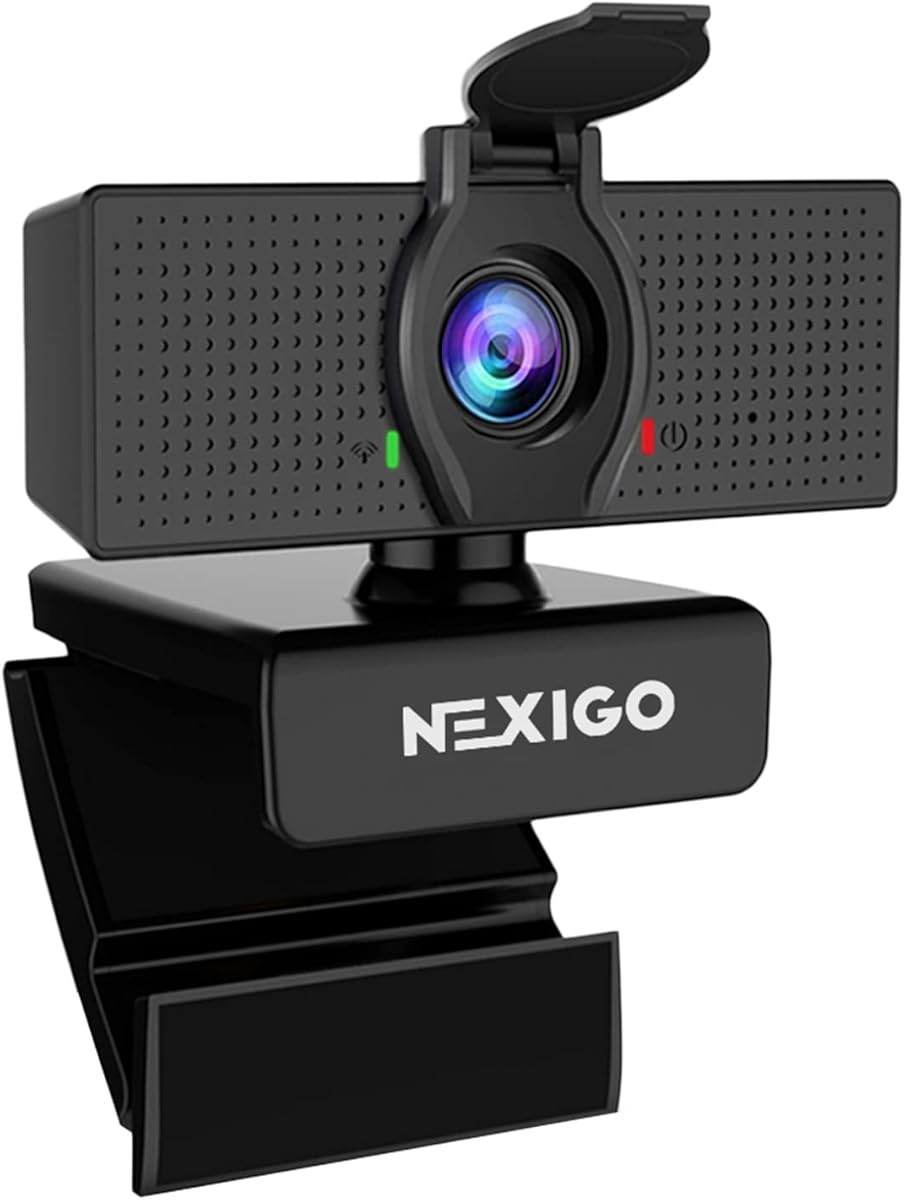
The NexiGo N60 represents a feature-packed mid-range webcam with adjustable field of view, digital zoom, and integrated privacy cover. Buyers should evaluate how these specific capabilities align with their conferencing needs versus basic plug-and-play requirements. This model's software control adds customization but introduces potential compatibility considerations.
Key Considerations Before Buying
- The adjustable 65°/78°/90° FOV settings matter most for framing: 65° for tight headshots, 90° for showing whiteboards or multiple people in home office setups.
- Digital zoom on fixed-focus webcams like the N60 often degrades image quality; determine if you'll actually use this feature or if positioning the camera is preferable.
- The integrated privacy cover addresses security concerns but adds bulk; assess whether you'd prefer a removable cover or built-in mechanical shutter design.
What Our Analysts Recommend
For software-controlled webcams, check driver support for your operating system version, as some features may require specific NexiGo software. Genuine reviews often mention specific lighting conditions where the auto-exposure performs well or struggles, which is more telling than generic 'good quality' statements.
Webcams Market Context
Market Overview
The 1080P webcam market is saturated with nearly identical specifications, making software features, build quality, and microphone performance the key differentiators. Most models in this price range, including the NexiGo N60, use similar Sony sensors but implement different image processing algorithms.
Common Issues
Fixed-focus lenses struggle with documents or objects closer than 20cm, while auto-exposure can overcompensate in backlit situations. USB-powered webcams often have inconsistent microphone performance across different USB port types and computer configurations.
Quality Indicators
Look for consistent color reproduction across different lighting (not just 'bright' conditions) and minimal latency when panning. The mounting mechanism's stability on various monitor thicknesses often separates durable products from flimsy ones.
Review Authenticity Insights
Grade C Interpretation
A Grade C with 28% estimated fake reviews indicates significant authenticity concerns—nearly 1 in 3 reviews may be unreliable. The adjusted rating dropping from 4.6 to 4.0 suggests inflated positive reviews are distorting the perception.
Trust Recommendation
Focus on reviews that mention specific use cases like 'teaching piano lessons' or 'podcasting with two people' rather than generic 'great for Zoom' comments. Be particularly skeptical of reviews repeating identical phrasing about plug-and-play functionality.
Tips for Reading Reviews
Search for reviews discussing software installation experiences, specific FOV settings used, and how the microphone handles keyboard noise—these detailed observations typically indicate genuine usage. Video sample reviews provide more reliable evidence than text-only praise.
Expert Perspective
The NexiGo N60 offers legitimate value with its adjustable FOV and included privacy cover, but the authenticity concerns warrant caution. The 4.0 adjusted rating better reflects actual performance expectations than the displayed 4.6. This webcam suits users needing FOV flexibility more than premium image quality, though software dependency may frustrate those wanting simple operation.
Purchase Considerations
Weigh whether you'll utilize the software controls for zoom and FOV adjustments, or if you'd prefer a webcam with physical controls. Consider your monitor's bezel thickness, as some universal mounts struggle with ultra-thin displays despite claims.
Comparing Alternatives
Compare the N60's software-dependent features against webcams with hardware controls and similar FOV adjustment capabilities in the same price segment.


