
Choosing a Retro Handheld: Screen Quality, Game Library, and Battery Life Matter Most
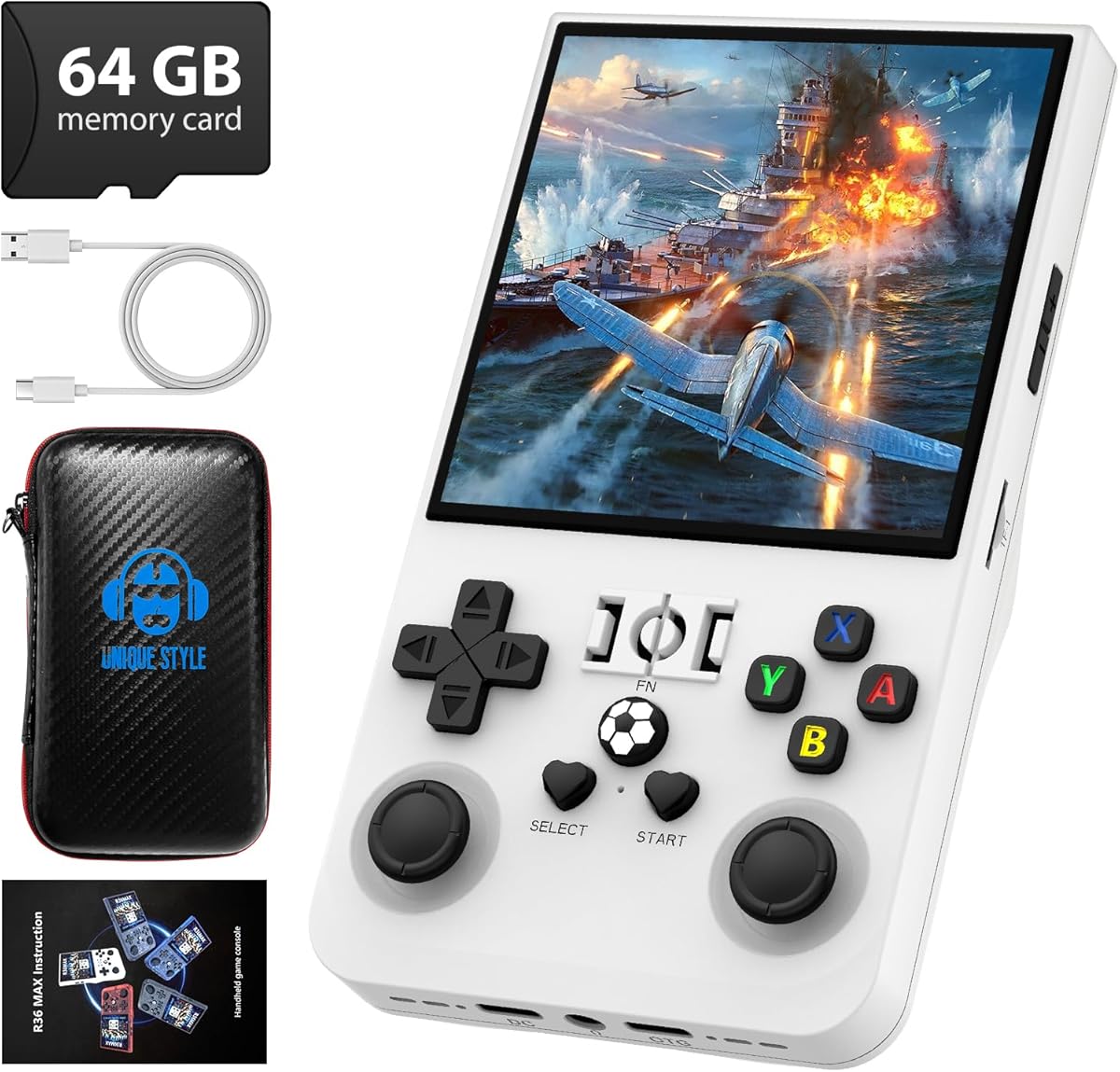
When evaluating the R36MAX specifically, you're looking at a Linux-based open-source console with a 4-inch 720x720 IPS screen and a massive 18,000+ game library. Unlike simple plug-and-play devices, this unit's open-source nature means you can potentially add your own ROMs, but requires more technical understanding than a typical 'kid's electronic' toy.
Key Considerations Before Buying
- The 720x720 IPS screen is crucial for 4:3 aspect ratio retro games; it avoids the stretching or black bars common on widescreen displays, making it specifically suited for authentic pixel-perfect emulation.
- A built-in library of 18,000+ games sounds impressive, but quality varies wildly; expect many duplicates, hacks, and obscure titles, with the core value lying in well-emulated classics from systems like NES, SNES, and Genesis.
- The 4000mAh battery and open-source Linux system create a trade-off: longer potential playtime versus a less polished, more tinker-friendly interface compared to closed commercial systems like those from Anbernic or Miyoo.
What Our Analysts Recommend
For this category, prioritize reviews mentioning specific emulator performance (e.g., 'PS1 runs full speed'), screen clarity for pixel art, and physical button feel. The R36MAX's white color and specific button layout should be noted in authentic reviews, not just generic praise.
Plug & Play Video Games Market Context
Market Overview
The retro handheld market is flooded with devices ranging from $30 impulse buys to $300 premium models, with the R36MAX positioning itself in the mid-range with its focus on a high-resolution square screen and large built-in storage. Open-source Linux consoles like this offer flexibility but less out-of-the-box polish than Android-based competitors.
Common Issues
Common pitfalls include poorly curated game libraries filled with non-English ROMs, inaccurate emulation causing audio glitches or lag in specific titles, and cheap components like mushy directional pads or screens with poor viewing angles. Battery life claims are often overstated under real emulation loads.
Quality Indicators
Look for mentions of the specific IPS screen's brightness and color, the responsiveness of the shoulder buttons (L2/R2), and how the device handles more demanding 32-bit era emulation like PlayStation. A quality device will have reviews detailing gameplay of specific classics, not just menu navigation.
Review Authenticity Insights
Grade B Interpretation
A 'B' grade with an 11% estimated fake review rate suggests the majority of feedback is reliable, but you should be slightly skeptical of extreme 5-star reviews that lack gameplay specifics. The drop from a 4.44 to a 4.20 adjusted rating indicates some inflated praise was filtered out.
Trust Recommendation
Focus on verified purchase reviews that discuss the 720x720 screen's performance with 2D sprite-based games or the process of adding games via the open-source system. Be wary of reviews that only praise the '18,000 games' number without naming a single title they've played successfully.
Tips for Reading Reviews
For technical devices like this, the most trustworthy reviews will use specific emulator names (RetroArch, PCSX-ReARMed), mention battery drain during active gameplay (not standby), and compare the D-pad to known standards like the Nintendo Switch or classic PlayStation controller.
Expert Perspective
The R36MAX presents a compelling niche proposition with its high-resolution square IPS screen—a standout feature for purists of 4:3 retro gaming. Its 4.20 adjusted rating from verified owners suggests solid satisfaction, particularly for users comfortable with open-source tinkering. However, the 'Plug & Play' categorization is somewhat misleading; this is more an enthusiast's emulation device than a simple kid's toy. The large built-in library is a convenience, but its real value hinges on the quality of the pre-loaded ROMs for systems like the SNES and GBA.
Purchase Considerations
You should buy this if you value screen accuracy for pixel art and are willing to navigate a Linux menu system to access its library. Consider alternatives if you want a more streamlined, 'console-like' experience or require flawless performance for complex 3D PlayStation titles. The white colorway may show wear more than darker models.
Comparing Alternatives
Shoppers should compare the screen format and emulation performance against similarly priced devices like the Anbernic RG35XX or Miyoo Mini Plus, which often have stronger community support.


