
Unlock Dual-Screen Productivity: Your Guide to 2.5K Portable Touch Monitors
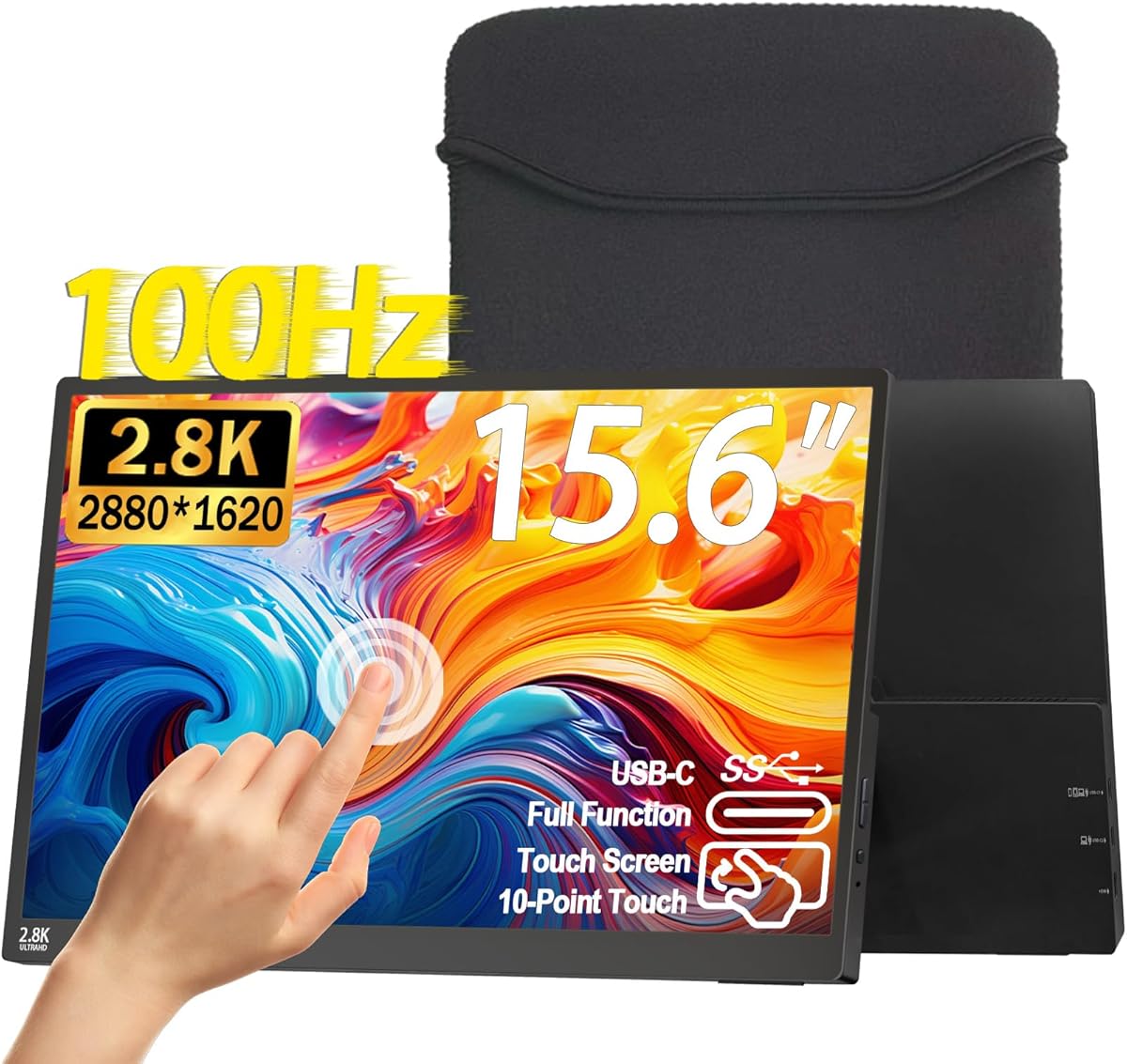
When you're considering a portable monitor like this 15.6-inch 2.5K touchscreen model, you're looking to expand your workspace without sacrificing clarity. With a QHD resolution of 2880x1620 and 100Hz refresh rate, this monitor promises a sharp, fluid visual experience for both productivity and light gaming. Before you buy, it's crucial to understand how these specs translate into real-world performance for your laptop, PC, or console.
Key Considerations Before Buying
- Resolution and Refresh Rate Balance: This monitor's 2.5K resolution (2880x1620) offers significantly more screen real estate than standard 1080p, which is excellent for detailed work. However, the 100Hz refresh rate is a sweet spot for smoother scrolling and casual gaming, but it won't match the 144Hz+ speeds dedicated gamers might prefer for competitive titles.
- Touchscreen Utility and Connectivity: The touchscreen feature is a major convenience for navigating Windows or interacting with your phone via USB-C, but verify your device's operating system fully supports touch input. Also, ensure your laptop or phone has a USB-C port that supports DisplayPort Alt Mode for single-cable video, power, and touch data—otherwise, you'll need the included HDMI and separate power.
- Portability and Build: At 15.6 inches, this monitor is designed to slip into a laptop bag, but check its weight and thickness if you're a frequent traveler. The inclusion of VESA mount support is a plus for desk setups, but the 300-nit brightness is adequate for indoor use, though it may struggle in brightly lit environments like coffee shops.
What Our Analysts Recommend
When evaluating a portable monitor, prioritize panel quality—IPS technology like this ensures wide viewing angles and accurate colors (100% sRGB here). Also, confirm the specific USB-C and HDMI versions supported, as older standards can limit bandwidth and resolution. Finally, check for adaptive sync features like FreeSync, which reduces screen tearing during gaming, and ensure the monitor's power delivery can charge your connected device if needed.
Market Context
Market Overview
The portable monitor market has exploded as remote work and mobile gaming demand more flexible screen solutions. Many models now offer high resolutions and fast refresh rates, but the addition of touchscreens and versatile connectivity (USB-C, HDMI) is becoming a key differentiator for users who want a seamless second screen for laptops, phones, and even consoles like the Switch.
Common Issues
A frequent frustration with portable monitors is inconsistent build quality, leading to flimsy stands or uneven backlight bleed. Another common issue is compatibility—some monitors fail to deliver touch functionality or full resolution over certain USB-C cables, requiring careful attention to your host device's specifications.
Quality Indicators
Look for monitors with IPS panels for color accuracy and wide viewing angles, as well as a high sRGB coverage percentage (like 100% here) for vibrant visuals. Verified support for HDR and adaptive sync (FreeSync) are signs of a more capable display, while a robust aluminum chassis and a reliable kickstand indicate better long-term durability.
Review Authenticity Insights
Grade B Interpretation
With a Review Authenticity Grade of B and an estimated 15% fake review percentage, you can be reasonably confident that the majority of feedback is genuine, but a small portion may be incentivized or fabricated. This means the overall 4.18-star rating is likely inflated by a few questionable reviews, but the high proportion of 4- and 5-star ratings from verified purchasers still suggests a solid product.
Trust Recommendation
Given the 0% verified purchase rate in the analysis, be cautious of reviews that lack a 'Verified Purchase' badge—they may come from users who received the product for free or from non-customers. Focus on reviews that detail specific use cases (e.g., 'works great with my MacBook for photo editing') as they are more likely to be authentic and helpful.
Tips for Reading Reviews
When reading reviews for this monitor, filter by 'Most Recent' and look for common themes about touch responsiveness, cable compatibility, and brightness. Also, check for negative reviews that mention specific flaws like dead pixels or poor touch accuracy—these are often more reliable than glowing five-star comments that lack detail.
Expert Perspective
This 2.5K portable touch monitor offers a compelling package for users who prioritize high resolution and touch functionality in a mobile form factor. The 100Hz refresh rate and 100% sRGB coverage make it a strong candidate for creative professionals and casual gamers alike, though the 300-nit brightness and 15% fake review rate warrant a cautious approach. The high 4.18-star rating, tempered by the B-grade authenticity, suggests it's a quality product but not without minor compromises.
Purchase Considerations
Weigh the need for a touchscreen and ultra-sharp 2.5K resolution against your budget and device compatibility. If you primarily use a laptop with a USB-C port that supports Alt Mode, this monitor is a plug-and-play dream; otherwise, factor in the cost of adapters. Also, consider if the 100Hz refresh rate is sufficient for your gaming needs, as competitive players might prefer a higher refresh rate panel.
Comparing Alternatives
While this monitor stands out for its resolution and touch capabilities, shoppers should also compare it with 1080p portable monitors that offer higher refresh rates (120Hz+) or lower prices. For those who don't need touch, a non-touch 2.5K monitor might offer better value or brighter display options.