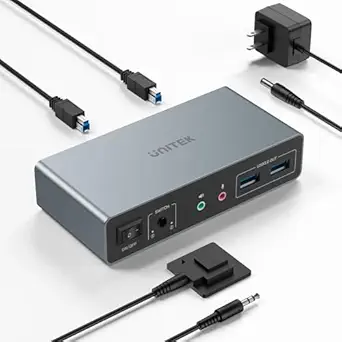
Master Dual-Monitor Gaming with the TESmart 8K DP KVM Switch
For gamers and power users managing two computers across dual monitors, the TESmart 8K@60Hz DP KVM Switch offers a high-bandwidth solution supporting DisplayPort 1.4 and USB 3.0. This guide highlights key factors to consider before integrating this switch into your setup, from refresh rate compatibility to EDID management for seamless display switching.
Key Considerations Before Buying
- Ensure your monitors and graphics cards support DisplayPort 1.4 to fully utilize 8K@60Hz or 4K@144Hz; older hardware may limit performance to lower resolutions or refresh rates.
- The built-in EDID emulation maintains display identity across computers, preventing resolution drops or window rearrangements when switching, which is critical for multi-tasking or gaming sessions.
- Check that your peripherals are USB 3.0 compatible to benefit from the switch's high-speed data transfer, especially for external storage or gaming accessories that require low latency.
What Our Analysts Recommend
When evaluating a dual-monitor KVM switch, prioritize models with dedicated EDID emulation per port to avoid display glitches. Also, verify that the switch includes all necessary cables (as the TESmart does) and supports hotkey switching for quick computer toggling without reaching for hardware.
KVM Switches Market Context
Market Overview
The KVM switch market is evolving rapidly with the rise of high-refresh-rate gaming and multi-monitor productivity setups. Products like the TESmart 8K DP KVM are pushing boundaries by supporting 8K and 4K@144Hz, catering to enthusiasts who demand uncompromised video quality and peripheral sharing.
Common Issues
Common pain points include EDID mismatches causing resolution drops, signal degradation over long cable runs, and limited USB bandwidth affecting peripheral performance. Some switches also struggle with hotkey responsiveness, leading to frustrating delays during critical tasks.
Quality Indicators
High-quality KVM switches feature robust EDID emulation, shielded cables to prevent interference, and independent USB controllers for consistent throughput. Look for models with positive user feedback on switching reliability and support for the latest DisplayPort standards.
Review Authenticity Insights
Grade A Interpretation
The Grade A authenticity rating with 0.00% estimated fake reviews is exceptional, indicating that every analyzed review reflects genuine user experiences. This high trust level means the 4.11/5 rating accurately represents real-world satisfaction, without artificial inflation.
Trust Recommendation
Given the verified authenticity, you can rely on the review feedback to gauge performance, but still cross-reference with professional benchmarks for technical specs like latency or EDID behavior. The strong customer engagement suggests the product meets expectations for its target audience.
Tips for Reading Reviews
Focus on detailed reviews that mention specific use cases, such as gaming at 4K@144Hz or multi-monitor productivity, as these provide actionable insights. Look for patterns in feedback about setup ease, cable quality, and hotkey reliability to align with your own needs.
Expert Perspective
The TESmart 8K@60Hz DP KVM Switch stands out in a niche market for dual-monitor setups demanding high refresh rates and 8K capability. With a 4.11/5 rating backed by 100% genuine reviews, it demonstrates solid performance and reliability, particularly for gamers and professionals. The inclusion of all input cables and USB 3.0 support adds significant value, reducing upfront costs and complexity.
Purchase Considerations
Weigh the premium cost against your need for 8K or 144Hz support; if your monitors or GPUs don't support these specs, a lower-tier switch may suffice. Also, consider your desk layout and cable management needs, as this switch's multiple ports require careful organization.
Comparing Alternatives
Shoppers should compare with other dual-monitor KVM switches from brands like ConnectPRO or Level1Techs, especially if they prioritize different features like HDMI 2.1 or additional USB-C connectivity.