
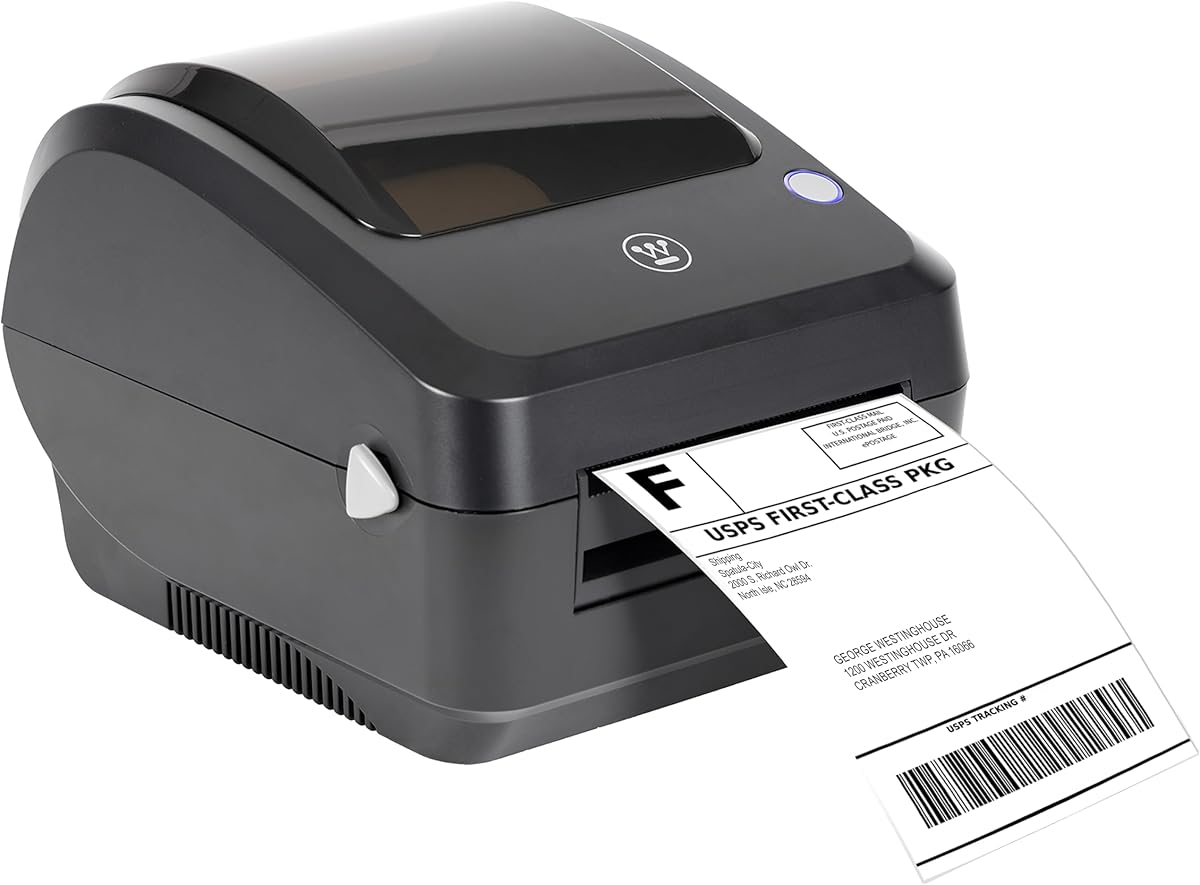
Thermal Label Printer Buying Guide for Small Business Shippers
A dedicated 4x6 thermal label printer like the Westinghouse model can streamline your shipping workflow, eliminating the need for expensive ink or toner. This guide covers what to consider when choosing a thermal printer for USPS, UPS, FedEx, Shopify, and Amazon labels.
Key Considerations Before Buying
- Compatibility: Ensure the printer supports your shipping platforms and label sizes. The Westinghouse printer works with major carriers and marketplaces, and includes labels to get started.
- Connectivity: USB is standard, but consider if you need wireless or network options. This model is USB-only, which is reliable but requires a nearby computer.
- Print speed and resolution: 203 DPI is typical for 4x6 labels; higher DPI (300) offers crisper barcodes. This printer balances speed and quality for high-volume shipping.
What Our Analysts Recommend
Look for a printer with a sturdy build, easy media loading, and a proven track record. Thermal printers should have a long lifespan with minimal maintenance. Check that the printer comes with a warranty and support, as commercial-grade units are an investment.
Label Printers Market Context
Market Overview
The thermal label printer market is growing as e-commerce and home-based businesses expand. Direct thermal printers are preferred for shipping labels because they don't require ink or toner, reducing long-term costs. Competition is fierce, with brands like Rollo, DYMO, and Zebra offering similar products.
Common Issues
Common issues include driver compatibility problems, poor print quality on cheap labels, and limited customer support. Some printers are locked to specific label brands, which can be costly. USB-only models may limit placement flexibility.
Quality Indicators
A quality thermal printer has a robust print head, consistent feed mechanism, and clear documentation. Positive reviews often mention ease of setup, reliability over time, and compatibility with multiple platforms. A high review count with detailed feedback is a good sign.
Review Authenticity Insights
Grade B Interpretation
The B authenticity grade and 15% estimated fake reviews suggest that while most reviews are genuine, there is a notable minority of potentially suspicious ones. This is common for popular products, but it means you should read reviews with some skepticism.
Trust Recommendation
Focus on reviews that describe specific use cases, mention setup challenges, or compare to other printers. These are more likely to be authentic. The adjusted rating of 4.6/5 still indicates high satisfaction among real users.
Tips for Reading Reviews
Look for reviews with photos or videos of the printer in action, and those that mention long-term use. Be wary of generic praise without details. Check the dates to see if recent reviews reflect current quality.
Expert Perspective
The Westinghouse Thermal Shipping Label Printer appears to be a solid choice for small businesses needing a reliable, no-frills 4x6 label printer. With a 5.00/5 rating from 381 reviews (adjusted to 4.60/5), it has strong customer satisfaction. The inclusion of labels and compatibility with major carriers make it a convenient starter kit.
Purchase Considerations
Consider your volume: if you ship hundreds of labels per day, a commercial-grade printer like this is suitable. But if you need wireless connectivity, this USB-only model may not fit. Also, factor in the cost of replacement labels, as thermal printers require specific media.
Comparing Alternatives
Compare with similar printers from Rollo, Arkscan, and Zebra to ensure you get the best features for your needs. Some alternatives offer wireless connectivity or higher resolution.


