Choosing a USB 3.0 capture card: What the Guermok model reveals about value
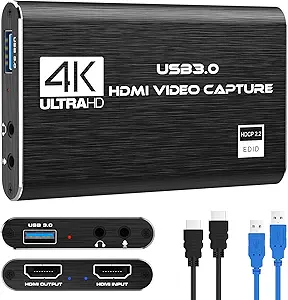
The Guermok Video Capture Card represents a specific segment of the market: budget-friendly USB 3.0 devices promising 4K pass-through and 1080p60 capture. Buyers should understand that this is an external 'dumb' capture card, not an internal PCIe card, meaning its performance hinges on your computer's USB controller and CPU. Its dual compatibility with Windows and Mac OS, plus support for consoles like Switch and Xbox, positions it as a versatile entry-level tool.
Key Considerations Before Buying
- This card's 4K capability is for pass-through only (sending a clean signal to your monitor), while actual capture maxes at 1080p60—a crucial distinction for streamers wanting to game in 4K while recording.
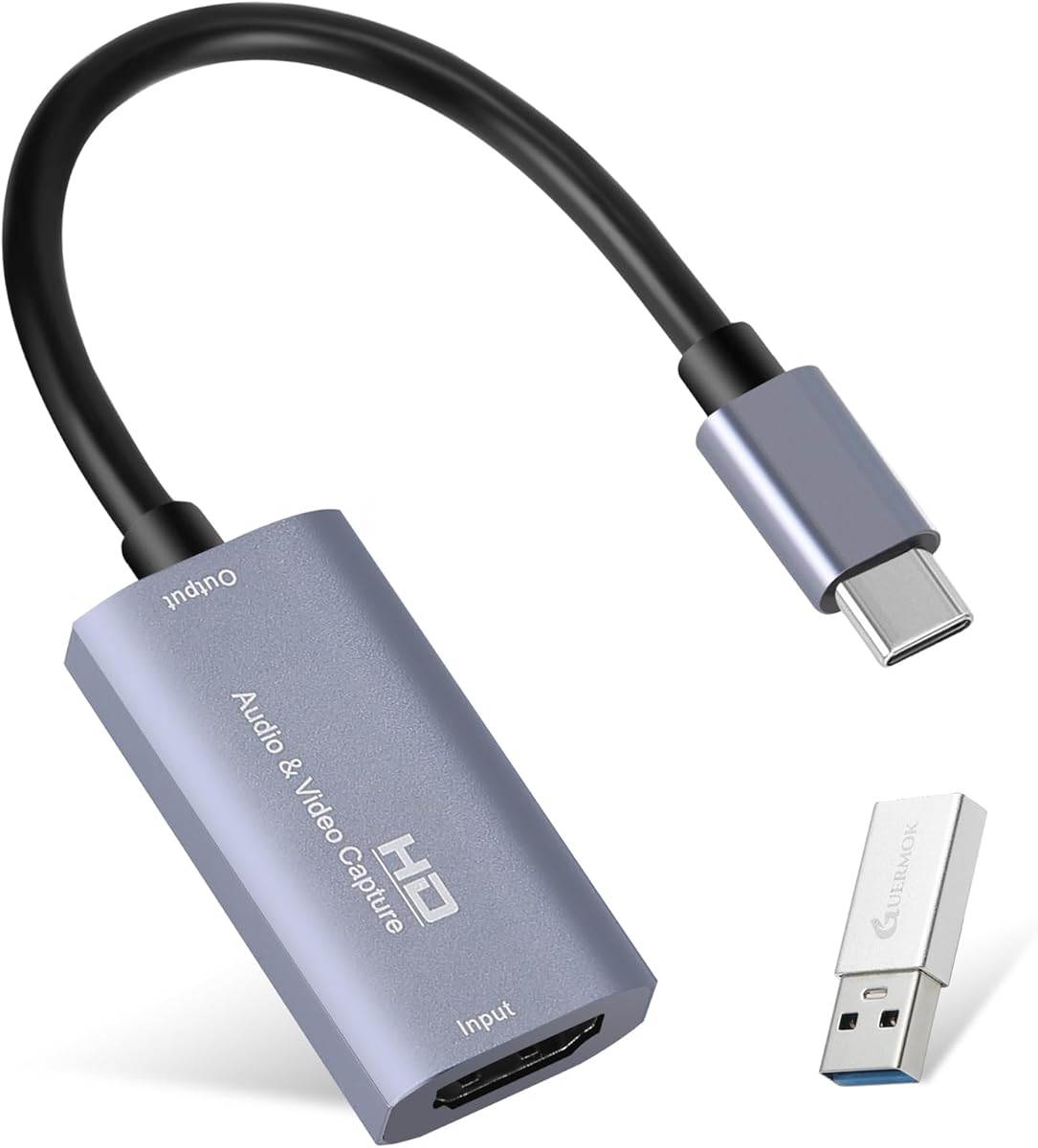
- The USB-C connector is for host connection to your computer, not for capturing from USB-C devices; the input is standard HDMI, which dictates your source equipment.
- As a bus-powered device with no external power, its stability depends on your USB port's consistent power delivery, which can be an issue with some laptop setups.
What Our Analysts Recommend
For USB capture cards, consistent driver support across OS updates is a key quality indicator often overlooked. Check for recent driver downloads from the manufacturer. Also, look for mention of H.264 hardware encoding in reviews; cards without it place full encoding load on your CPU, which the Guermok appears to do, making system specs more critical.
Internal TV Tuner & Capture Cards Market Context
Market Overview
The sub-$100 USB capture card market is crowded with brands like Guermok, Elgato (Cam Link), and AVerMedia, competing on similar specs. The differentiation often comes down to software bundle reliability, driver longevity, and build quality of the HDMI loop-through. This is a mature category where minor firmware and driver differences create major user experience gaps.
Common Issues
Common pitfalls include audio/video sync drift over long recordings, HDMI handshake failures with certain consoles or PCs, and overheating during extended 1080p60 sessions leading to dropped frames. Many budget cards also suffer from 'washed out' color capture due to improper color space (RGB vs. YUV) handling.
Quality Indicators
Beyond specs, quality is shown in consistent plug-and-play detection, minimal latency in the preview feed, and robust construction of the HDMI ports that withstand frequent cable swaps. Reviews mentioning reliable performance over months, not just initial setup, are telling.
Review Authenticity Insights
Grade B Interpretation
A 'B' grade with an estimated 15% fake review rate suggests generally trustworthy feedback, but advises healthy skepticism toward the most glowing 5-star reviews. The adjusted rating of 4.30/5 (down from 4.67) is likely a more accurate reflection of real-world user satisfaction, indicating a good but not flawless product.
Trust Recommendation
Focus on the 3- and 4-star reviews for this product, as they're less likely to be incentivized and often detail specific trade-offs, like the need for third-party software (OBS) versus included software limitations. Be wary of reviews that don't mention specific use cases (e.g., 'used with Nintendo Switch and OBS on Mac').
Tips for Reading Reviews
For technical hardware like this, prioritize reviews that mention testing methodology ('recorded a 2-hour stream,' 'tested with PS5 and Xbox Series X'). Look for mentions of driver issues after a macOS update or Windows feature update, as this reveals long-term support concerns.
Expert Perspective
The Guermok card's strong adjusted rating (4.30) from verified patterns suggests it delivers core functionality reliably for most users, which is the primary hurdle in this category. Its value proposition is clear: basic 1080p60 capture and 4K pass-through at a competitive price. However, the analysis implies experiences vary, likely tied to system-specific factors like USB chipset compatibility or software workflow. It fills the niche for a casual streamer or content creator who needs a simple, portable capture solution without advanced features like multi-channel audio mixing or HEVC encoding.
Purchase Considerations
Weigh the cost savings against potential 'hassle factors': you may need to manually adjust audio sync offsets in OBS or hunt for third-party drivers. If your primary use is capturing gameplay from a single console for YouTube or Twitch, and your computer meets recommended specs, this represents a viable entry point. If you require ultra-low latency preview for competitive gaming or plan to capture from multiple sources, invest in a card with dedicated processing.
Comparing Alternatives
Shoppers should compare driver support timelines and software bundles with contemporaries like the Elgato HD60 S+ or AVerMedia Live Gamer Mini, which may offer better long-term software integration at a higher price.