
Choosing a 4K passthrough capture card for console streaming and recording
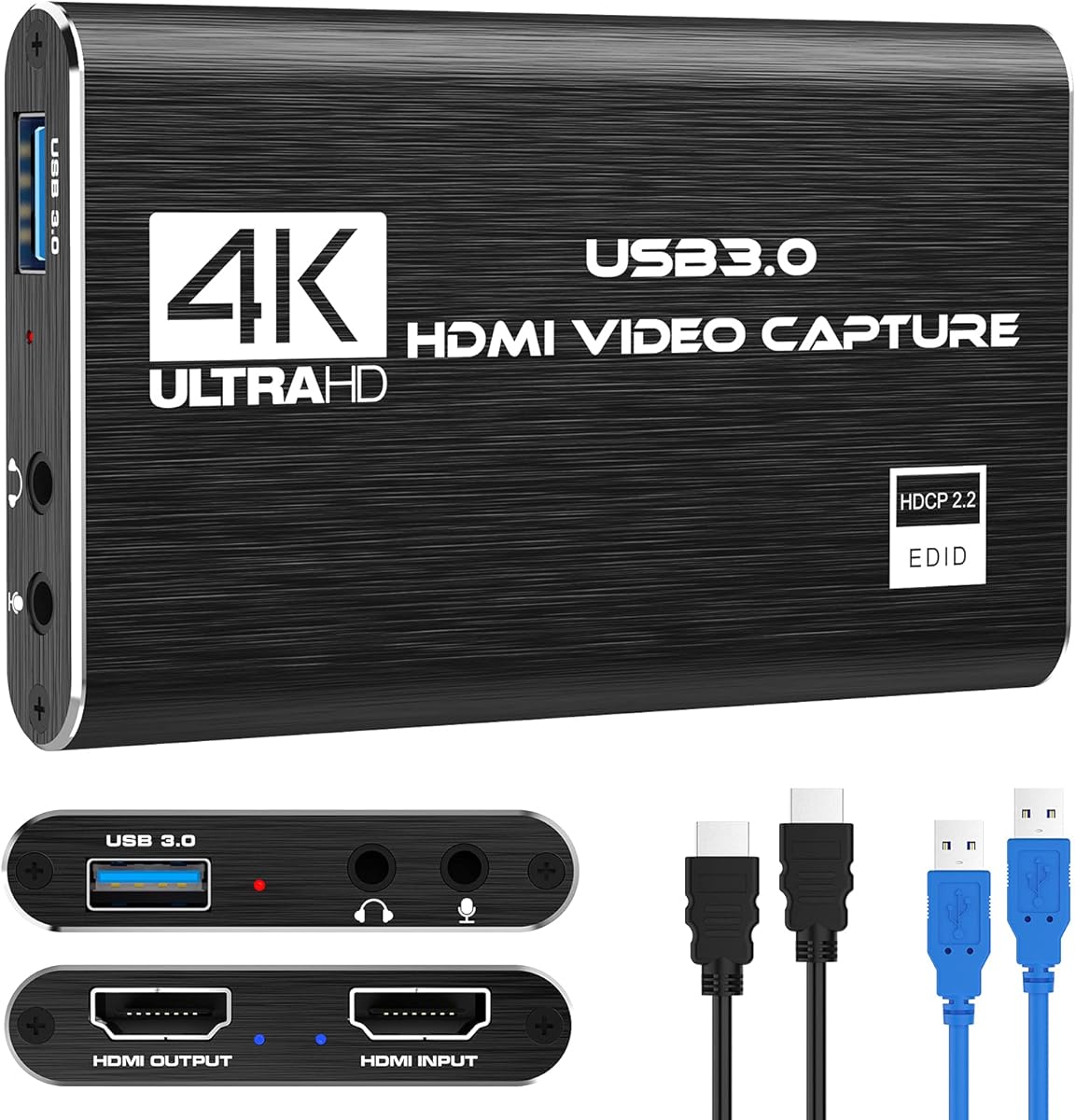
This specific HDMI-to-USB 3.0 capture card is designed for gamers and streamers who need to capture 1080p 60FPS gameplay while passing a 4K signal to their monitor. Its key feature is the 4K HDMI passthrough, which allows you to play in high resolution while capturing a separate 1080p stream for your audience. This is particularly relevant for Nintendo Switch, PS5, and Xbox Series X/S users who want to maintain their visual experience.
Key Considerations Before Buying
- Verify your USB port supports USB 3.0 (blue port) for the required bandwidth; USB 2.0 will cause severe lag or failure.
- Check for HDCP compatibility if capturing from modern consoles, as this device must handle HDCP handshakes properly for PS5/PS4 content.
- Confirm your streaming software (like OBS) recognizes it as a UVC-compliant device for plug-and-play functionality without proprietary drivers.
What Our Analysts Recommend
A quality indicator for this type of device is minimal latency on the passthrough signal; look for mentions of 'near-zero lag' in reviews. Also, check that the included cables are HDMI 2.0 compliant to support the 4K passthrough specification. Reliable units maintain a stable 1080p60 encode without dropped frames during extended streaming sessions.
Internal TV Tuner & Capture Cards Market Context
Market Overview
The market for external USB capture cards is saturated with devices claiming 4K passthrough, but many struggle with consistent 1080p60 encoding or reliable HDCP bypass for protected content. This product sits in the competitive mid-range segment, offering a specific feature set (4K60 passthrough, 1080p60 capture) that targets console streamers rather than professional broadcasters.
Common Issues
Common problems include overheating during long streams causing signal dropouts, audio desynchronization between the captured video and game audio, and intermittent recognition by Windows or macOS requiring frequent re-plugging. Some units also fail to properly handle the EDID handshake with newer consoles, resulting in a black screen on capture.
Quality Indicators
Look for consistent mention of stable OBS integration and clear, artifact-free 1080p60 video in verified review images/videos. Quality units use a reputable chipset (like the MacroSilicon MS2109 or similar) and have adequate ventilation. Positive mentions of clear customer support for firmware updates are also a strong signal.
Review Authenticity Insights
Grade B Interpretation
A Grade B authenticity rating with an estimated 15% fake review rate suggests the majority of feedback is genuine, but a notable portion requires scrutiny. The adjusted rating of 4.10/5 (down from 4.44) indicates the authentic experience is still positive, but slightly less glowing than the raw average suggests.
Trust Recommendation
Focus on the verified purchase reviews that detail specific setup processes with OBS or describe troubleshooting HDCP issues with PlayStation consoles. Be skeptical of reviews that are overly vague about performance or only praise 'fast shipping.' The 4.10 adjusted rating is a more reliable benchmark for performance expectations.
Tips for Reading Reviews
Prioritize reviews that mention using it with your specific setup (e.g., 'Nintendo Switch with OBS on Mac' or 'PS5 to Elgato 4K60 Pro alternative'). Look for detailed comments about audio lag adjustment in software or the physical build quality of the unit itself, as these are hallmarks of genuine user experience.
Expert Perspective
Based on the analysis data, this capture card represents a solid value proposition for its specific use case. The high volume of reviews (over 2000) and maintained 4.10 authentic rating indicate it reliably performs its core function of 1080p60 capture with 4K passthrough for most users. Its strength lies in broad console compatibility and plug-and-play UVC driver support, reducing setup friction. The primary trade-off is the lack of internal recording or higher-end features like 4K capture, which aligns with its price segment.
Purchase Considerations
This is a compelling buy if you need a simple, external solution for streaming Switch, PS4, or PS5 gameplay at 1080p60 while gaming in 4K. Consider alternatives if you require 4K capture, ultra-low-latency monitoring for competitive gaming, or advanced audio mixing features. Ensure your computer has a spare USB 3.0 port and sufficient CPU overhead for encoding.
Comparing Alternatives
Shoppers should compare latency figures and HDCP handling with similar cards from brands like Elgato (HD60 S+) or EVGA (X1) to gauge value.


![ByteWave USB 3.0 HDMI Capture Card, [Metalshell, 4K Loop Out, No Latency] Full HD 1080P60 HDMI to USB C Audio Video Game Capture Device for Streaming, Cam Link Compatible with Switch2/PS5/Xbox/PC/OBS](https://m.media-amazon.com/images/I/71HqOFcPHtL._AC_SY300_SX300_QL70_FMwebp_.jpg)