
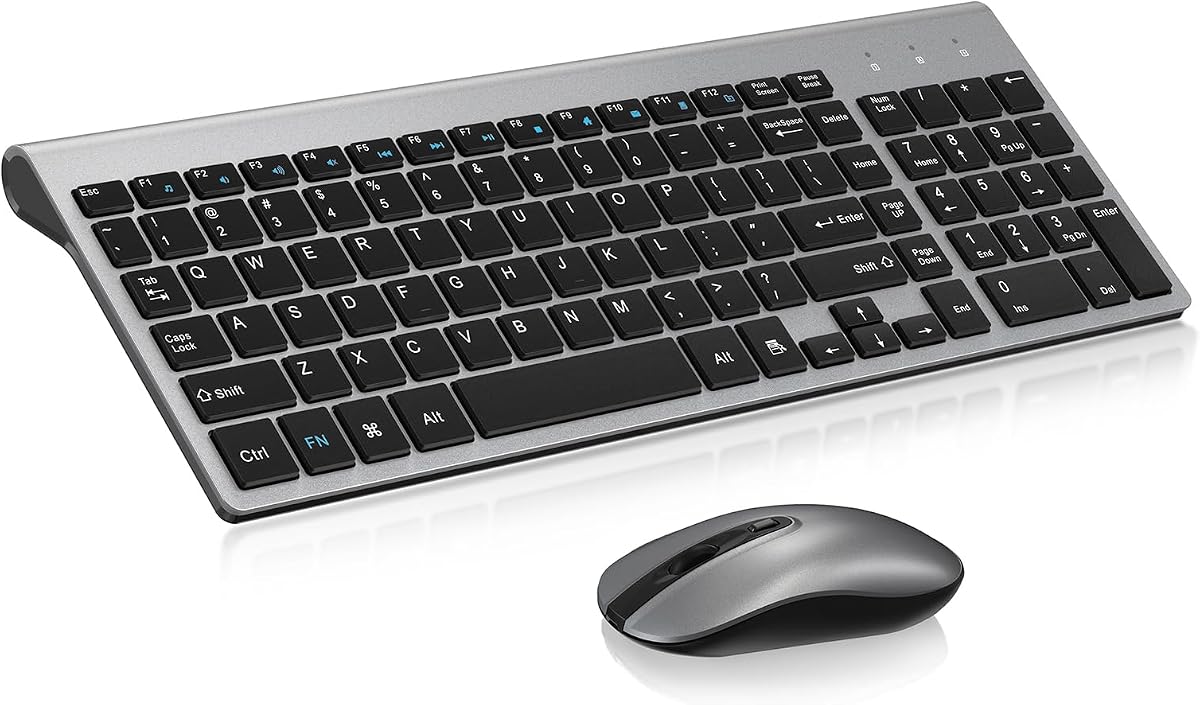
Quiet Scissor-Switch Combo: Is the cimetech Set Right for Your Desk?
When you're outfitting a workspace with a wireless keyboard and mouse, the cimetech combo stands out for its compact, low-profile scissor-switch design and quiet operation. This guide will help you decide if its specific features—like the USB-A Nano Receiver and optical mouse—match your daily computing needs.
Key Considerations Before Buying
- Scissor-switch keys offer a shorter travel distance and quieter typing compared to mechanical or membrane keyboards, making them ideal for shared offices or home setups where noise matters. The cimetech's compact layout saves desk space but may lack a dedicated number pad, so consider if you frequently input numeric data.
- The included optical mouse uses a red LED sensor, which works on most surfaces but may struggle on glossy or glass surfaces. Also, note that the mouse's scroll wheel quality has been cited as a minor drawback in user feedback, so if you rely heavily on precise scrolling, you might want to test it or plan an upgrade.
- Connectivity relies on a USB-A Nano Receiver, so ensure your computer or laptop has a USB-A port. If you use a modern laptop with only USB-C ports, you'll need an adapter, which adds a small inconvenience.
What Our Analysts Recommend
For a combo like this, check the battery life and whether the keyboard and mouse share a single receiver or require separate ones. Also, look for a reliable wireless range (typically 10 meters) and a responsive optical sensor that tracks smoothly on your typical work surface. A solid build with minimal key wobble and a comfortable typing angle are signs of decent quality.
Keyboard & Mouse Combos Market Context
Market Overview
The market for wireless keyboard and mouse combos is crowded, with options ranging from budget-friendly sets to premium ergonomic models. Consumers increasingly prioritize quiet, compact designs for home offices, and the cimetech combo targets that niche with its scissor-switch keys and space-saving footprint.
Common Issues
Common issues in this category include connectivity dropouts, battery drain, and inconsistent mouse tracking. In the cimetech's reviews, the mouse wheel quality is a recurring minor complaint, and some users mention the compact layout takes adjustment if you're used to full-sized keyboards.
Quality Indicators
Quality in this category is often indicated by reliable wireless connectivity, responsive keys with consistent actuation, and a mouse that tracks accurately on various surfaces. Also, look for solid customer support and a product that maintains performance over time—signs of good manufacturing and design.
Review Authenticity Insights
Grade B Interpretation
The Grade B and estimated 10% fake review rate suggest that while the majority of reviews are genuine, a small portion may be incentivized or otherwise not fully authentic. This means the overall 4.22 rating is likely close to accurate, but you should be aware that some positive reviews might be overly favorable.
Trust Recommendation
Given the moderate fake review percentage, it's wise to focus on detailed, balanced reviews that mention specific pros and cons, like the mouse wheel issue. Look for patterns across many reviews to gauge real-world performance, and consider the adjusted rating of 4.00 as a more conservative estimate.
Tips for Reading Reviews
When reading reviews for this combo, pay attention to comments about the mouse wheel, key comfort, and connectivity stability. Also, note how reviewers describe their use case—office work, browsing, or gaming—to see if their experience aligns with your intended use. Be cautious of overly generic praise or repetitive language.
Expert Perspective
Based on the analysis, the cimetech Wireless Keyboard and Mouse Combo appears to be a reliable, budget-friendly option for users who prioritize quiet typing and a compact setup. The scissor-switch mechanism delivers a comfortable, low-profile feel that's well-suited for productivity tasks, and the included optical mouse is serviceable for everyday use. The main caveat is the mouse wheel's perceived quality, which may not satisfy heavy scrollers, and the reliance on a USB-A receiver could be a minor hurdle for some modern laptops.
Purchase Considerations
Before purchasing, weigh the importance of a number pad and the mouse wheel quality against the combo's low price and quiet operation. If you can adapt to the compact layout and don't require premium scrolling, this set offers good value. Also, ensure your device has a USB-A port or have an adapter ready.
Comparing Alternatives
Shoppers should compare this combo with other wireless sets in the same price range, especially those offering full-size layouts or enhanced mouse features, to ensure the best fit for their specific preferences.


