
What to Know Before Buying a Wireless Keyboard and Mouse Combo
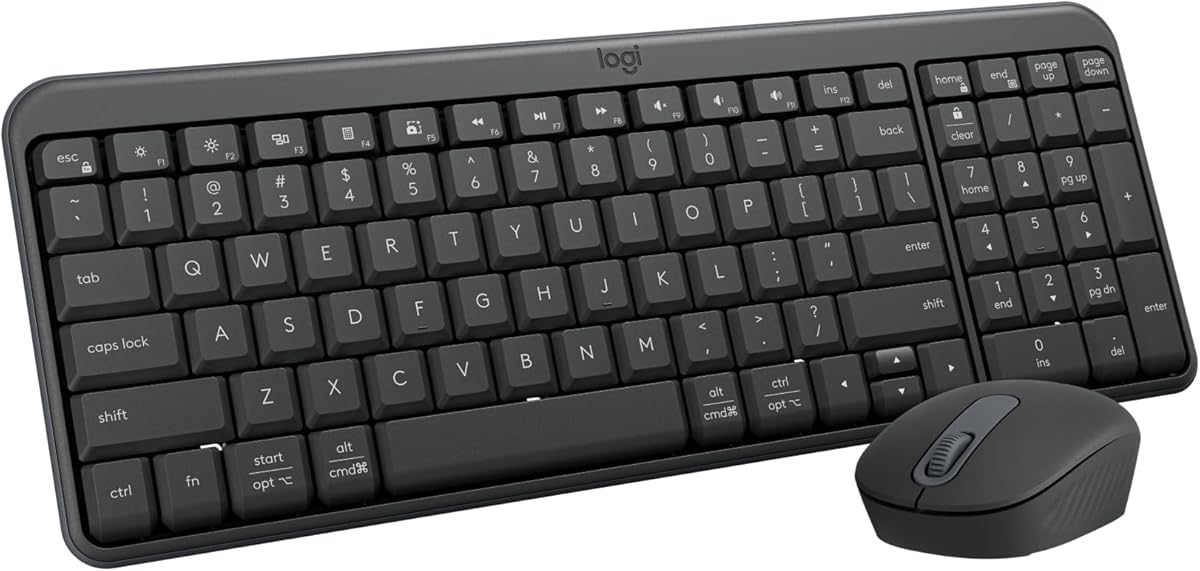
The Logitech MK250 Wireless Bluetooth Keyboard and Mouse Combo in Graphite is a budget-friendly set that connects via Bluetooth and includes a full-size keyboard with a number pad and a compact mouse. With a 4.56/5 rating from over 1,400 reviewers, it appeals to students and home-office users seeking a reliable, clutter-free setup. However, its plastic build and lack of advanced features mean it's best for basic typing and navigation tasks.
Key Considerations Before Buying
- Connectivity is crucial: this combo uses Bluetooth, so ensure your device supports Bluetooth or has a USB receiver if needed. Some users report occasional lag in crowded wireless environments.
- Battery life and power source matter: the keyboard and mouse typically run on AA batteries, which can last months but require replacements. Consider rechargeable options if you prefer convenience.
- Ergonomics and size: the keyboard is full-sized with a number pad, which may not suit small desks. The mouse is ambidextrous but may be too small for users with larger hands.
What Our Analysts Recommend
When evaluating wireless combos, check for reliable Bluetooth connectivity, comfortable key travel, and a mouse that fits your grip style. Look for reviews mentioning long-term durability and battery efficiency, as these are common pain points in budget sets like the MK250.
Keyboard & Mouse Combos Market Context
Market Overview
The wireless keyboard and mouse combo market is saturated with options ranging from budget-friendly sets like the Logitech MK250 to premium ergonomic models. Bluetooth connectivity has become standard, but performance varies widely, and many budget combos sacrifice build quality for affordability. Consumers increasingly prioritize multi-device pairing and silent typing, features not always present in entry-level models.
Common Issues
Common complaints in this category include intermittent connectivity, short battery life, and mushy key presses. The MK250 is not immune: some users report Bluetooth dropouts and a mouse that feels flimsy. Additionally, shared USB receivers can be a single point of failure if lost or damaged.
Quality Indicators
Higher-quality combos often feature robust build materials, customizable buttons, and reliable wireless performance. Look for brands with strong reputations like Logitech, and check reviews for mentions of durability over six months or more. A good indicator is whether the set includes a unified receiver or supports Bluetooth for flexibility.
Review Authenticity Insights
Grade A Interpretation
A Grade B authenticity rating with an estimated 12% fake reviews suggests that while most reviews are genuine, some may be incentivized or exaggerated. The adjusted rating of 4.30/5 (down from 4.56) indicates that the product is still well-received, but buyers should be slightly cautious.
Trust Recommendation
Trust the overall sentiment but be wary of overly glowing reviews that lack specific details. Focus on reviews from verified purchasers that mention both pros and cons, as these are more likely to be authentic. The high volume of reviews (1,457) helps balance out any fake ones.
Tips for Reading Reviews
When reading reviews for this combo, pay attention to comments about Bluetooth stability, battery life, and long-term use. Look for reviewers who mention their specific use case (e.g., student, office worker) and compare the product to others they've owned. Avoid reviews that only praise without any critique.
Expert Perspective
The Logitech MK250 offers solid value for its price point, delivering essential wireless functionality with a reputable brand name. The high review count and adjusted rating of 4.30/5 suggest that most users find it reliable for everyday tasks. However, the 12% estimated fake reviews and common complaints about connectivity and build quality mean it's not without flaws. It's a reasonable choice for budget-conscious buyers who need a basic wireless setup.
Purchase Considerations
Weigh the low cost against potential drawbacks like occasional Bluetooth lag and a less durable mouse. If you need advanced features like backlit keys or multi-device switching, you may need to spend more. Consider your desk space and whether the full-size keyboard fits your setup.
Comparing Alternatives
Shoppers should compare the MK250 with similar combos from Logitech and other brands like Microsoft or AmazonBasics, especially if they require specific features or better ergonomics.


