
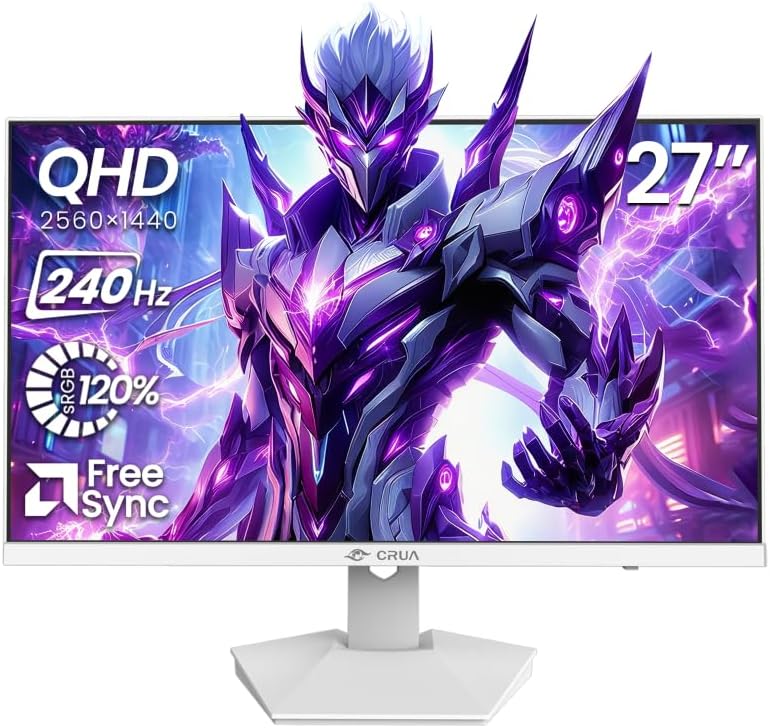
Balancing 240Hz WQHD performance with budget-friendly gaming monitor considerations
The CRUA 27-inch gaming monitor targets competitive gamers seeking high refresh rates without premium pricing. Its 2560x1440 resolution at 240Hz creates a specific performance profile that requires careful component matching, particularly with its HDMI 2.0 and DisplayPort 1.4 connectivity options.
Key Considerations Before Buying
- The 240Hz refresh rate requires a GPU capable of sustaining high frame rates at 1440p resolution to justify the investment.
- HDMI 2.0 bandwidth limitations mean you'll need DisplayPort 1.4 to achieve full 240Hz at native resolution without compression.
- The tilt-only stand adjustment may require a VESA mount for optimal ergonomic positioning during extended gaming sessions.
What Our Analysts Recommend
Check for consistent pixel response times at the 240Hz refresh rate, as some budget panels exhibit ghosting. The 120% sRGB color gamut specification suggests oversaturation for gaming, which may require calibration for color-accurate work. Verify FreeSync implementation works smoothly across your GPU's refresh range.
Monitors Market Context
Market Overview
The 27-inch 1440p high-refresh segment has become fiercely competitive, with brands like CRUA challenging established players through aggressive pricing. Japanese consumers particularly value space efficiency, making 27-inch displays popular for compact gaming setups where desk real estate is limited.
Common Issues
Budget 240Hz panels sometimes compromise on color accuracy or backlight uniformity to hit price points. Tilt-only stands frequently disappoint users accustomed to height and swivel adjustments. Some monitors in this category exhibit noticeable backlight bleed in dark gaming scenes.
Quality Indicators
Look for consistent performance across the entire refresh range, not just peak rates. Genuine FreeSync/G-Sync compatibility certificates indicate proper variable refresh rate implementation. High-quality panels maintain color accuracy even at maximum refresh rates without excessive overshoot artifacts.
Review Authenticity Insights
Grade B Interpretation
A Grade B authenticity rating with 11% estimated fake reviews suggests generally reliable feedback, though approximately 1 in 9 reviews may require scrutiny. The adjusted 4.00/5 rating (down from 4.22/5) indicates genuine satisfaction sits slightly below the surface rating.
Trust Recommendation
Focus on reviews discussing specific gaming experiences with the 240Hz performance or color calibration needs, as these demonstrate actual usage. Be skeptical of reviews that don't mention the monitor's limitations, particularly regarding the basic stand or connectivity requirements.
Tips for Reading Reviews
Prioritize Japanese-language reviews that mention compatibility with specific games or GPUs, as these reflect genuine regional usage patterns. Look for discussions about achieving 240Hz via DisplayPort versus HDMI limitations, which indicates technical understanding.
Expert Perspective
This CRUA monitor represents a calculated compromise: delivering 240Hz WQHD gaming at an accessible price point while accepting limitations in adjustability and potential panel lottery. The 4.00 adjusted rating from nearly 3,800 reviews suggests it generally meets expectations for its segment, though the authenticity analysis indicates some review inflation. The specifications target competitive gamers who prioritize motion clarity over color perfection or ergonomic flexibility.
Purchase Considerations
Evaluate whether your system can consistently push 144+ fps in your primary games at 1440p—otherwise, the 240Hz capability becomes underutilized. Consider the additional cost of a VESA mount if ergonomic adjustment matters. Verify your GPU supports FreeSync over DisplayPort for optimal variable refresh rate performance.
Comparing Alternatives
Compare with similarly priced 27-inch 1440p monitors offering 165-180Hz refresh rates that may provide better color accuracy or more adjustable stands.

![Q27G40E/11 [27 type gaming LCD display / 2560 x 1440 / HDMI, DisplayPort / Speaker: None / 180Hz]](https://m.media-amazon.com/images/I/81FpmZwXBUL._AC_SY300_SX300_QL70_ML2_.jpg)


