
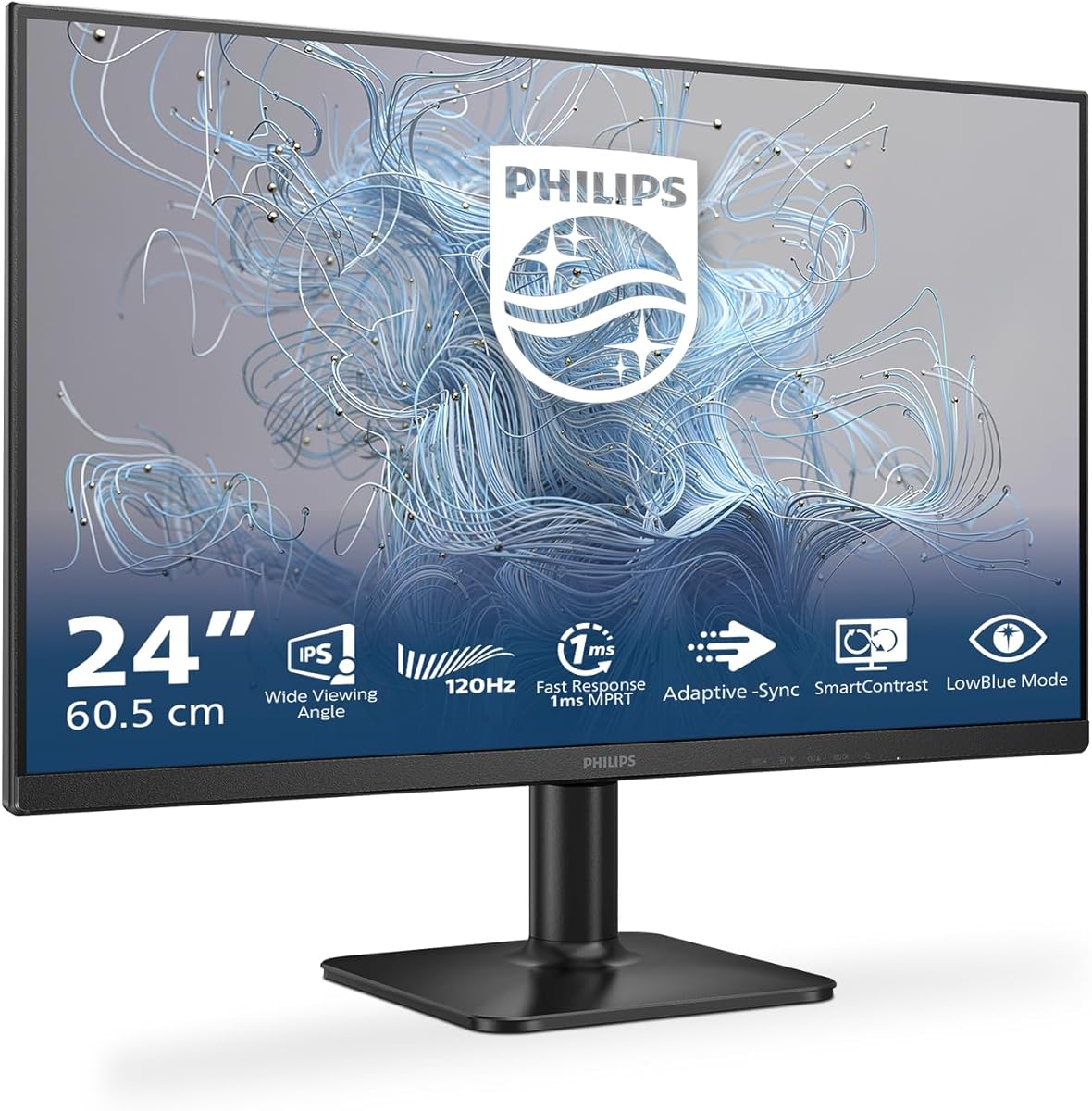
Balancing 120Hz Gaming Performance with Office Productivity in a 24-Inch Monitor
The Philips 24E2N1110 occupies a specific niche, offering a 120Hz refresh rate on a 24-inch Full HD panel, which is less common than 60Hz or 144Hz options. This makes it a hybrid choice for users who want smoother motion for casual gaming or general desktop use without committing to a dedicated gaming monitor's price or aesthetic. Its connectivity, limited to HDMI 1.4 and legacy D-Sub, directly informs its ideal use case.
Key Considerations Before Buying
- The 120Hz refresh rate is its standout feature; it provides a noticeably smoother cursor movement and scrolling compared to standard 60Hz office monitors, but lacks the extreme speed of 144Hz or 240Hz panels favored by competitive gamers.
- With only HDMI 1.4 and D-Sub inputs, this monitor cannot support high refresh rates over DisplayPort and may not be future-proof for newer graphics cards that are phasing out D-Sub; verify your PC's output ports match.
- The 24-inch size at 1920x1080 (Full HD) offers a sharp 92 PPI pixel density, which is ideal for clear text and detail without requiring Windows scaling, making it efficient for multi-window office work.
What Our Analysts Recommend
For a monitor in this class, examine reviews for mentions of backlight uniformity and the implementation of the adaptive sync technology, which helps reduce screen tearing. Genuine user feedback on the stand's adjustability (likely tilt-only) and the real-world benefit of the 120Hz refresh in daily tasks will be more telling than generic praise.
Monitors Market Context
Market Overview
The 24-inch Full HD monitor segment is highly competitive, typically split between basic 60Hz office models and 144Hz+ gaming displays. A 120Hz model like the Philips 24E2N1110 is a strategic middle ground, often using a VA or IPS panel to balance color performance with response time. Brands like Philips leverage their reputation for eye-comfort technologies in these hybrid models.
Common Issues
In this price and spec bracket, common compromises include limited ergonomic adjustment (often tilt-only stands), basic built-in speakers if any, and the use of older connection standards. Some panels may exhibit slower pixel response times than dedicated gaming monitors, leading to potential motion blur in fast-paced games.
Quality Indicators
Look for consistent mention of good out-of-the-box color accuracy, minimal backlight bleed in dark scenes, and reliable performance of the advertised adaptive sync feature. A high adjusted rating from verified purchasers, like the 4.4/5 here, is a stronger signal than the raw average.
Review Authenticity Insights
Grade B Interpretation
A Grade 'B' with an estimated 10% fake review rate indicates a generally trustworthy review landscape. The high adjusted rating of 4.40/5, derived from authentic-seeming reviews, suggests the positive sentiment is real, not manufactured. The slight drop from the raw 4.67/5 is typical and reflects a more realistic assessment.
Trust Recommendation
Focus on the detailed reviews that discuss specific use cases, like pairing it with a particular laptop or console, or that mention the monitor's performance with adaptive sync enabled. Be slightly more critical of overly vague 5-star reviews that lack these details, as they may constitute the estimated 10% less-reliable feedback.
Tips for Reading Reviews
Prioritize Italian reviews that mention '120Hz' in the context of everyday use or light gaming, and look for comments on the 'sincronizzazione adattiva' (adaptive sync) performance. Reviews noting the simplicity of the OSD menu or the quality of the anti-glare coating provide concrete, trustworthy insights.
Expert Perspective
The Philips 24E2N1110 presents a compelling value proposition for a specific user: someone seeking a productivity monitor that also delivers a superior, smoother visual experience for casual gaming, media consumption, and general desktop navigation. Its strong adjusted rating of 4.4/5 from authentic reviews confirms it executes this hybrid role well. The monitor's main limitation is its connectivity, which may restrict users with modern GPUs or those needing multiple digital inputs.
Purchase Considerations
This monitor is an excellent buy if your priority is a fluid 120Hz experience for general computing and light gaming on a 24-inch screen, and your hardware has compatible HDMI or D-Sub output. It is less ideal for competitive esports players who need 144Hz+, or for users requiring USB-C connectivity, height adjustment, or ultra-wide color gamuts for professional photo editing.
Comparing Alternatives
Shoppers should compare this model directly against other 24-inch 120Hz monitors and 144Hz options in a similar price range to assess the value of the extra refresh rate versus potential panel technology differences.

![Q27G40E/11 [27 type gaming LCD display / 2560 x 1440 / HDMI, DisplayPort / Speaker: None / 180Hz]](https://m.media-amazon.com/images/I/81FpmZwXBUL._AC_SY300_SX300_QL70_ML2_.jpg)


