
External Blu-ray Drives: What to Check Before You Buy
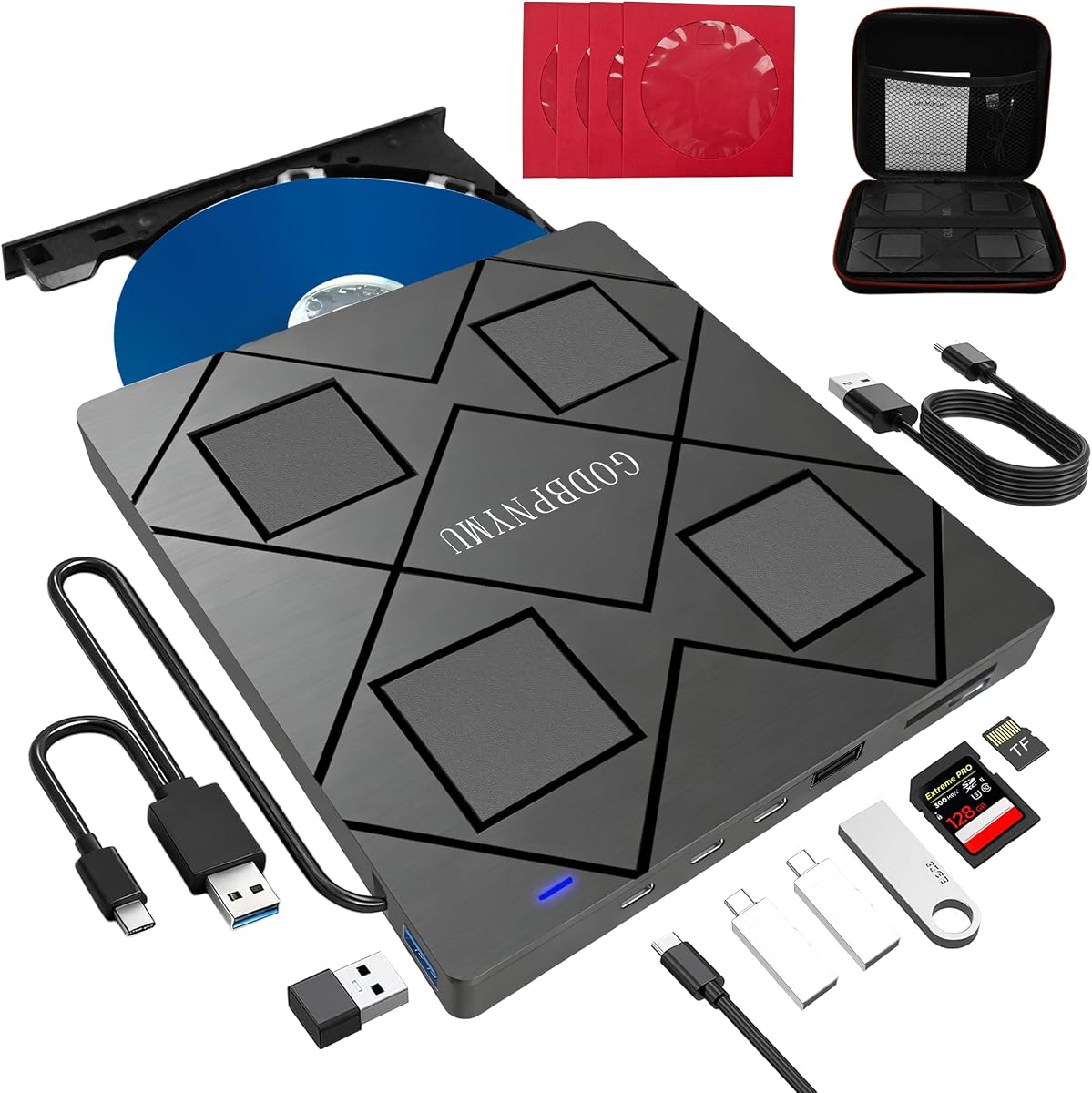
An external Blu-ray drive like this 8-in-1 model is a niche but useful add-on for PCs that lack a built-in optical drive, letting you play Blu-ray discs, burn DVDs and CDs, and read legacy media. Because these drives rely on USB power and a single cable, the quality of the drive mechanism and the bundled software matter far more than the '8-in-1' label suggests.
Key Considerations Before Buying
- Confirm the drive supports the disc formats you actually use: Blu-ray playback on a PC often requires additional software (like a licensed player), so check whether the bundle includes a working playback app or you'll need to supply your own.
- Check the USB connection type and power draw: bus-powered drives are convenient but can struggle with high-bitrate Blu-ray playback on older laptops, so look for models with a second USB cable or an external power option if your machine has weak ports.
- Verify write speeds and supported media: a drive advertised as '8-in-1' should list which DVD and CD formats it can burn (DVD-R, DVD+R, CD-R, etc.), since read-only Blu-ray support is common while Blu-ray writing is often absent at this price point.
What Our Analysts Recommend
Look for a drive with a metal or rigid plastic chassis rather than flimsy plastic, since external optical drives are prone to tray misalignment and lens contamination. Reviews mentioning reliable disc recognition after months of use, and a clear list of supported formats in the product description, are stronger quality signals than the number of 'features' in the title.
CD & DVD Drives Market Context
Market Overview
External optical drives are a shrinking but stable category, driven by laptops and desktops that ship without built-in drives and by users who need to read archived discs or watch Blu-ray films. Most sub-£50 units use the same handful of slim internal mechanisms from a few manufacturers, so differences often come down to enclosure quality, cable design, and bundled software.
Common Issues
The most frequent complaints in this category are drives that fail to read Blu-ray discs despite DVD/CD working, playback software that requires a paid upgrade, and USB cables that are too short or too stiff. Buyers also report region-locking surprises, since Blu-ray playback is region-coded and PC software must match the disc's region.
Quality Indicators
A quality external drive will specify its supported formats and write speeds clearly, include a cable long enough for desktop use, and mention whether it is bus-powered or needs external power. Brand reputation and a clear warranty are more meaningful than a long feature list, as the underlying mechanism is often shared across brands.
Review Authenticity Insights
Grade A Interpretation
A Grade A authenticity rating with an estimated 5% fake review rate means the 4.33/5 star rating (adjusted to 4.20/5) is largely trustworthy, with only a small fraction of reviews showing signs of manipulation. All reviews being verified purchases strengthens confidence that the feedback reflects real buyer experiences rather than paid promotion.
Trust Recommendation
You can treat the adjusted 4.20/5 rating as a fair reflection of typical performance, but still scan the lowest-rated reviews for recurring issues like Blu-ray read failures or software problems. Given the small fake-review percentage, a handful of detailed negative reviews are likely genuine and worth weighing heavily.
Tips for Reading Reviews
Focus on reviews that mention specific disc types (Blu-ray vs DVD), the computer or operating system used, and how long the drive lasted, as these details are hard to fake. Be cautious of reviews that only praise the '8-in-1' feature without describing actual use, and look for mentions of the bundled software working out of the box.
Expert Perspective
This 8-in-1 external Blu-ray/DVD drive sits in the budget-to-mid range of the external optical drive market, where the core mechanism is usually competent but the experience hinges on software and cable design. The strong, authentic review profile suggests it meets expectations for basic disc reading and DVD/CD burning, though buyers should not assume full Blu-ray writing capability without checking the spec sheet. For occasional use—watching a Blu-ray on a laptop or ripping old CDs—it is a reasonable value, provided you understand its limits.
Purchase Considerations
Weigh how often you will actually use an optical drive against the cost and desk clutter; if you only need to read a few discs, a cheaper DVD-only drive may suffice. If Blu-ray playback is the main goal, confirm your PC meets the software and hardware requirements and that the drive supports the region codes of your discs.
Comparing Alternatives
Compare this model with other external Blu-ray drives that explicitly list Blu-ray writing support and include playback software, as those features can justify a higher price for some buyers.


