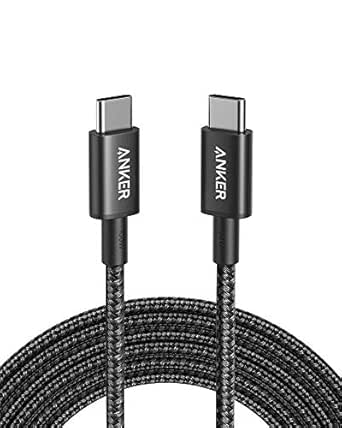
What to Know Before Buying a 20Gbps USB-C Cable
This USB-C 3.2 Gen 2 cable promises 20Gbps data transfer, 4K@60Hz video, and 240W PD3.1 charging—a rare triple threat. But not all USB-C cables are created equal, so understanding the specs that matter is essential before you buy.
Key Considerations Before Buying
- Look for an E-Marker chip: This cable includes one, which is required for 5A/240W charging and ensures safe power delivery. Without it, your device may default to slower charging.
- Check video support: Not all USB-C cables carry video. This one supports 4K@60Hz via DisplayPort Alt Mode, making it suitable for connecting to monitors or TVs. Verify your device supports Alt Mode.
- Consider length and durability: At 1.5 meters, this cable balances reach and portability. Look for reinforced connectors and strain relief if you plan to travel frequently.
What Our Analysts Recommend
Prioritize cables with explicit USB-IF certification and clear power/data ratings. A reputable brand will list the E-Marker and supported protocols. Avoid vague listings that don't specify speeds or wattage.
USB Cables Market Context
Market Overview
The USB-C cable market is flooded with options, but many fail to deliver advertised speeds or power. As devices demand more bandwidth and wattage, certified cables like this 20Gbps model are becoming essential for power users.
Common Issues
Common problems include cables that don't support video output, lack E-Markers for high-wattage charging, or degrade over time. Some cheap cables also pose safety risks due to poor construction.
Quality Indicators
Quality cables typically have nickel-plated connectors, braided jackets, and explicit USB-IF certification. They also specify supported protocols (e.g., USB 3.2 Gen 2, DisplayPort Alt Mode) and wattage.
Review Authenticity Insights
Grade A Interpretation
With a Grade A authenticity rating and only 5% estimated fake reviews, the 4.89-star average (4.80 adjusted) is highly trustworthy. This suggests genuine customer satisfaction with performance and reliability.
Trust Recommendation
You can confidently rely on the reviews, but still verify that the cable meets your specific needs—especially video resolution and charging wattage for your devices.
Tips for Reading Reviews
Focus on reviews that mention specific use cases, such as connecting to a 4K monitor or charging a laptop at full speed. Look for comments on durability and compatibility with Thunderbolt devices.
Expert Perspective
This cable stands out for its combination of 20Gbps data, 4K video, and 240W charging—a versatile solution for modern laptops, phones, and monitors. The high review rating and authenticity grade indicate it delivers on its promises. However, ensure your devices support these specs to fully benefit.
Purchase Considerations
Weigh the price against your need for high-speed data and power. If you frequently transfer large files or connect to 4K displays, this cable is worth the investment. For basic charging, a cheaper cable may suffice.
Comparing Alternatives
Compare with other USB-C cables that offer similar specs, but check for certifications and warranty. Some brands may offer longer lengths or additional features like cable ties.