
External DVD Drives: What to Know Before You Buy
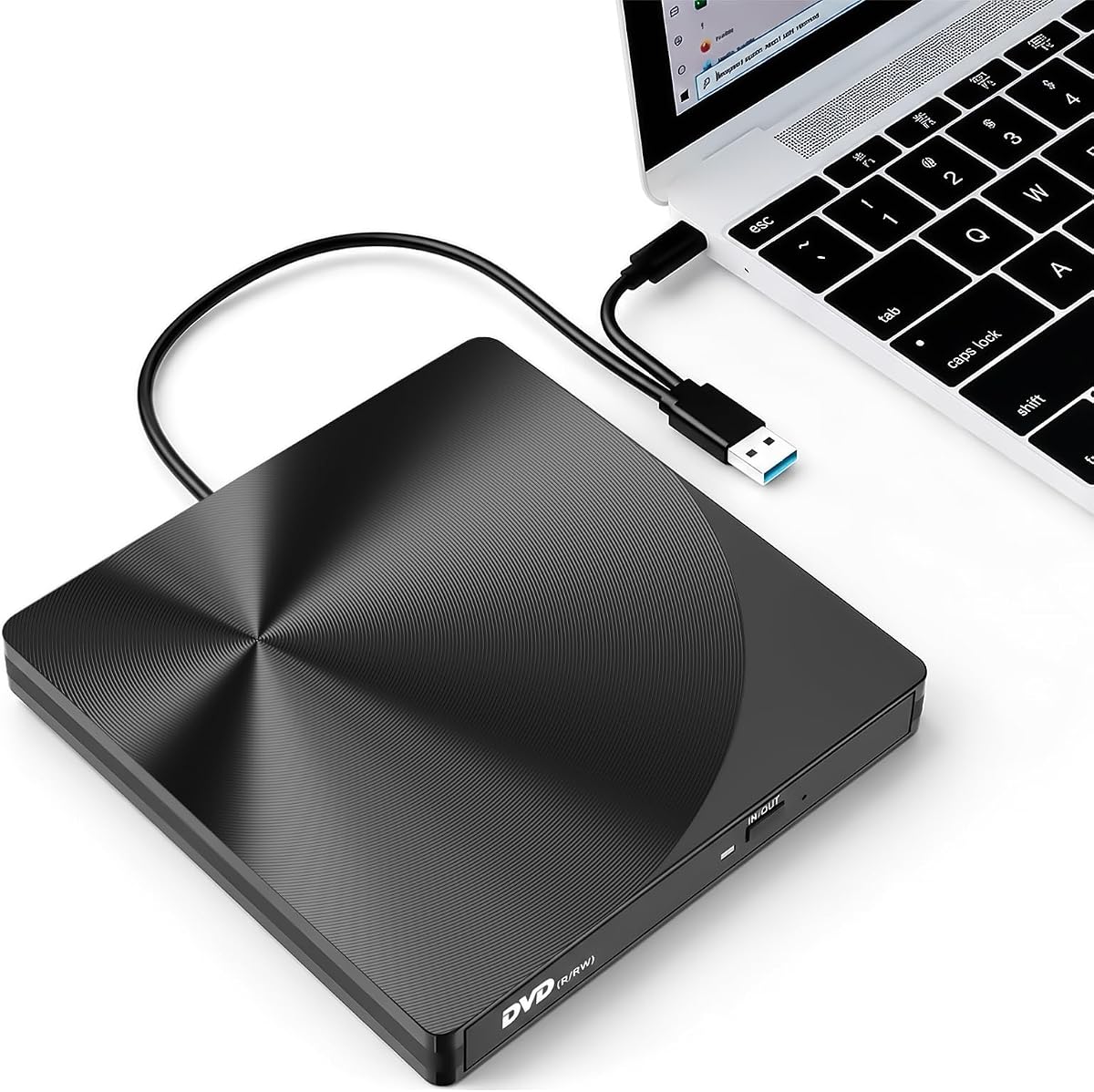
The varkda External CD/DVD Drive offers USB 3.0 and USB-C connectivity for laptops and desktops, including Macs. With a 4.89/5 rating from 133 reviews, it appears to be a reliable choice, but understanding key factors will ensure it meets your needs.
Key Considerations Before Buying
- Compatibility: Ensure the drive supports your operating system (Windows, macOS, Linux) and disc formats (CD, DVD, including M-DISC if needed). The varkda model claims broad compatibility, but verify with your specific OS version.
- Connectivity: USB 3.0 provides faster data transfer, while USB-C ensures compatibility with newer laptops. Check that the included cable matches your ports or that adapters are available.
- Power and Portability: External drives often draw power from the USB port. Consider if the drive requires additional power for burning discs, and check its size and weight if you plan to carry it frequently.
What Our Analysts Recommend
Look for drives with sturdy build quality, reliable brand reputation, and clear warranty terms. Reading reviews about long-term durability and customer support can indicate quality. Also, check if the drive supports all the disc types you need, including read/write speeds for burning.
CD & DVD Drives Market Context
Market Overview
External optical drives have become niche as laptops drop built-in drives, but demand persists for legacy media, software installation, and data archiving. The market offers many budget options, with quality varying widely; established brands and those with robust customer feedback stand out.
Common Issues
Common problems include drives that fail to read certain discs, inconsistent burning performance, and short lifespans due to cheap components. Compatibility issues with newer operating systems or USB-C ports are also frequent complaints.
Quality Indicators
Quality drives often feature brand-name internal mechanisms (e.g., from Lite-On or Pioneer), robust error correction, and clear documentation. A high number of positive reviews over time, especially mentioning durability, is a good sign. Also, look for drives that include necessary cables and software.
Review Authenticity Insights
Grade B Interpretation
A Grade B authenticity rating with an estimated 15% fake reviews suggests that while most reviews are genuine, some may be incentivized or low-effort. The adjusted rating of 4.50/5 still indicates strong overall satisfaction, but readers should approach with mild caution.
Trust Recommendation
Given the high adjusted rating and majority genuine reviews, this product is likely reliable, but scrutinize reviews for specific details about performance and longevity. Look for reviews that mention both pros and cons, as these are often more trustworthy.
Tips for Reading Reviews
Focus on reviews that describe specific use cases, such as burning DVDs or reading old CDs, and mention the drive's performance over time. Be wary of reviews that are overly brief or generic; instead, prioritize those with detailed experiences and photos.
Expert Perspective
The varkda External CD/DVD Drive appears to be a solid option in the external optical drive market, with a high adjusted rating and mostly genuine reviews. Its dual USB 3.0 and USB-C connectivity makes it versatile for modern and older devices. However, the presence of some fake reviews warrants a careful look at customer feedback to ensure it meets your specific needs.
Purchase Considerations
Consider your primary use case: if you need occasional disc reading or burning, this drive should suffice. For heavy or professional use, invest in a more durable model with a longer warranty. Also, check if the drive includes necessary software for DVD playback, as many do not.
Comparing Alternatives
Compare with other external drives from brands like LG, ASUS, or Pioneer, which may offer better build quality or additional features. Reading comparative reviews can help you make an informed decision.


