
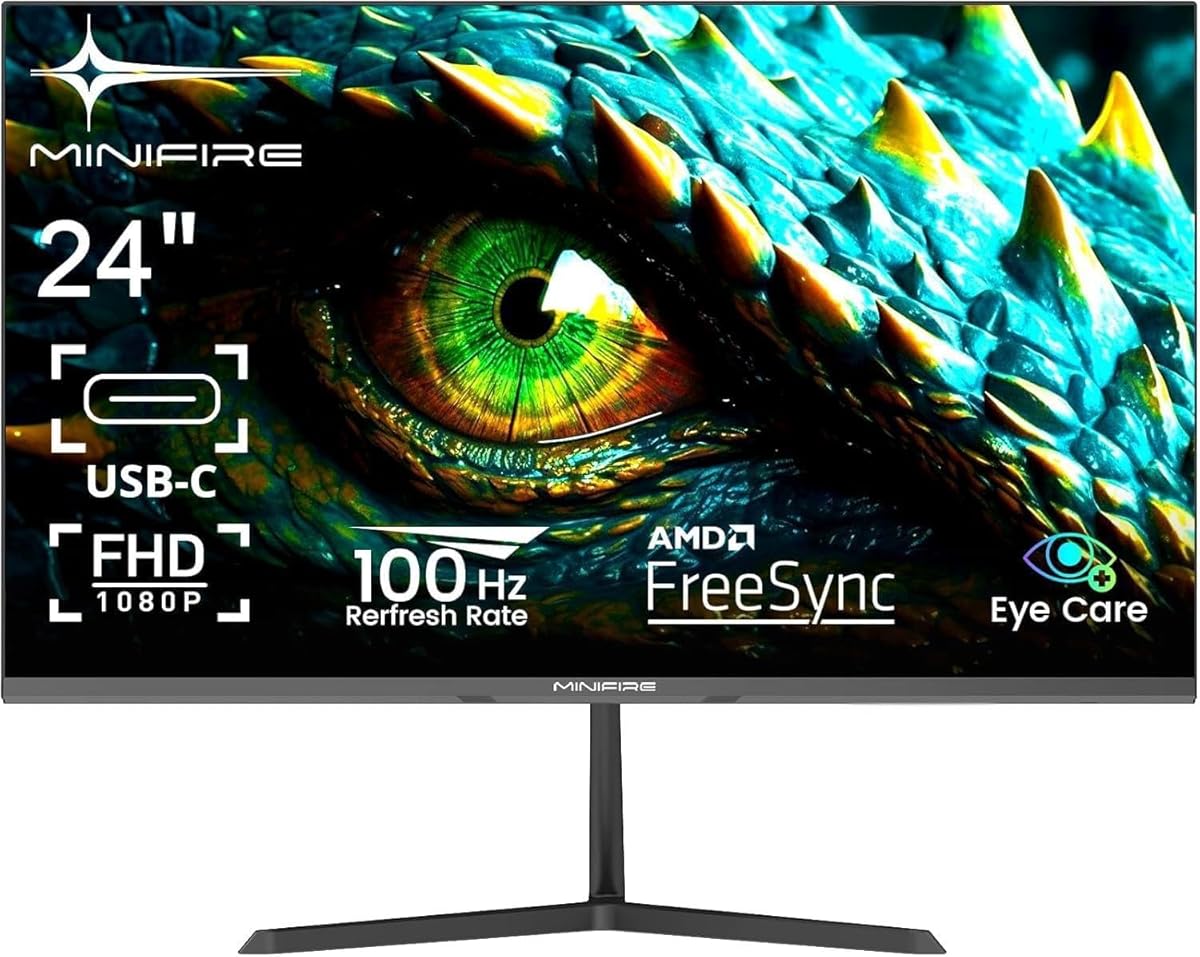
Choosing a 24-inch 100Hz monitor: Balancing refresh rate, connectivity, and color accuracy
The Minifire MF24X3AL sits in the competitive sweet spot of 24-inch monitors offering 100Hz refresh rates, which bridges standard 60Hz and premium 144Hz displays. For buyers considering this model, the key differentiators are its 110% sRGB color coverage for enhanced vibrancy, the inclusion of both HDMI and USB-C connectivity, and Adaptive-Sync technology for smoother motion. These features position it as a versatile display for both productivity and casual gaming.
Key Considerations Before Buying
- The 100Hz refresh rate provides a noticeable 66% increase in smoothness over standard 60Hz panels, particularly beneficial for fast-paced content and reducing eye strain during long work sessions.
- USB-C connectivity is a premium feature at this price point, offering single-cable solutions for modern laptops and cleaner desk setups, while the 5ms (OD) response time is adequate for most non-competitive gaming.
- The 110% sRGB color gamut indicates potential for oversaturated colors out-of-the-box, which may require calibration for color-accurate work, but delivers vibrant visuals for media consumption.
What Our Analysts Recommend
Examine reviews for mentions of backlight uniformity and IPS glow, common issues with mid-range IPS panels. Genuine feedback on the effectiveness of the 'Eye-Care' features, like flicker-free technology and blue light reduction, is more valuable than generic comfort statements. The VESA 100x100mm mount compatibility is a key indicator of long-term flexibility.
Monitors Market Context
Market Overview
The 24-inch Full HD monitor segment is intensely competitive, with brands differentiating through refresh rates above 60Hz and modern connectivity like USB-C. The market has shifted from pure resolution specs to a balance of ergonomics, eye comfort, and motion clarity, even for office-focused displays.
Common Issues
Common compromises in this tier include the use of lower-tier panel grades leading to potential backlight bleed, aggressive overdrive (OD) settings causing inverse ghosting, and basic stands with limited adjustability. Color accuracy claims like 'sRGB110%' often refer to gamut coverage, not factory calibration.
Quality Indicators
Look for consistent praise across numerous reviews for specific attributes like the USB-C port's charging capability, the actual smoothness of Adaptive-Sync, and the build quality of the bezel and stand. A high volume of verified purchases, as seen here, is a stronger positive signal than a perfect rating from few reviews.
Review Authenticity Insights
Grade B Interpretation
A 'Grade B' with a 15% estimated fake review rate suggests the vast majority of feedback is authentic, but there is a minor layer of potentially incentivized or biased reviews. The adjusted rating of 4.50/5 from the core 4.89/5 is a more reliable performance indicator, still representing excellent user satisfaction.
Trust Recommendation
Prioritize reviews that discuss the 100Hz performance in specific applications (e.g., 'scrolling in Excel,' 'playing Game X') and the USB-C functionality over vague 'great picture' comments. The high number of verified purchases (2305) means you can place significant trust in the consensus regarding reliability and out-of-box experience.
Tips for Reading Reviews
For monitors, seek out reviews that mention using calibration tools or compare the sRGB110% claim to other displays. Pay close attention to critical reviews discussing the 5ms response time in fast games or potential color oversaturation, as these highlight the product's realistic limitations.
Expert Perspective
The Minifire MF24X3AL presents a compelling feature set for its category, particularly with USB-C and 100Hz in a 24-inch form factor. The exceptionally high adjusted user rating of 4.5/5, derived from a large sample of verified reviews, strongly indicates reliable performance and customer satisfaction. Its specification mix targets a user seeking a single monitor for hybrid work and leisure use, offering tangible upgrades over basic 60Hz office displays without the cost of a dedicated high-refresh gaming panel. The authenticity analysis supports that this positive reception is genuine.
Purchase Considerations
This monitor is an optimal choice if your priorities are modern connectivity (USB-C), a smoother-than-standard desktop experience (100Hz), and vibrant colors for media, rather than esports-grade response times or factory-perfect color calibration. Consider if the 24-inch Full HD resolution provides sufficient screen real estate for your multitasking needs.
Comparing Alternatives
Shoppers should compare the Minifire's connectivity and refresh rate against similarly priced offerings from established brands like AOC, ASUS, or Dell, which may offer stronger warranties or stand adjustability.


