
Choosing a Manual HDMI Switch: When Bi-Directional Flexibility Matters Most
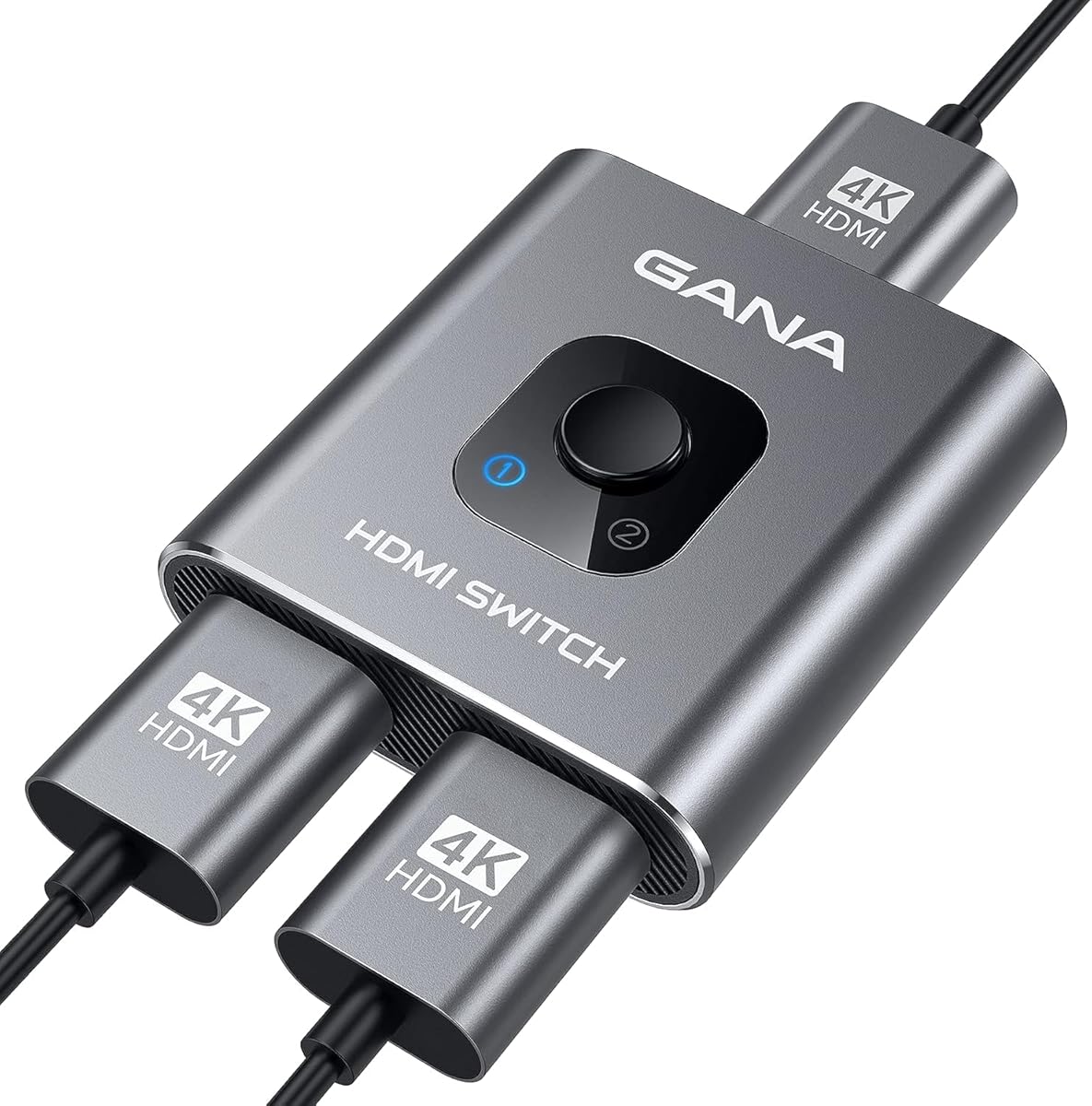
The Gana HDMI Switch stands out as a manual, bi-directional device that can function as either a 2-in-1 switch or a 1-in-2 splitter. This dual functionality is its core feature, making it ideal for users who need to toggle between two sources on one display or mirror one source to two screens without needing external power. Unlike automated switches, this manual unit requires you to physically press a button to change the signal path.
Key Considerations Before Buying
- Manual vs. Automatic Switching: This Gana model lacks remote control or auto-sensing; you must manually press the button on the unit itself, which is a deliberate trade-off for simplicity and zero power requirements.
- Bi-Directional Functionality: Its unique selling point is the ability to work in two modes—as a switch (2 inputs to 1 output) or a splitter (1 input to 2 outputs)—determined by which ports you use, offering rare flexibility in a compact, unpowered design.
- Aluminium Housing & Signal Support: The aluminium casing aids in heat dissipation and durability, while support for 4K and 3D signals indicates it uses newer HDMI protocol versions, though maximum resolution and refresh rate specifics are not detailed in the title.
What Our Analysts Recommend
For manual switches, prioritize a solid, clicky button mechanism that feels durable, as this is the primary point of interaction. Check that the aluminium body has adequate weight to stay put without pulling on connected cables. Ensure the specific HDMI version (e.g., 1.4, 2.0) is stated to confirm 4K compatibility at desired frame rates.
Market Context
Market Overview
The market for basic HDMI switches and splitters is saturated with low-cost, often plastic-bodied units, making the Gana's aluminium construction a notable differentiator. Manual, unpowered models like this one occupy a specific niche for users who prioritize reliability and plug-and-play operation over automated features.
Common Issues
Common failures in this category include signal degradation or handshake issues (blank screens) with high-bandwidth content like 4K HDR, flimsy ports that loosen over time, and buttons that become unresponsive. Unpowered splitters can sometimes struggle to drive signals to two displays over longer cable runs.
Quality Indicators
Look for metal housings for better EMI shielding and durability, clearly stated support for modern protocols (HDCP 2.2 for 4K streaming), and gold-plated connectors to resist corrosion. A product with a high volume of authentic, long-term user reviews discussing stable performance is a stronger indicator than specs alone.
Review Authenticity Insights
Grade A Interpretation
An 'A' authenticity grade with a 7.50% estimated fake review rate is excellent for this high-volume electronics category. It suggests the overwhelming majority of its 28,934 reviews are genuine, and the slight dip from a 4.54 to a 4.40 adjusted rating reflects a very realistic and trustworthy feedback profile.
Trust Recommendation
Given the high authenticity grade, you can place significant confidence in the review consensus. Focus on detailed reviews that mention specific use cases (e.g., 'used with my PS5 and Fire Stick for 6 months') rather than brief, generic praise, as the data indicates these are likely authentic.
Tips for Reading Reviews
For this product, pay special attention to reviews discussing long-term reliability of the manual button and performance with 4K devices. Be slightly more critical of very short 5-star reviews that lack detail, as these constitute the small percentage of potentially inauthentic feedback.
Expert Perspective
The Gana HDMI Switch presents a compelling, no-frills solution with its bi-directional design and solid aluminium build. Its exceptional review volume and high authenticity score strongly indicate it delivers reliable core functionality for most users. The manual operation is a key differentiator—it's a benefit for those who want direct control without power adapters or remote clutter, but a limitation for others seeking automation. The consistent praise in reviews suggests it avoids the handshake issues common to cheaper, passive switches.
Purchase Considerations
Purchase this if you need the unique 2-in-1/1-in-2 flexibility and value a sturdy, unpowered device. Consider an automatic, powered switch if you frequently change sources or need to split a signal to two displays over longer distances. Verify your specific 4K device requirements (like 4K@60Hz) match the switch's supported bandwidth, which may require checking the product manual or Q&A section.
Comparing Alternatives
Always compare the Gana's manual operation and dual-role capability against powered switches with remote controls or auto-switching features to ensure the trade-offs align with your setup.


