
Dual Monitor Risers with USB and Charging: What Aussie Buyers Should Know
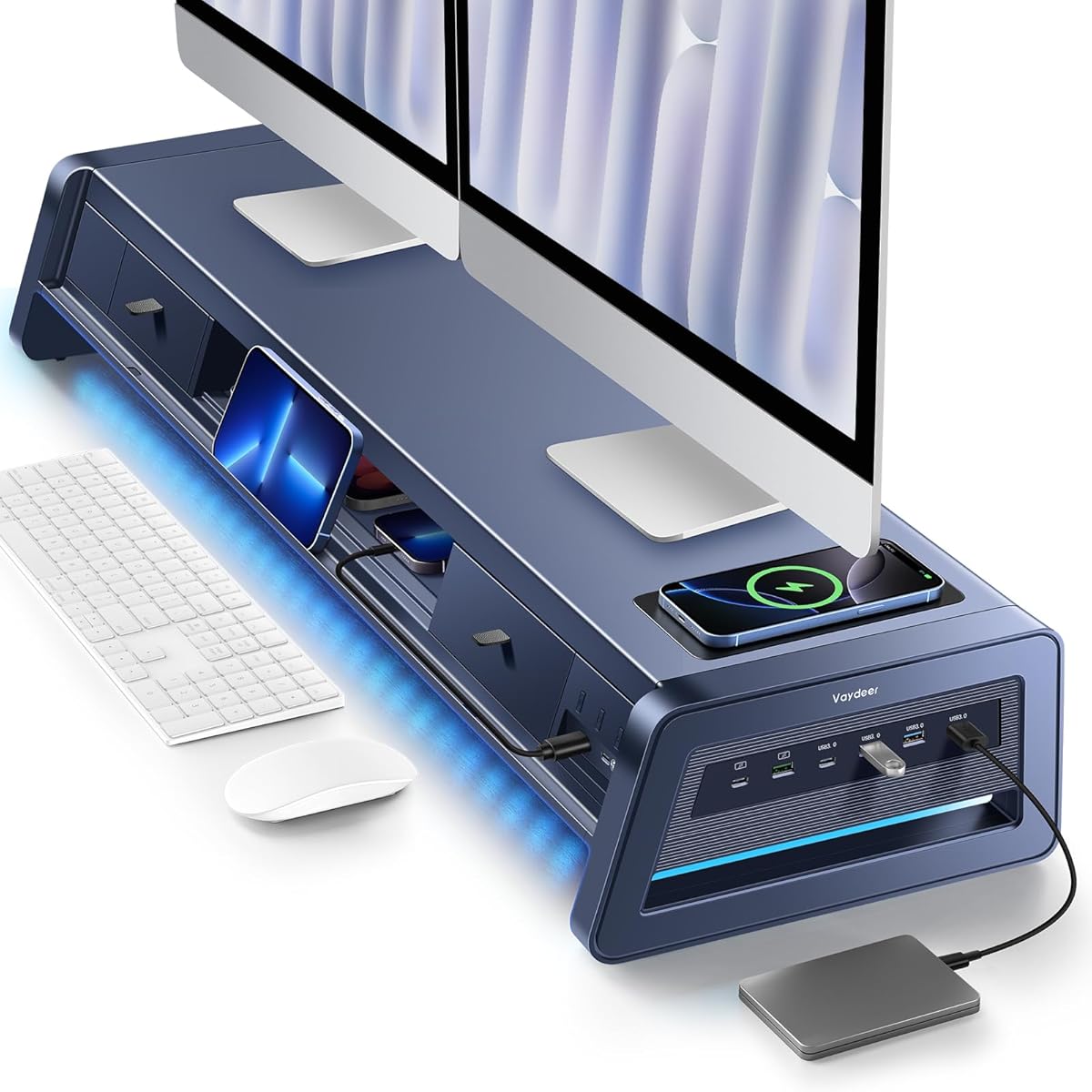
The Vaydeer All-in-One Dual Monitor Stand Riser is a 39.3-inch metal platform designed to lift two monitors while adding 2 drawers, 8 USB ports, and a wireless charging pad with LED lighting. This category of integrated desk organizers can consolidate cables and accessories, but the combination of electronics and heavy-duty support means buyers need to scrutinise build quality, port performance, and ergonomic fit.
Key Considerations Before Buying
- Check the weight capacity and platform dimensions against your exact monitor setup. A 39.3-inch riser can support two monitors, but the total weight and base footprint must match your desk depth and monitor arm or stand sizes.
- Verify the USB and wireless charging specifications, not just the port count. Look for the USB version (e.g., USB 3.0 vs 2.0), total power output, and wireless charging wattage to ensure they can charge modern devices at useful speeds.
- Consider cable management and accessibility. With 8 USB ports, a wireless charging pad, and an LED light strip, you'll need clearance for cables and easy access to ports; otherwise the convenience can become clutter.
What Our Analysts Recommend
Prioritise solid metal construction with a stable, non-slip base and a weight rating that comfortably exceeds your monitors' combined weight. Check that the drawers slide smoothly and that the USB hub and wireless charger are independently powered or clearly rated for simultaneous use. LED lighting should be adjustable or dimmable, and the finish should resist scratching on both the platform and drawer fronts.
Monitor Stands Market Context
Market Overview
Monitor stands and risers have evolved from simple wooden blocks into integrated desk organisers with built-in hubs, charging, and lighting. The Australian market sees a mix of budget plastic risers and premium metal all-in-one units, with dual-monitor models commanding higher prices due to size and load requirements.
Common Issues
Buyers often report that USB ports underperform or fail to charge tablets and laptops, wireless charging pads can be slow or finicky with cases, and LED strips may be too bright or not dimmable. Stability is another frequent complaint when the riser is loaded with two monitors and accessories, especially on smaller desks.
Quality Indicators
Look for metal rather than plastic construction, a stated weight capacity that exceeds your needs, and clear electrical specifications for USB and wireless charging. Reviews that mention long-term durability, stable drawer mechanisms, and consistent charging performance are strong signals of a quality product.
Review Authenticity Insights
Grade B Interpretation
A Grade B authenticity rating with an estimated 10% fake review percentage suggests most reviews are genuine, but a small minority may be manipulated. The adjusted rating of 4.00/5 (down from 4.22/5) indicates that after removing suspicious reviews, the product still performs well, though the margin is narrower.
Trust Recommendation
Trust the adjusted rating more than the headline score, and focus on reviews that describe specific use cases, installation experiences, and long-term performance. Be cautious of reviews that only praise the port count or charging speed without mentioning build quality or stability.
Tips for Reading Reviews
Read reviews that mention the exact monitor models used, desk size, and whether the USB ports or wireless charging met expectations. Look for balanced feedback that notes both strengths and drawbacks, as these are more likely to be authentic and helpful for your decision.
Expert Perspective
The Vaydeer All-in-One Dual Monitor Stand Riser packs a lot of functionality into a 39.3-inch metal platform, making it appealing for buyers who want to declutter their desk without adding separate hubs or chargers. However, the 4.00 adjusted rating and 10% estimated fake review rate mean you should verify the electrical performance and stability claims through detailed reviews. At its price point, it competes with simpler risers and separate accessories, so the convenience of integration must justify the premium.
Purchase Considerations
Weigh the convenience of built-in USB ports, wireless charging, and drawers against the risk of component failure and the need for adequate desk space. Confirm the weight capacity for your monitors and check whether the USB hub requires its own power source, as this affects cable management.
Comparing Alternatives
Compare with dedicated monitor risers plus a separate USB hub and wireless charger, as this modular approach can offer better upgrade flexibility and often more reliable charging performance.


