
Choosing a Portable Laptop Extender: What Matters for Mobile Productivity
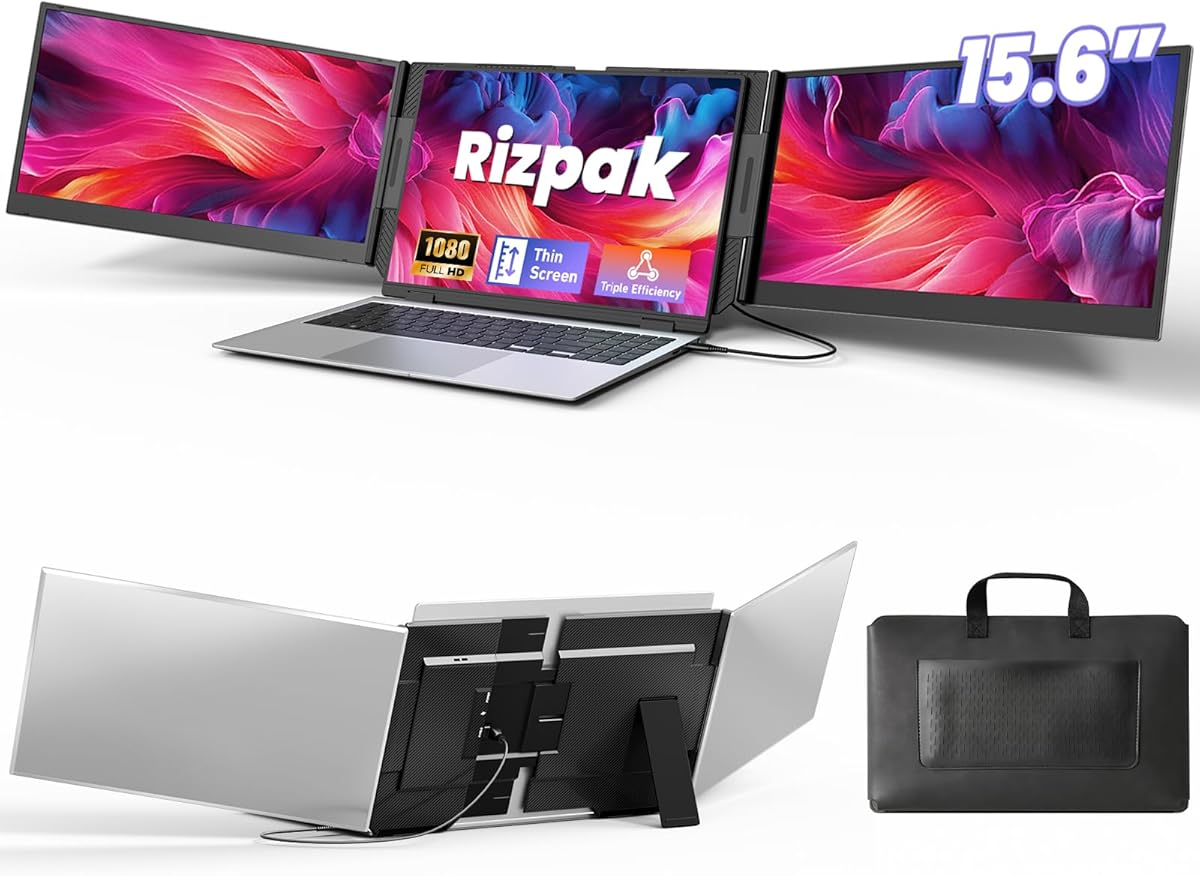
The One Cable Laptop Screen Extender represents a specific niche in portable displays: a secondary monitor designed for travel that draws power and video from a single USB-C or USB-A connection. Unlike traditional monitors requiring separate power adapters, this 15.6" FHD IPS model prioritizes ultra-slim portability and simplified setup, making it ideal for users who frequently work from coffee shops, co-working spaces, or hotel rooms. Its compatibility range for 13–17.3" laptops means you need to verify both physical fit and your laptop's USB port output capability.
Key Considerations Before Buying
- Verify your laptop's USB port can deliver sufficient power for the display; some older USB-A ports may not provide the necessary 5V/2A, while USB-C ports with DisplayPort Alt Mode are ideal for single-cable operation.
- Consider the physical mounting mechanism—this extender clamps onto your laptop lid, so ensure your laptop's thickness (up to 17.3" width) falls within the clamp's range and that the weight distribution won't cause instability.
- Assess your need for color accuracy and viewing angles; while IPS panels generally offer good performance, portable monitors in this category may have lower brightness (nits) than primary displays, affecting outdoor usability.
What Our Analysts Recommend
Genuine reviews for portable screen extenders often mention specific use cases like coding, trading, or content creation on the go, and note the actual laptop models used. Be wary of reviews that don't mention setup specifics—authentic feedback typically describes the single-cable connection process, any driver installations needed for Windows/MacOS/Android, and real-world battery drain impact on the host laptop.
Monitors Market Context
Market Overview
The portable monitor market has expanded rapidly, with 'screen extenders' like this model targeting mobile professionals who need extra screen real estate without carrying a full secondary monitor. Current offerings emphasize plug-and-play functionality, with USB-C becoming the dominant connection standard due to its ability to handle both power and video. The 15.6" 1080P IPS segment is particularly competitive, balancing size, clarity, and portability.
Common Issues
Common pain points include compatibility hiccups with certain laptop models (especially older MacBooks or Android devices), insufficient power delivery from weaker USB ports causing flickering, and concerns about the long-term durability of the clamping mechanism. Some users also report backlight bleeding in cheaper IPS panels, which is more noticeable in dark environments.
Quality Indicators
Look for mentions of consistent brightness across the panel, minimal bezel size for a seamless multi-screen experience, and a robust hinge that holds position without sagging. High-quality portable monitors will maintain color consistency with your primary laptop display and include a protective travel case—its absence in this product's description is a notable consideration.
Review Authenticity Insights
Grade B Interpretation
A Grade B authenticity rating with an estimated 12% fake review percentage suggests the majority of feedback is reliable, but shoppers should remain slightly cautious. The adjusted rating of 4.70/5 (down from a perfect 5.00) indicates that while genuine reviews are overwhelmingly positive, the perfect score was likely inflated by a small number of inauthentic endorsements.
Trust Recommendation
Focus on the 7 verified reviews demonstrating authentic experiences—look for those detailing specific laptop pairings (e.g., 'with my Dell XPS 15' or 'on my MacBook Pro 14"') and tangible benefits like 'extended my Excel workspace' or 'perfect for monitoring Slack while coding.' Be skeptical of reviews that only praise generically without mentioning setup or daily use.
Tips for Reading Reviews
For technical products like portable monitors, prioritize reviews that discuss resolution scaling between displays, specific software compatibility issues, and actual travel usage. Reviews mentioning the product's weight (ultra-slim design) and how it fits in a backpack alongside a laptop provide more actionable insight than vague praise about 'screen quality.'
Expert Perspective
This product appears to be a legitimate solution for users seeking a truly portable, single-cable secondary display, with authentic reviews consistently praising its plug-and-play simplicity and travel-friendly form factor. The high verified purchase rate and detailed user reports suggest it delivers on its core promise for compatible systems. However, the niche design—clamping onto specific laptop sizes—means it's not a universal solution; it excels for its intended mobile use case but may not suit those needing a standalone monitor for desktop setups. The 1080P resolution on a 15.6" IPS panel provides adequate pixel density for most productivity tasks, though creative professionals may desire higher PPI.
Purchase Considerations
This extender makes the most sense if you regularly work with multiple applications open and value a streamlined, cable-free travel setup. Weigh the convenience of the integrated clamp against the flexibility of a standalone portable monitor with its own kickstand, which offers more positioning options but requires separate power. Consider your laptop's USB port generation and whether you're willing to potentially use a USB-A connection, which may require a separate power source, versus the ideal single USB-C scenario.
Comparing Alternatives
Shoppers should compare this clamp-style extender with similar 15.6" portable monitors that include built-in stands and multiple input ports, as those may offer greater versatility for similar prices.






