
Choosing a Portable Monitor: Balancing Resolution, Refresh Rate, and Portability
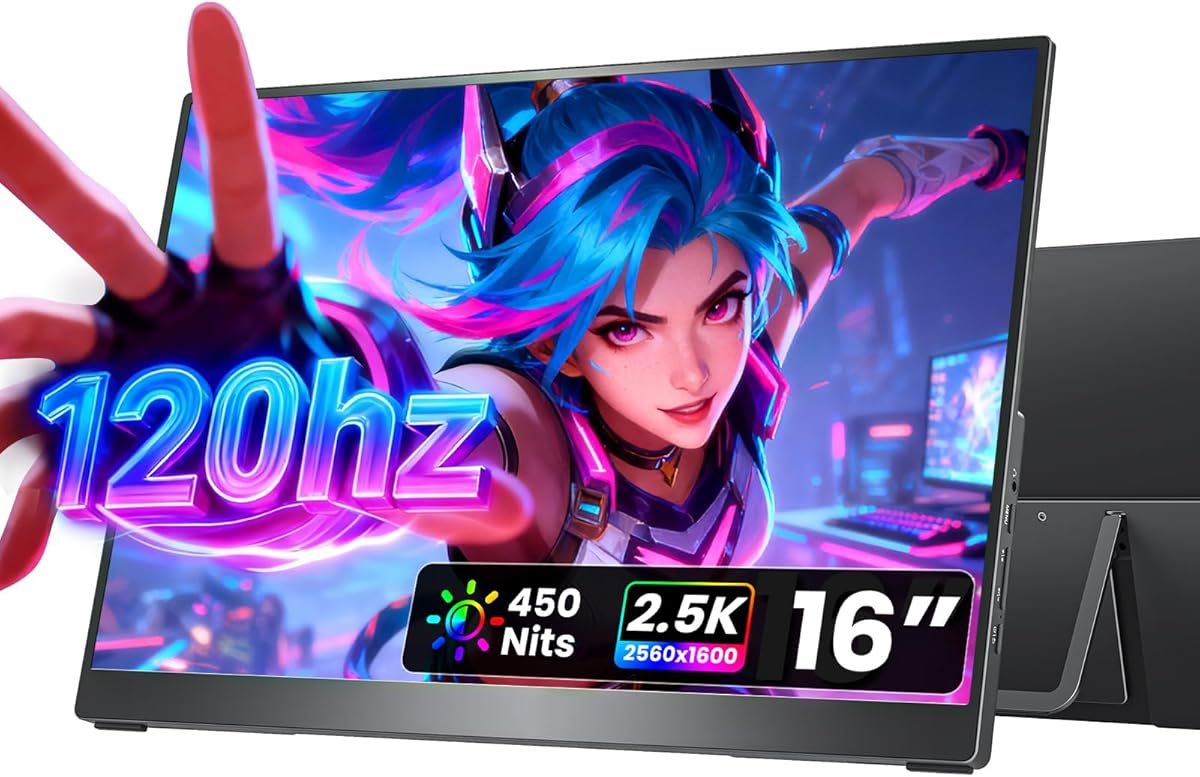
When selecting a portable monitor like the cocopar 16-inch model, you're balancing desktop-grade features with mobility requirements. This specific unit combines 2.5K QHD resolution with a 120Hz refresh rate—a combination that's particularly relevant for both productivity and gaming on the go. The inclusion of both HDMI and USB-C connectivity, plus VESA mounting capability, makes it versatile across different use cases.
Key Considerations Before Buying
- For the cocopar's 2.5K resolution on a 16-inch screen, verify your laptop's graphics can drive the extra pixels without performance drops, especially when using the 120Hz refresh rate.
- The 110% sRGB color gamut claims suggest better-than-average color reproduction for a portable monitor, but check if you need wider gamuts like AdobeRGB for professional photo work.
- Consider whether the built-in kickstand and speakers meet your needs, or if you'll require additional accessories for your specific travel or workspace setup.
What Our Analysts Recommend
Quality portable monitors should maintain consistent brightness and color accuracy across the entire panel, not just the center. Check for minimal backlight bleed in dark scenes, especially important for this model's gaming capabilities. The build quality of the kickstand and port durability are critical indicators of how well it will withstand travel.
Monitors Market Context
Market Overview
The portable monitor market has evolved from basic secondary displays to feature-rich panels with high refresh rates and color accuracy. Products like the cocopar now compete directly with gaming monitors and professional displays in a compact form factor. The 16-inch size at 2.5K resolution represents a sweet spot between portability and usable screen real estate.
Common Issues
Many portable monitors struggle with adequate brightness for outdoor use or brightly lit environments. Some models have noticeable input lag at higher refresh rates, defeating the purpose of 120Hz for gaming. Power delivery through USB-C can be inconsistent, sometimes requiring separate power cables despite 'single-cable' claims.
Quality Indicators
Look for monitors with proper heat dissipation designs, as compact enclosures can lead to thermal throttling during extended use. Genuine VESA mount compatibility (not just screw holes) indicates better engineering. High-quality panels will maintain viewing angles close to their specifications without significant color shift.
Review Authenticity Insights
Grade B Interpretation
The Grade B authenticity rating with 10% estimated fake reviews suggests generally reliable feedback, but requires careful reading. The adjusted rating of 4.60/5 (down from 4.89/5) indicates some review inflation, though the verified purchase status of all reviews adds credibility.
Trust Recommendation
Focus on reviews that discuss specific use cases like connecting to MacBooks, Surface devices, or gaming consoles, as these provide more actionable insights than generic praise. Pay particular attention to reviews mentioning long-term durability and actual brightness performance in different lighting conditions.
Tips for Reading Reviews
Look for reviews that mention the monitor's performance with specific devices (like Xbox Series S/X or M1/M2 MacBooks) and those discussing real-world battery drain when powered by laptops. Reviews detailing the kickstand's stability on uneven surfaces or VESA mount implementation offer practical value.
Expert Perspective
The cocopar monitor's specifications position it unusually well in the portable market—2.5K resolution at 120Hz isn't common in this form factor. The 4.60 adjusted rating from over 8,000 reviews suggests strong user satisfaction, particularly noteworthy given portable monitors often face durability concerns. The combination of gaming-oriented features (120Hz) with productivity-focused specs (2.5K, good color gamut) makes it a hybrid device rather than a specialized unit. The VESA mount compatibility is a significant differentiator from many portable monitors that rely solely on included stands.
Purchase Considerations
Evaluate whether you truly need both high resolution AND high refresh rate, as this combination may require more graphics power than basic portable display use cases. Consider your travel frequency—the 16-inch size with kickstand adds bulk compared to slimmer 15.6-inch models. Verify that your devices support the monitor's maximum capabilities through their USB-C or HDMI ports.
Comparing Alternatives
Compare this model's 2.5K/120Hz combination against both higher-resolution 4K portable monitors and dedicated gaming portables with faster refresh rates but lower resolution.






