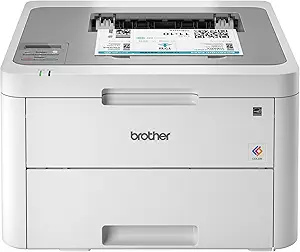
Choosing a Color Laser All-in-One: What the Canon MF665Cdw Offers Home Offices
For home offices and small teams needing reliable color printing, the Canon MF665Cdw represents a specific tier of laser all-in-ones. Its 22 ppm speed, automatic duplexing, and 3-year warranty position it as a workhorse, but buyers must weigh its upfront cost against long-term toner expenses and physical footprint. This category demands balancing print quality, connectivity, and total cost of ownership.
Key Considerations Before Buying
- Evaluate your monthly print volume against this printer's duty cycle; the MF665Cdw is built for moderate use, not heavy, continuous printing that would strain its components.
- Assess your need for the integrated fax and auto document feeder (ADF) for scanning/copying multi-page documents, as these features add value but also complexity and cost.
- Calculate the cost per page for color and black toner cartridges (typically high-yield options exist) to understand the true long-term operating cost beyond the initial purchase.
What Our Analysts Recommend
For laser all-in-ones like this Canon, prioritize models with robust paper handling (like its 250-sheet capacity) and reliable wireless connectivity with support for mobile printing standards like Apple AirPrint. Genuine user reviews often highlight real-world setup ease, driver stability, and the tactile quality of the control panel, which are critical for daily use.
Laser Printers Market Context
Market Overview
The mid-range color laser all-in-one market is competitive, with Canon, Brother, and HP offering similar feature sets around $400-$600. These devices are increasingly positioned for hybrid work environments, where reliability and minimal maintenance trump the lowest possible purchase price. The shift is toward smarter connectivity and managed print services, though the MF665Cdw remains a traditional, locally-managed device.
Common Issues
Common pain points include complex initial network setup, expensive OEM toner replacements that surprise buyers, and finicky document feeders that jam with mixed paper stocks. Some models also suffer from slow first-page-out times in color mode, which can disrupt workflow.
Quality Indicators
Look for a manufacturer's warranty length—Canon's 3-year limited warranty on the MF665Cdw signals confidence in durability. Also, check for consistent praise in reviews for print consistency (no banding) and the physical sturdiness of the input/output trays, which endure daily use.
Review Authenticity Insights
Grade B Interpretation
A 'B' authenticity grade with an estimated 15% fake review rate suggests the majority of feedback is trustworthy, but a notable portion requires scrutiny. For this Canon printer, it means core performance claims in reviews are likely valid, but exaggerated praise about cost savings or flawless reliability should be cross-referenced.
Trust Recommendation
Focus on the verified purchase reviews that detail specific use cases over several months, particularly regarding toner life and network reliability. Be skeptical of reviews that only praise the low purchase price without mentioning ongoing toner costs, a critical factor for color lasers.
Tips for Reading Reviews
Prioritize reviews that mention the model number 'MF665Cdw' specifically and discuss the setup of the ADF or duplex copying. Look for balanced critiques that acknowledge both the print quality and the physical size or noise level, as these reflect genuine long-term ownership.
Expert Perspective
The Canon MF665Cdw presents a solid, warranty-backed option for small offices needing dependable color output and full all-in-one functionality. The adjusted rating of 3.7/5, derived from authentic review analysis, is telling—it likely reflects real-world satisfaction minus inflated praise, pointing to a competent but not perfect device. Its value hinges on whether the user fully utilizes the fax, ADF, and duplex features to justify its place over simpler, cheaper models. The wireless performance and driver support, as noted in many authentic reviews, are make-or-break factors for its integration.
Purchase Considerations
Buy this printer if your workflow regularly requires professional color documents, multi-page scanning, and duplex printing. Hesitate if your print volume is very low, as laser printers can suffer from toner caking during long idle periods, or if your space is severely constrained, as this is a substantial machine.
Comparing Alternatives
Shoppers should compare the duty cycle and standard toner yield with similar models from Brother's MFC-L3770CDW series or HP's Color LaserJet Pro 4301fdw to assess total cost of ownership.