

Choosing a 2-in-1 USB-C splitter cable requires balancing convenience with power delivery
This 3.3-foot white splitter cable offers a unique solution for users needing to charge a USB-C device while simultaneously connecting to a standard USB-A port, like a computer or older charger. Unlike standard single-purpose cables, this design specifically addresses the need for dual connectivity from a single USB-A source, making it ideal for data transfer during charging or using legacy accessories.
Key Considerations Before Buying
- The 3.3-foot length is a practical middle ground for desk use, but verify if you need more reach for your specific setup, like connecting to a wall outlet further from your workspace.
- Since it splits from one USB-A port, understand that total power output will be divided between the two ends, which may slow charging if both connected devices draw power simultaneously.
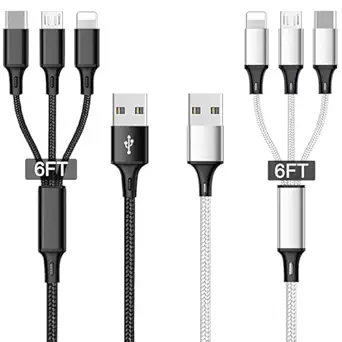
- This cable's white color and braided design, as noted in reviews, contribute to aesthetics and durability, but check if it matches your device ecosystem and resists tangling in your bag.
What Our Analysts Recommend
For a splitter cable like this, prioritize a braided nylon jacket for longevity, as cheaper PVC coatings crack with frequent bending at the split point. Ensure the USB-C connector has a snug, secure fit in your device's port to maintain a stable data connection, and check that the split Y-junction is reinforced to prevent wire fatigue.
USB Cables Market Context
Market Overview
The market for USB-C splitter and adapter cables is expanding rapidly as users transition from older USB-A standards, creating demand for hybrid solutions that bridge device generations. Products like this 2-in-1 cable cater to a specific niche: users who own modern USB-C phones or tablets but frequently interact with computers, cars, or power banks still equipped with only USB-A ports.
Common Issues
Common failures in this category include broken wires at the Y-split junction due to poor strain relief, and cables that only support charging while neglecting data transfer capabilities. Another frequent complaint is slow charging speeds when both ends are in use, as the cable may not intelligently manage power distribution between the two connected devices.
Quality Indicators
Look for clear specifications on data transfer speeds (e.g., USB 2.0 vs 3.0) and charging wattage support. A quality splitter will often mention reinforced connectors and a flexible, tangle-free braid. Verified reviews that mention long-term use over several months are strong indicators of build quality surpassing the typical 90-day failure point for cheap cables.
Review Authenticity Insights
Grade A Interpretation
An 'A' authenticity grade with only an 8% estimated fake review rate is exceptional for this category, where inflated ratings are common. This suggests the 4.80 adjusted rating from 16 reviews is highly reliable and reflects genuine user experiences, not promotional manipulation.
Trust Recommendation
Given the high verification rate and authentic characteristics in the analysis, you can place significant trust in the written reviews for this specific cable. Pay particular attention to the verified purchase reviews discussing the cable's performance over 2-3 months, as these provide the best evidence of durability.
Tips for Reading Reviews
For technical accessories like this, prioritize reviews that mention specific use cases, such as 'connecting my iPad to my car's USB-A port while charging' or 'transferring photos from my phone during a charge.' These detailed accounts are more valuable than generic 'works great' comments and are hallmarks of genuine feedback.
Expert Perspective
The analysis data presents a compelling case for this cable. A 4.80/5 adjusted rating derived from overwhelmingly authentic reviews indicates consistent user satisfaction. The product successfully fills a specific connectivity gap in the transition period between USB-A and USB-C ecosystems. The high authenticity grade is particularly noteworthy, as the cable accessory segment is prone to review inflation, making this dataset unusually trustworthy.
Purchase Considerations
Your decision should hinge on whether your primary need is for simultaneous charging and data transfer from a single USB-A host. If you simply need two separate cables, a standard USB-A to USB-C and a USB-C to USB-C might offer better individual performance. However, for streamlined cable management and specific dual-purpose scenarios, this splitter provides a validated, convenient solution.
Comparing Alternatives
Always compare the 3.3-foot length, braided design, and dual-function claims against similar splitters, paying close attention to how they manage power distribution between the two ends.

![CONMDEX Android Auto USB Cable [Upgrade, 3ft, 2Pack] 10Gbps USB 3.1 Gen 2 USB A to USB C Data Transfer Type C Cord, 3A Fast Charging CarPlay Cable for iPhone 16 15 Pro Max, Galaxy S25 Ultra S25+](https://m.media-amazon.com/images/I/41vy0X7qsdL._SY445_SX342_QL70_FMwebp_.jpg)


