
Choosing an external optical drive: What matters for modern laptops without built-in drives
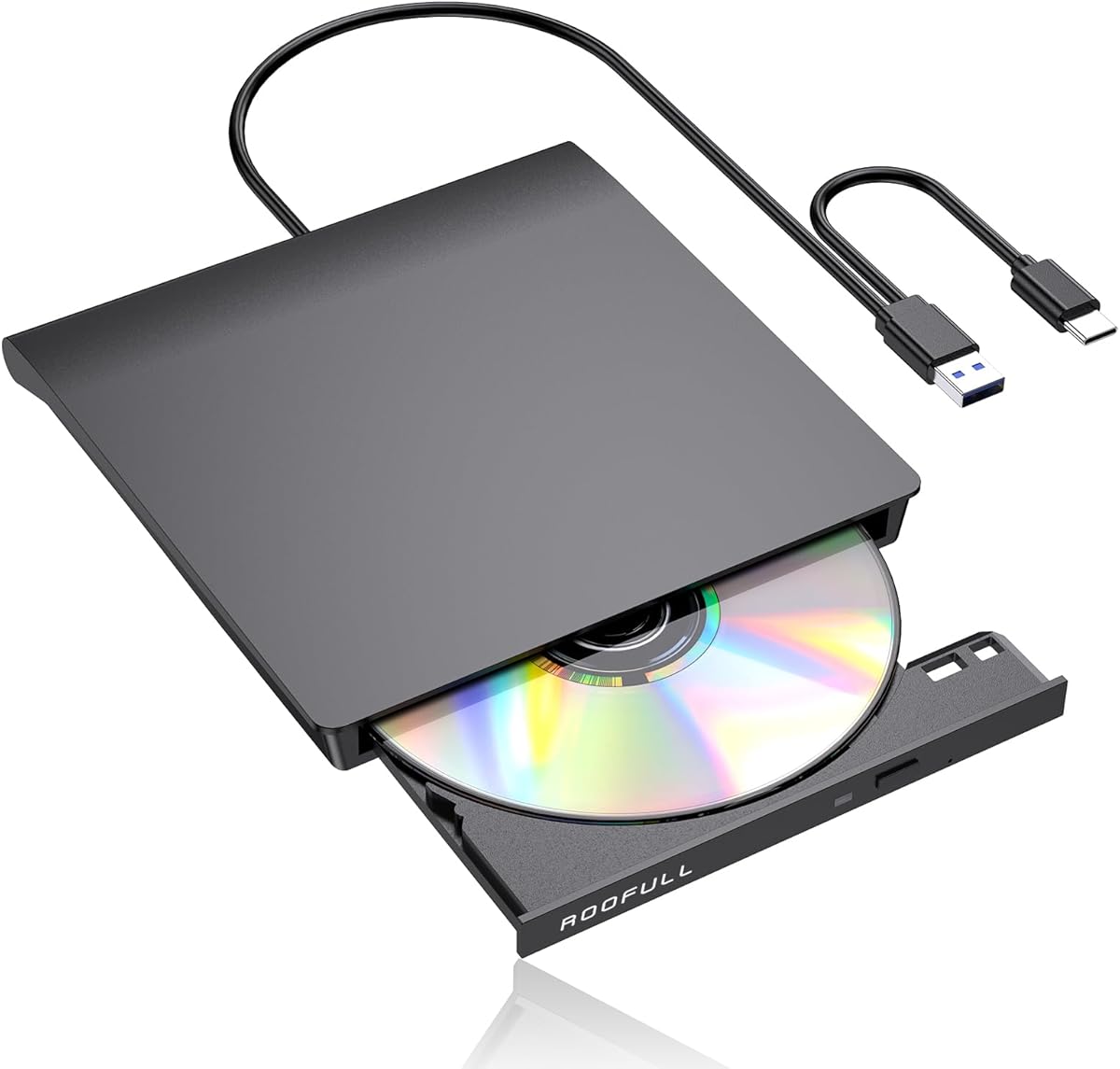
The ROOFULL RF21-MAS represents a specific solution for users who need to access legacy media on modern computers. This USB-C/USB 3.0 external drive bridges the gap between older CD/DVD collections and current laptops that have eliminated internal optical drives. Buyers should evaluate it based on its dual-interface compatibility, plug-and-play functionality, and specific performance with both reading and burning tasks.
Key Considerations Before Buying
- Interface compatibility is crucial: This drive offers both USB-C and traditional USB-A connectivity, which is essential for connecting to modern MacBooks with only USB-C ports and older Windows PCs with USB-A ports.
- Driver requirements vary: While the product claims plug-and-play for most systems, macOS and Linux may require different handling than Windows, and burning software often needs to be installed separately.
- Performance expectations should be realistic: External drives operate at slower speeds than internal SATA drives, typically maxing at 24x for CDs and 8x for DVDs, which affects large disc burning times.
What Our Analysts Recommend
For external optical drives, check for consistent performance across different disc types (CD-R, DVD±R, DVD±RW) and reliable error correction during reading. Quality indicators include robust construction around the disc tray mechanism to prevent misalignment and adequate ventilation to manage heat during extended burning sessions, which the ROOFULL's design addresses.
CD & DVD Drives Market Context
Market Overview
The external optical drive market has evolved into a niche but essential category, dominated by portable, bus-powered units like the ROOFULL RF21-MAS. These drives primarily serve users needing to access legacy software, media collections, or burn discs for specific professional or archival purposes, as most modern laptops no longer include internal drives.
Common Issues
Common problems include compatibility hiccups with newer operating systems (especially Windows 11 and macOS updates), unreliable performance with scratched or older media, and mechanical failures in the tray-loading mechanism. Power delivery can also be an issue if connected through unpowered USB hubs.
Quality Indicators
Look for drives that specify support for M-DISC archival media, include both Type-C and Type-A cables in the box, and have clear documentation for driver installation across multiple OS platforms. A solid track record with verified purchase reviews, like the ROOFULL's 4.5 adjusted rating from over 24,000 reviews, is a strong indicator of reliable performance.
Review Authenticity Insights
Grade B Interpretation
A Grade B authenticity rating with a 15% estimated fake review percentage suggests the majority of feedback is trustworthy, but shoppers should remain discerning. This grade indicates healthy review patterns with verified purchases, though some incentivized or overly generic positive reviews may be present.
Trust Recommendation
Focus on reviews that detail specific use cases, such as installing legacy software, ripping music collections, or burning bootable discs. Verified reviews mentioning the included cables, performance with dual-layer DVDs, or compatibility with specific MacBook models carry more weight than generic 'works great' comments.
Tips for Reading Reviews
Prioritize reviews that discuss longevity over several months, performance with various disc formats (CD-RW vs. DVD+R DL), and any troubleshooting experiences with different operating systems. Be cautious of reviews that don't mention the product's actual model number (RF21-MAS) or lack specific performance details.
Expert Perspective
The ROOFULL RF21-MAS stands out in the external optical drive category due to its exceptionally high verified review volume and strong adjusted rating of 4.5/5. This suggests consistent performance across a large user base. Its dual-interface design specifically addresses the connectivity gap in modern computing, making it a practical solution for users with mixed-device ecosystems. The product's success appears rooted in reliable plug-and-play functionality and inclusion of necessary cables, which competitors sometimes omit.
Purchase Considerations
Weigh your specific media needs—if you primarily need to read commercial DVDs or install old software, this drive is well-suited. If you require frequent burning of large volumes of discs or work with specialized formats like Blu-ray (which this drive doesn't support), consider alternatives. The drive's lack of external power supply makes it highly portable but dependent on your computer's USB power delivery.
Comparing Alternatives
Shoppers should compare the ROOFULL's specifications and included accessories against similar drives from brands like ASUS, LG, or Verbatim, particularly regarding warranty length and bundled software.


