Evaluating the Trimui Smart Pro: A Linux-Based Retro Handheld with Premium Specs
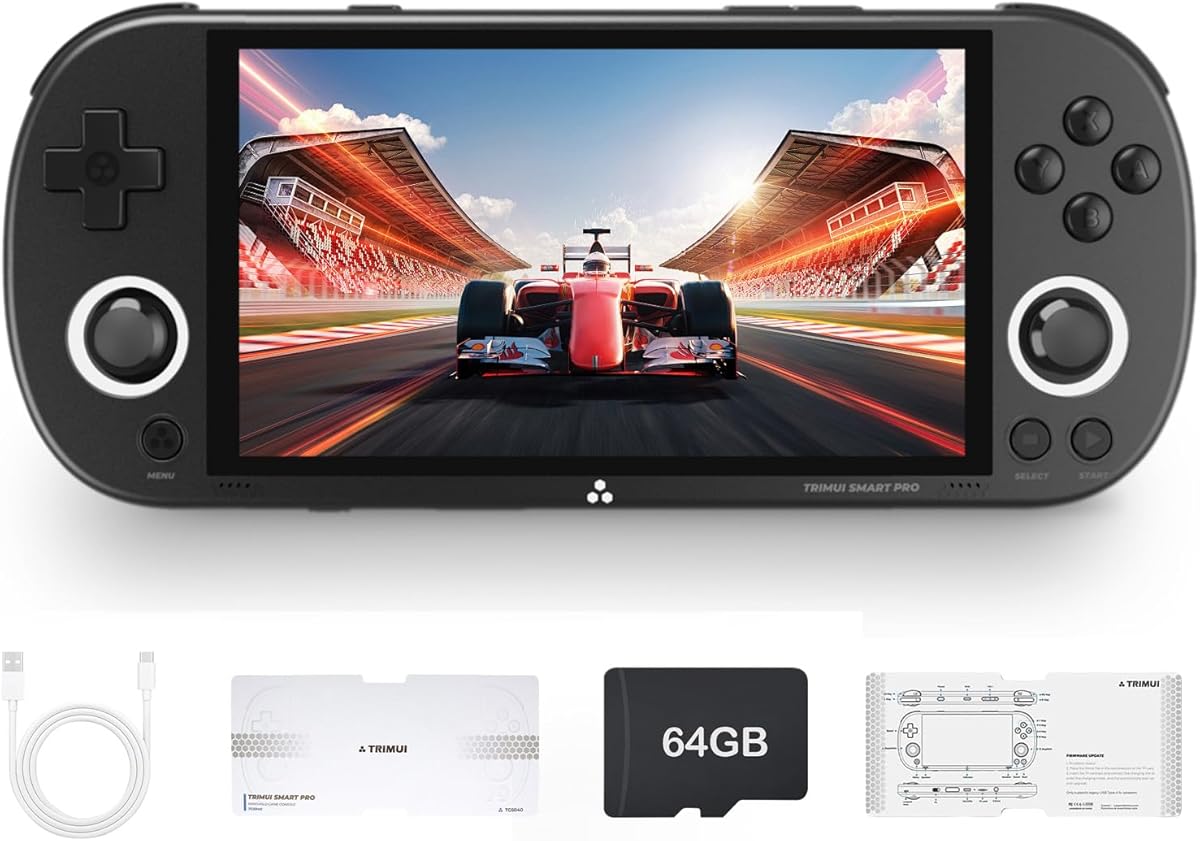
The Trimui Smart Pro positions itself as a premium retro handheld, distinguished by its 4.96-inch 720x1280 IPS screen and Linux-based operating system. Buyers should understand this device targets enthusiasts seeking a specific blend of modern hardware for emulating classic consoles, not a simple plug-and-play toy. Its dual joystick design and 5000mAh battery suggest a focus on extended, comfortable play sessions.
Key Considerations Before Buying
- The Linux system offers flexibility for tech-savvy users to customize emulators and front-ends, but requires more setup than a pre-loaded Android device.
- The 64GB built-in storage is generous for ROMs, but the 720x1280 screen resolution is a key spec for crisp integer scaling of retro games, particularly for systems like PlayStation 1.
- The 5000mAh battery capacity is substantial for this category; real-world battery life will depend heavily on screen brightness and the emulation load of more demanding systems.
What Our Analysts Recommend
For this category, scrutinize reviews mentioning build quality, specifically the tactile feedback of the d-pad and face buttons, as these are critical for retro gaming. Pay close attention to user feedback on the out-of-box experience with the Linux interface and pre-loaded software, as this is a common pain point. The quality of the IPS screen should be judged by its viewing angles and color vibrancy in reviews, not just its resolution.
Plug & Play Video Games Market Context
Market Overview
The retro handheld market is saturated with devices ranging from sub-$50 Anbernic and Miyoo Mini clones to premium models like the AYN Odin. The Trimui Smart Pro enters at a mid-to-high tier, competing on screen quality and a clean, open-source OS approach rather than sheer volume of pre-installed games.
Common Issues
Common pitfalls include poor ergonomics for larger hands, inconsistent performance across different emulated systems (especially N64, Dreamcast, and PSP), and confusing menu systems that frustrate non-technical users. Many devices also suffer from 'button mushiness' or unreliable Wi-Fi for scraping game art.
Quality Indicators
Look for devices with a dedicated, active developer community for software updates, which is often signaled by a Linux or Android OS. Premium builds use IPS screens for better clarity and hall-effect joysticks to prevent drift. A thoughtful button layout that mirrors original controller designs (like a proper SNES d-pad) is a hallmark of quality.
Review Authenticity Insights
Grade B Interpretation
A 'B' grade and 15% estimated fake review rate indicates a generally trustworthy review pool, but advises healthy skepticism. This level suggests some incentivized reviews may be present, potentially inflating initial impressions of ease-of-use or performance.
Trust Recommendation
Focus on the 3.60 adjusted rating from verified, detailed reviews over the surface-level 3.89 average. Prioritize reviews that discuss specific emulators (like PicoDrive or PCSX-ReARMed), battery drain tests, or mention modifying the device, as these signal genuine, experienced users.
Tips for Reading Reviews
For this technical product, value reviews that mention specific games used for testing (e.g., 'Mario Kart 64 ran perfectly') and describe the process of adding your own ROMs. Be wary of reviews that only praise the screen size and number of games without detailing performance or setup steps.
Expert Perspective
The Trimui Smart Pro's specifications—particularly its high-resolution 720x1280 IPS screen and large battery—are compelling for a dedicated retro handheld. However, the 3.60 adjusted user rating suggests the experience doesn't fully match the promise of the hardware for all buyers, a common gap in this category. The Linux system is a double-edged sword: it allows for a lightweight, performant OS but places the burden of curation and optimization on the user. This device is not for someone seeking an instant, effortless gaming library.
Purchase Considerations
Weigh your comfort with tinkering against the desire for a polished experience. If you enjoy configuring emulator settings and organizing game libraries, the Smart Pro's hardware is a capable canvas. If you prefer a console-like experience out of the box, a device with a more mature Android-based ecosystem or a simpler, curated system like the Miyoo Mini+ may be less frustrating.
Comparing Alternatives
Shoppers should directly compare the Smart Pro's screen and OS against contemporaries like the Retroid Pocket 4 (Android) or the Anbernic RG556 (Android) to assess the value of its Linux approach.