Choosing a Gaming Dock: Why 4K@120Hz HDMI 2.1 and 100W PD Matter Most
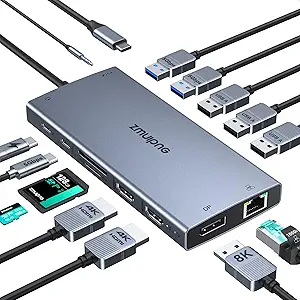
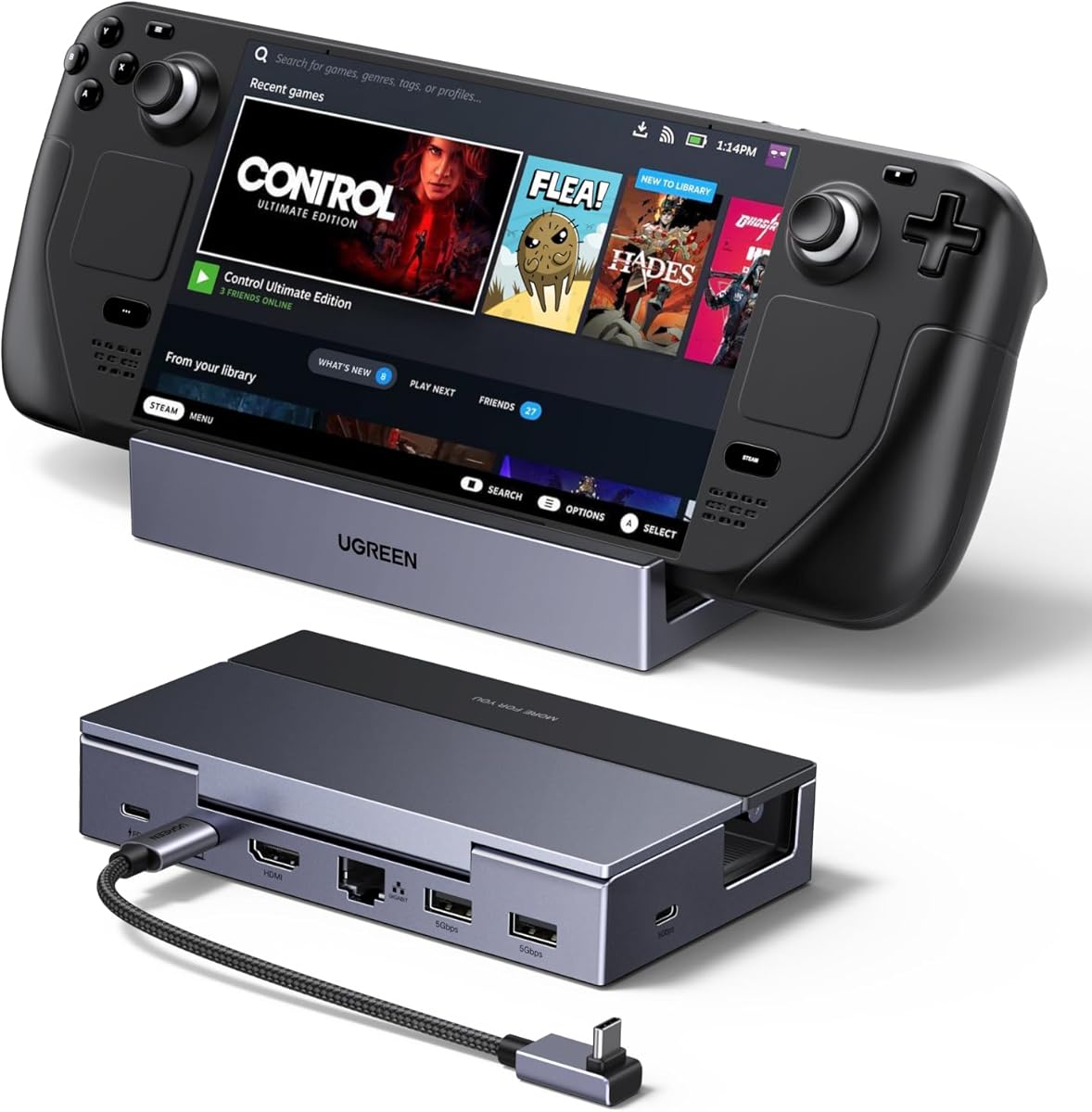
The UGREEN 6-in-1 dock targets a specific niche: gamers who want to transform their handheld PC into a desktop setup. This isn't a generic USB-C hub; its value hinges on the HDMI 2.1 port's ability to deliver 4K resolution at a 120Hz refresh rate, crucial for smooth gameplay on external monitors, and the 100W Power Delivery to keep your device charged under load.
Key Considerations Before Buying
- Verify your monitor's capabilities: To utilize the 4K@120Hz feature, you need a monitor or TV with HDMI 2.1 support; otherwise, you're paying for bandwidth you can't use.
- Assess your power needs: While 100W PD is ample for a Steam Deck or ROG Ally, ensure your original charger can deliver at least 65W to leverage full passthrough charging without battery drain during intensive gaming.
- Check device compatibility: Despite the '2025' branding, confirm the dock's firmware and physical design work with your specific handheld's port placement and software, as some early models had fit issues.
What Our Analysts Recommend
For gaming docks, prioritize a robust power circuit that can handle simultaneous high-resolution output and device charging without overheating. Look for explicit mention of HDMI 2.1 (not just 4K support) and Gigabit Ethernet with a dedicated controller to minimize latency, which is more critical here than in office docking stations.
Docking Stations Market Context
Market Overview
The handheld gaming dock market has exploded post-Steam Deck, with brands like UGREEN, JSAUX, and official manufacturers competing on port selection and video bandwidth. The current battleground is HDMI 2.1 implementation versus the more common HDMI 2.0, which caps at 4K@60Hz.
Common Issues
Common failures include intermittent HDMI handshaking, overheating under sustained load causing throttled performance, and USB-C connectors that are too rigid, risking port damage on the handheld device. Incompatibility with specific monitor models or refresh rate locking is also frequently reported.
Quality Indicators
Quality is signaled by clear specification of the HDMI protocol version, the use of a VIA or Realtek chipset for reliable Ethernet, and a design that includes thermal management like a metal housing or ventilation. Avoid docks that use vague terms like '4K ready' instead of stating the exact HDMI standard.
Review Authenticity Insights
Grade B Interpretation
A Grade 'B' with a 12% estimated fake review rate suggests the review corpus is generally reliable but requires discerning reading. The adjusted rating of 4.20/5 (down from 4.44) indicates the authentic user experience is still very positive, though slightly less euphoric than the raw average implies.
Trust Recommendation
Focus on the 3- and 4-star reviews for balanced insights, as the 5-star reviews may contain the inflated praise. Pay particular attention to reviews that mention specific use cases, like connecting to an LG C2 OLED TV or using it with a MacBook, for tangible performance data.
Tips for Reading Reviews
For technical accessories like this, prioritize reviews that detail setup steps, specific monitor models used, and mention of any firmware updates. Be skeptical of reviews that only praise packaging or generic 'works great' statements without technical context.
Expert Perspective
The UGREEN dock presents a strong, feature-forward option in the handheld gaming space, particularly due to its HDMI 2.1 specification—a feature that future-proofs it for high-refresh-rate displays. The 4.20 adjusted rating from authentic reviews is robust for this category, where compatibility issues often drag scores down. Its inclusion of a Gigabit Ethernet port with a dedicated chip is a significant advantage for competitive gamers over Wi-Fi, and the 100W PD is appropriately scaled for the power draw of modern handheld PCs. The '6-in-1' label is accurate but practical; the two USB-A 3.0 ports are useful for peripherals, but the USB-C data port's speed should be verified if used for fast external storage.
Purchase Considerations
This dock's premium is justified if you own a 4K@120Hz/144Hz display and game on a Steam Deck OLED, ROG Ally, or similar. If your monitor is 60Hz or you primarily game at 1080p, a cheaper HDMI 2.0 dock may suffice. Also consider if you truly need the Ethernet port, as this is a key differentiator from more basic travel hubs.
Comparing Alternatives
Shoppers should compare the JSAUX HB0603 (similar specs) and the official Steam Deck Dock, which offers guaranteed compatibility but often at a higher price and with fewer ports.