
Choosing an Aluminum Laptop Stand: What This Adjustable Model Gets Right
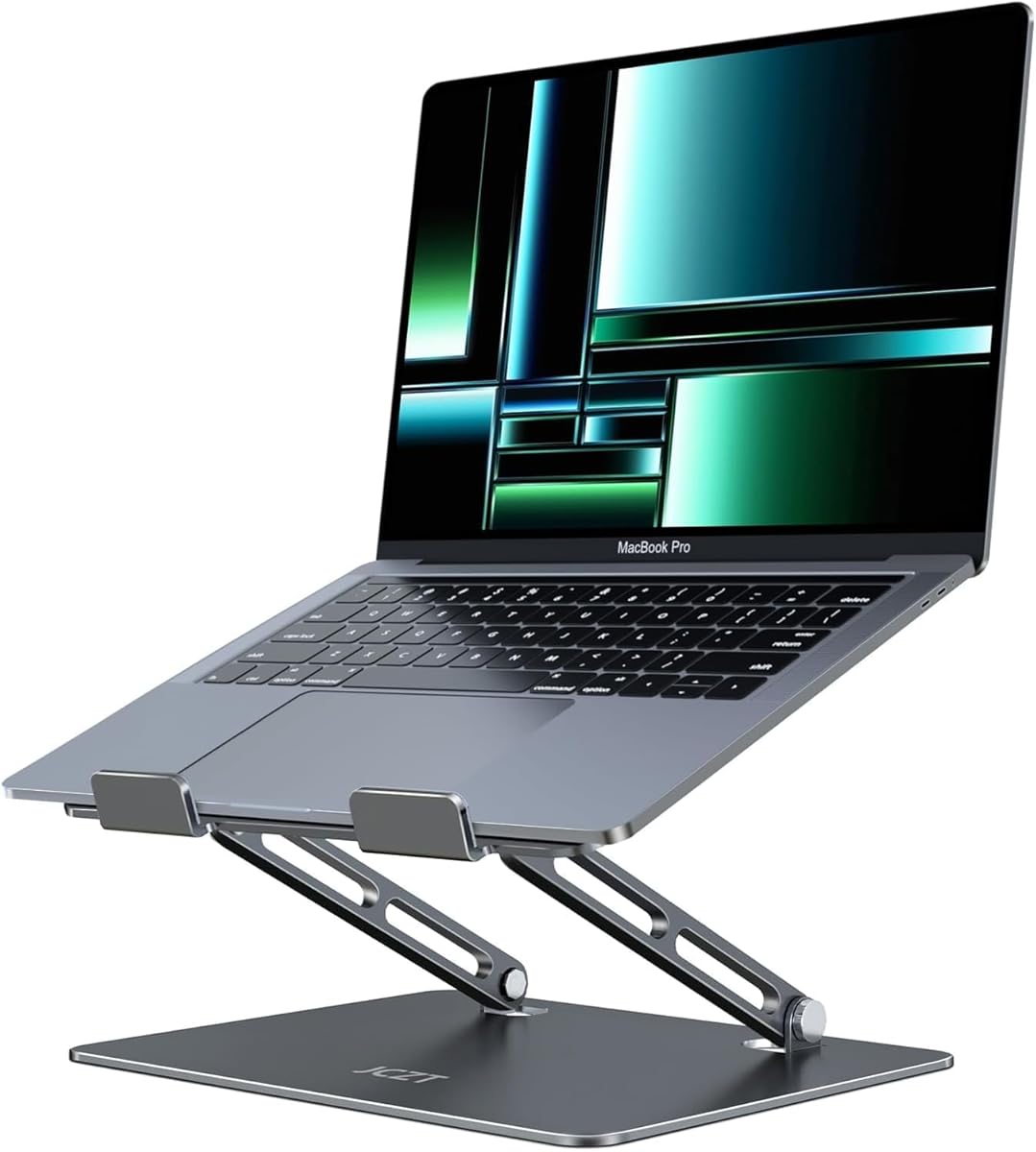
This specific aluminum stand distinguishes itself with a classic grey finish and compatibility for 10-16" laptops, including MacBooks and major PC brands. Buyers should evaluate its adjustable height mechanism and ergonomic claims against their actual desk setup and daily usage patterns.
Key Considerations Before Buying
- Assess the stability of the adjustable hinge mechanism—this stand's single-piece aluminum construction must prevent wobble at its highest extension.
- Consider the underside grip: a quality stand should have non-slip pads that secure both the laptop and prevent the stand itself from sliding on your desk surface.
- Verify the ventilation gap: this model's design should provide adequate airflow beneath your specific laptop model to prevent overheating during prolonged use.
What Our Analysts Recommend
Examine the machining quality where the legs meet the platform; clean, burr-free edges on aluminum indicate better manufacturing. The adjustment mechanism should feel firm and secure, not loose or gritty, when changing angles. Look for consistent anodizing on the classic grey finish, as uneven coloring can signal lower-grade aluminum treatment.
Stands Market Context
Market Overview
The laptop stand market is saturated with aluminum models, but quality varies significantly in hinge engineering and material thickness. This product competes in the mid-range segment where consumers expect durability and a minimalist aesthetic without premium pricing.
Common Issues
Many adjustable stands develop hinge looseness over time, causing the laptop to sag. Others have sharp edges that can damage desks or laptops, while some lack sufficient weight to stabilize larger 16" devices during typing.
Quality Indicators
Superior stands use thicker, milled aluminum rather than thin stamped metal, evident by weight and lack of flex. A multi-angle adjustment with positive detents (clicks) is preferable to friction-only mechanisms. High-quality silicone or rubber pads should be firmly bonded, not merely glued on.
Review Authenticity Insights
Grade B Interpretation
A Grade B with 15% estimated fake reviews suggests generally reliable feedback, but shoppers should be slightly more critical of glowing 5-star reviews. The 4.30 adjusted rating (down from 4.67) is a more accurate reflection of genuine user experience.
Trust Recommendation
Prioritize reviews that mention specific laptop models (e.g., 'fits my 15.6" Dell XPS perfectly') and discuss long-term use over several months. The verified purchase status of all reviews adds credibility, but focus on those with detailed photos or mentions of specific features like the adjustment range.
Tips for Reading Reviews
Look for patterns in critical 3- and 4-star reviews—they often reveal consistent limitations like 'wobbles with heavy typing' or 'pads left residue.' Compare comments about the adjustment mechanism's stiffness, as this is a common failure point in this category.
Expert Perspective
This stand's 4.30 adjusted rating from verified purchasers indicates it performs well for most users, particularly given its broad compatibility claim. The aluminum construction suggests better heat dissipation than plastic stands, and the adjustable height directly addresses ergonomic needs. However, the gap between the advertised 4.67 and adjusted 4.30 rating warrants attention to the specific criticisms in mid-range reviews.
Purchase Considerations
This product makes the most sense for users who need frequent height adjustments and value a clean, metallic aesthetic. Consider your laptop's weight—aluminum stands sometimes struggle with heavier gaming laptops above 5 pounds. If you rarely adjust your setup, a fixed-angle stand might offer better stability at a lower price point.
Comparing Alternatives
Shoppers should compare this model's hinge design and weight capacity against similar aluminum stands from brands like Rain Design or Twelve South, which often use more robust pivot mechanisms.


