Balancing Touchscreen Convenience with Core Performance in a Budget-Friendly Laptop
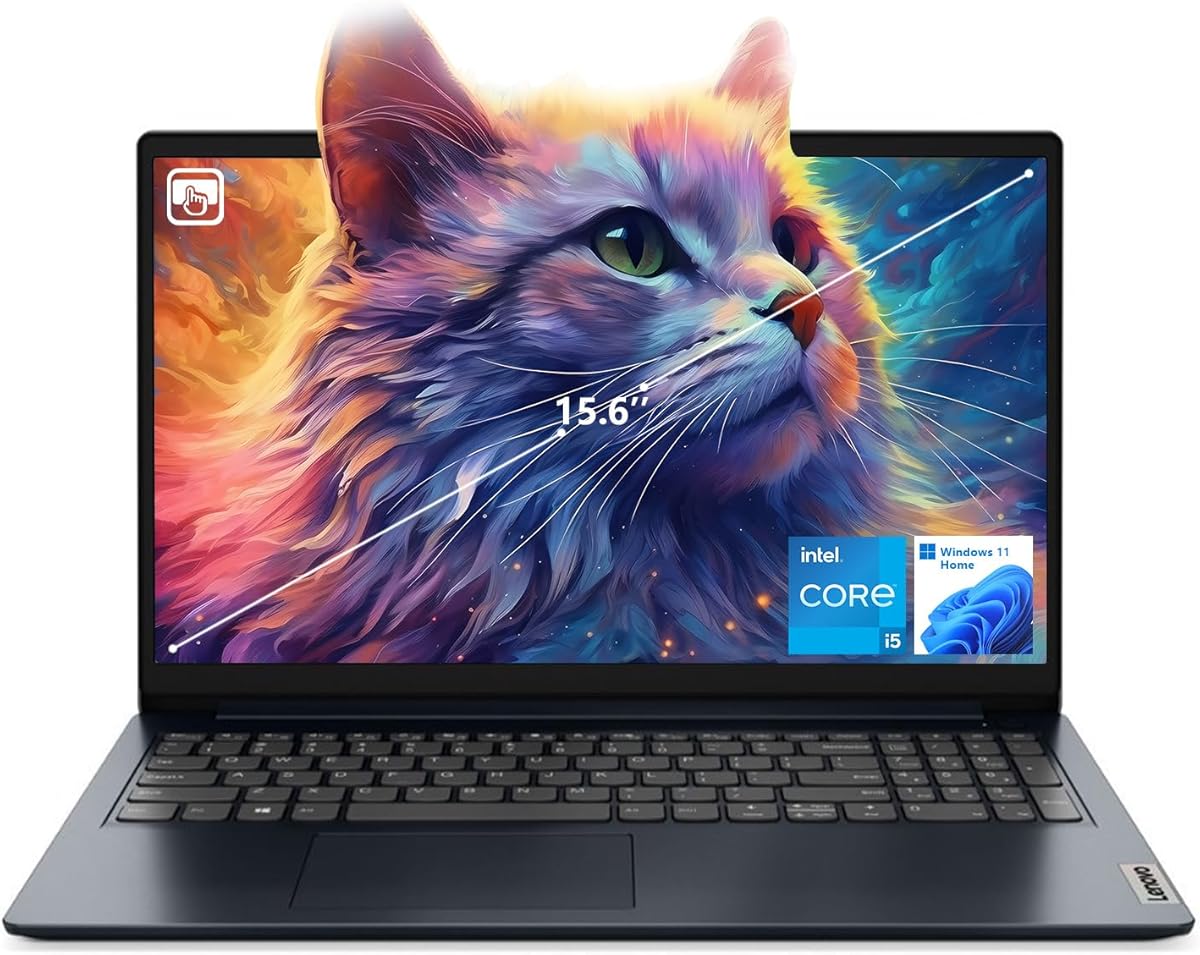
The Lenovo IdeaPad 1i represents a specific value proposition in the crowded budget laptop market: pairing a 15.6-inch FHD touchscreen with a modern Intel Core i5-1235U processor and 16GB of RAM. Buyers considering this model should understand it's positioned as a touch-enabled productivity machine rather than a gaming or creative workstation, with its 512GB SSD offering practical storage for everyday use.
Key Considerations Before Buying
- The Intel Core i5-1235U is a 10-core processor designed for efficiency; it delivers solid multi-tasking performance for office applications and web browsing but isn't optimized for sustained heavy workloads like video editing.
- A 15.6-inch touchscreen adds versatility for navigation and media consumption, but consider whether you'll regularly use touch functionality versus the potential trade-off in battery life compared to non-touch displays.
- The 16GB RAM configuration is notable for this price segment and future-proofs the device for modern multitasking, while the 512GB SSD provides adequate but not expansive storage for documents, applications, and media libraries.
What Our Analysts Recommend
In this category, examine build quality around the screen hinges and keyboard deck, as budget models often compromise here. For the IdeaPad 1i specifically, check user feedback on the tactile response of the touchscreen and the real-world battery performance under typical usage patterns, as these are common variance points in budget touchscreen laptops.
Traditional Laptops Market Context
Market Overview
The budget 15-inch laptop segment is intensely competitive, with brands balancing specifications against cost-saving measures in materials, display quality, and thermal management. Models like the IdeaPad 1i compete directly with offerings from Acer, HP, and Dell's Inspiron line, often differentiating through specific feature combinations like touchscreens or higher RAM configurations.
Common Issues
Common compromises in this category include mediocre display brightness, plastic construction prone to flex, limited port selection, and speakers with poor audio quality. Thermal throttling under load can also affect performance consistency in slim budget designs.
Quality Indicators
Look for laptops with PCIe NVMe SSDs (faster than SATA), Wi-Fi 6 compatibility for future network readiness, and IPS-type panels for better viewing angles. The presence of an HDMI port and a webcam, as found on this IdeaPad, are now standard expectations for hybrid work setups.
Review Authenticity Insights
Grade B Interpretation
A Grade B authenticity rating with an estimated 15% fake review rate suggests the majority of feedback is reliable, but shoppers should maintain healthy skepticism toward overly effusive 5-star reviews. The adjusted rating of 3.70/5 (down from 4.00/5) indicates the genuine consensus is slightly more critical than the raw average shows.
Trust Recommendation
Focus on reviews that detail specific use cases over several weeks, particularly regarding the touchscreen's durability and the real-world performance of the i5-1235U with 16GB of RAM. Be wary of reviews that only praise generic aspects without mentioning the blue color, touch functionality, or specific performance scenarios.
Tips for Reading Reviews
For this product, prioritize reviews that discuss battery life in touchscreen versus non-touchscreen usage, the keyboard typing experience, and any software bloatware pre-installed on the Windows 11 Home system. These details typically come from actual owners.
Expert Perspective
The Lenovo IdeaPad 1i's specification sheet is strategically composed for the budget-conscious buyer needing a capable daily driver. The combination of the 10-core i5-1235U, 16GB RAM, and a 512GB SSD is a robust foundation for office productivity, web browsing, and media consumption. The inclusion of a touchscreen at this price point is a clear differentiator, though it may come with trade-offs in display brightness or battery efficiency. The 3.70 adjusted rating from verified patterns suggests users find it competent but may encounter the typical budget-laptop compromises in build materials or speaker quality.
Purchase Considerations
Weigh the value of the touchscreen against your primary use case—if you rarely use touch on a laptop, a non-touch model with better battery life or a superior display might be a better fit. The 16GB RAM is a significant advantage for future-proofing and multi-tab browsing, making this configuration more viable for long-term use than 8GB alternatives in the same line.
Comparing Alternatives
Shoppers should compare this specific configuration against similarly priced models from Acer's Aspire series and HP's Pavilion line, paying close attention to processor generation, SSD type, and included ports.