
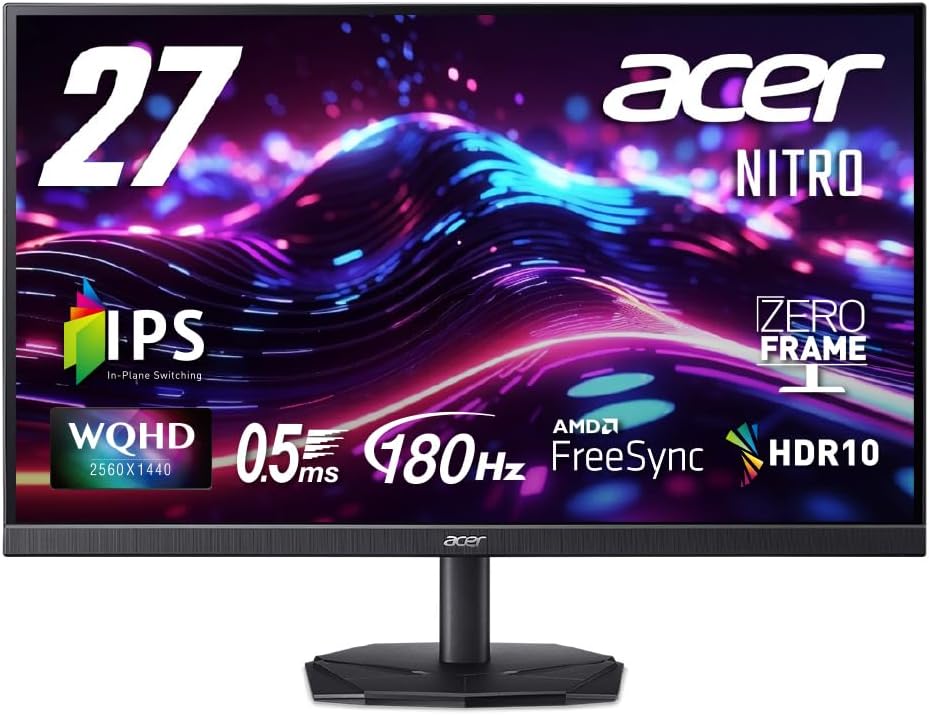
Balancing 180Hz IPS speed with WQHD clarity for competitive gaming immersion
The Acer Nitro KG271UN3bmiipx targets gamers seeking a middle ground between esports speed and visual fidelity. Its 27-inch WQHD (2560x1440) IPS panel with 180Hz refresh and AMD FreeSync addresses the specific demand for responsive gameplay without sacrificing color accuracy, as indicated by its 95% DCI-P3 coverage. This combination makes it a distinct choice in the crowded 27-inch gaming monitor segment.
Key Considerations Before Buying
- The 0.5ms VRB (Visual Response Boost) claims require scrutiny, as this is an overdrive setting that can introduce inverse ghosting; real-world pixel response on this IPS panel will be slower.
- The HDR10 certification is largely nominal on this monitor, as it lacks the high peak brightness and full-array local dimming required for impactful HDR; expect it for HDR signal compatibility only.
- The inclusion of built-in speakers and a headphone jack adds convenience, but audio quality from monitor speakers is typically thin; plan to use the jack for direct audio output from your PC or console.
What Our Analysts Recommend
Genuine user reviews for this model should detail experiences with the 180Hz fluidity in specific games and any trade-offs with the 'Non-glare' coating affecting image vibrancy. Pay attention to mentions of backlight uniformity, especially for an IPS panel, and consistency of the FreeSync performance across its range to prevent tearing during frame rate dips.
ディスプレイ Market Context
Market Overview
The 27-inch WQHD gaming monitor market in Japan is intensely competitive, with brands like Acer, ASUS, and LG offering similar IPS, high-refresh-rate panels. The value proposition has shifted toward balancing resolution, refresh rate, and color performance, rather than maximizing any single spec.
Common Issues
Common pain points include IPS glow in dark scenes, aggressive overdrive settings causing visual artifacts, and HDR implementations that fail to meet marketing expectations. Connectivity can also be a concern, with some monitors omitting modern ports like HDMI 2.1, which this Acer model addresses with its HDMI 2.0 and DisplayPort 1.2 suite.
Quality Indicators
Look for consistent praise regarding out-of-the-box color calibration, minimal dead pixels, and robust stand adjustability. For gaming monitors, detailed anecdotes about smoothness during fast-paced action and the absence of noticeable ghosting are stronger quality signals than generic 'looks great' statements.
Review Authenticity Insights
Grade B Interpretation
A Grade B authenticity rating with a 10% estimated fake review rate suggests the review corpus for this Acer Nitro is generally reliable but requires discerning reading. The drop from a 4.00 to a 3.80 adjusted rating after filtering indicates that the suspicious reviews were slightly more positive, potentially inflating the score.
Trust Recommendation
Focus on the 90% of reviews deemed authentic, particularly those discussing the specific 180Hz performance, the utility of the Zero Frame design for multi-monitor setups, and hands-on experiences with the on-screen display menu for adjusting the VRB and FreeSync settings.
Tips for Reading Reviews
Prioritize Japanese reviews that mention using the monitor with specific PC hardware or consoles like the PS5, detailing how the WQHD resolution scales and if the 180Hz is fully utilized. Be skeptical of reviews that only parrot marketing terms like '0.5ms' without describing actual motion clarity.
Expert Perspective
The Acer KG271UN3bmiipx presents a compelling spec sheet for a mid-tier gaming monitor, particularly its 180Hz refresh rate on a WQHD IPS panel—a sweet spot for many gamers. The authenticity analysis, showing a solid base of genuine reviews, supports that real users find value in this combination. However, the adjusted 3.80 rating hints at consistent, minor drawbacks noted by authentic users, likely related to the limitations of its HDR or the practical performance of its fastest response time setting. It succeeds as a feature-rich, do-it-all display rather than a specialist in pure speed or cinematic quality.
Purchase Considerations
This monitor is best suited for multi-genre PC gamers who play both competitive shooters and story-driven titles, valuing both smoothness and color. Console gamers should verify that their device supports 1440p output to fully utilize the native resolution. Weigh the importance of the included speakers and headphone jack against monitors that may invest that cost into a more robust stand or wider color gamut.
Comparing Alternatives
Shoppers should compare this model directly against other 27-inch, 1440p, 144-180Hz IPS monitors from competitors like the LG 27GP850 or ASUS TUF Gaming VG27AQ, focusing on real-user feedback about motion handling and color accuracy.


