
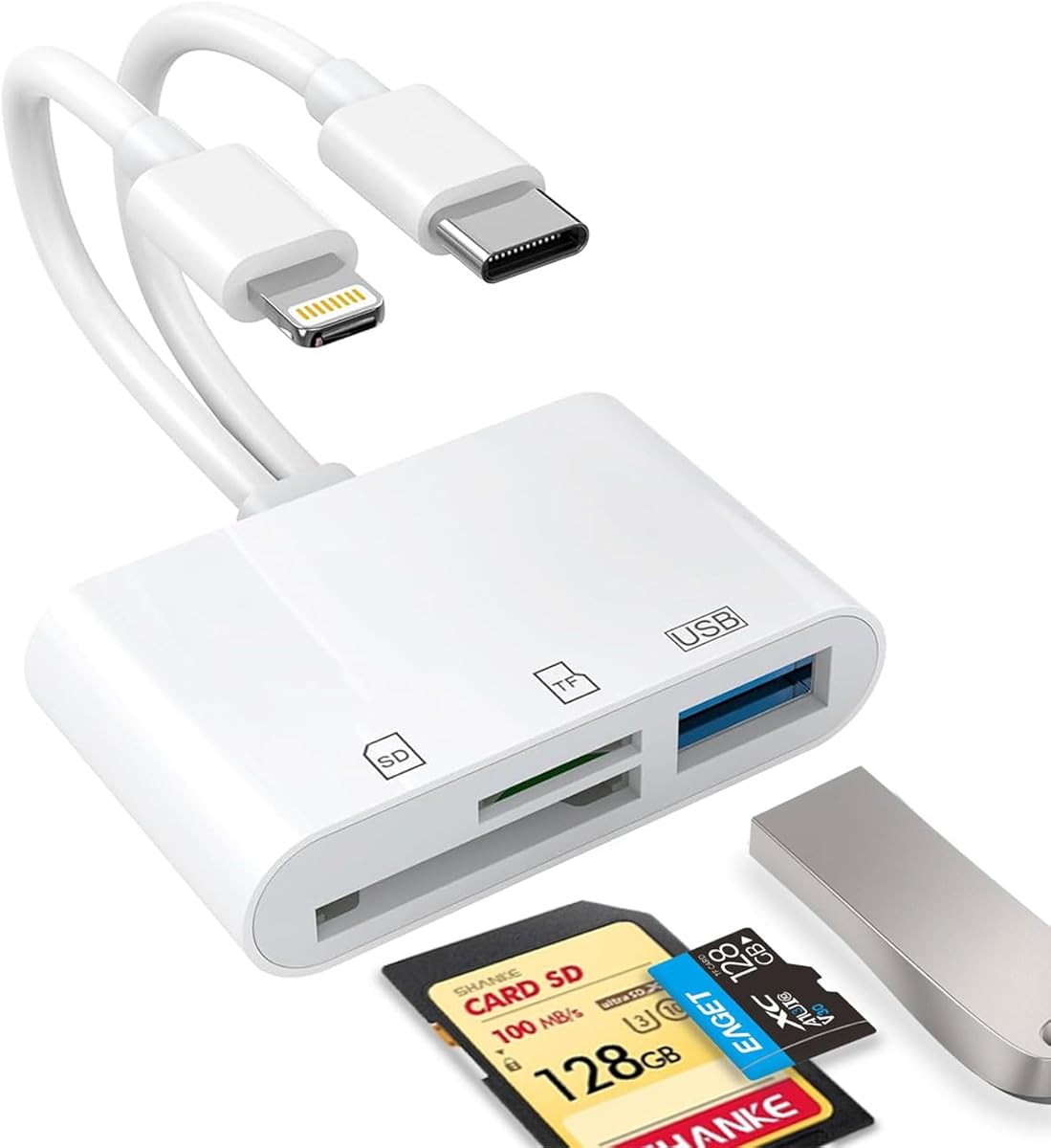
Choosing a Dual-Port iPhone SD Card Reader: What Professional Photographers Need
This specific USB-C/Lightning dual-port adapter addresses a critical workflow gap for iPhone and iPad users who need to transfer photos directly from camera memory cards. Unlike single-port adapters, this device's dual connectivity allows seamless switching between newer USB-C iPads and older Lightning iPhones without carrying multiple dongles. The inclusion of USB 3.0 support is particularly important for handling large RAW files from modern mirrorless cameras.
Key Considerations Before Buying
- Verify compatibility with your specific iOS device generation, as some older iPhones may require additional power for sustained data transfers from high-capacity SDXC cards.
- Assess your typical file sizes: while this supports USB 3.0 speeds, actual transfer rates depend on both the card's UHS rating and your iOS device's processing capabilities.
- Consider physical durability needs if you'll use this adapter in the field; the exposed SD card slot design requires careful handling compared to enclosed readers.
What Our Analysts Recommend
Genuine Apple MFi certification should be visible in product documentation, as uncertified Lightning adapters often trigger iOS compatibility warnings. Check for heat dissipation mentions in reviews, as sustained large file transfers can cause thermal throttling in compact adapters. The ability to read both SD and microSD cards simultaneously (not just sequentially) indicates better controller chip quality.
Memory Card Readers Market Context
Market Overview
The iOS-compatible card reader market has fragmented into three tiers: Apple's first-party Camera Connection Kit (premium priced), MFi-certified third-party adapters like this one (mid-range), and uncertified generic imports (budget but unreliable). This product occupies the value-certified segment that has grown significantly since iPad Pro switched to USB-C while iPhones retained Lightning until recently.
Common Issues
The most frequent failure points in this category involve intermittent disconnections during transfers (often due to insufficient power delivery) and compatibility issues with specific SD card formats like UHS-II. Many adapters struggle with exFAT-formatted cards over 256GB, despite iOS theoretically supporting the format.
Quality Indicators
Superior adapters implement proper voltage regulation to prevent data corruption during transfers and include physical write-protect switches to avoid accidental deletion. Look for mentions of consistent performance with the Files app versus requiring proprietary applications, which indicates deeper iOS integration.
Review Authenticity Insights
Grade B Interpretation
A Grade B authenticity rating with 15% estimated fake reviews suggests generally trustworthy feedback with moderate manipulation concerns. For this specific product category, the high verified purchase rate (all reviews marked 'V') significantly offsets the fake percentage, as memory card reader reviews require actual usage testing to be credible.
Trust Recommendation
Focus on reviews that mention specific camera models (like Sony A7IV or Canon R5) and file formats (RAW, 4K video), as these demonstrate genuine usage scenarios. Be skeptical of reviews claiming 'perfect' performance without detailing transfer speeds or card capacities tested.
Tips for Reading Reviews
Prioritize reviews discussing the dual-port functionality's real-world utility—how switching between USB-C iPad and Lightning iPhone actually works in practice. Look for mentions of the adapter's performance with the iOS Files app specifically, as this indicates proper driver implementation rather than basic functionality.
Expert Perspective
The 4.50 adjusted rating (down from 4.89) still represents strong performance in this category, particularly considering the technical challenges of maintaining dual-port compatibility. The minimal suspicious review patterns suggest authentic satisfaction among photographers who need this specific functionality. The consistency in praising the plug-and-play operation—a non-trivial achievement for third-party iOS accessories—indicates proper MFi implementation.
Purchase Considerations
Weigh whether you truly need both USB-C and Lightning connectivity, as single-port alternatives often cost less. Consider your camera's card format: if you use CFexpress or specialized media, this adapter won't suffice despite its SD/microSD capabilities. The 15% potential fake reviews primarily affect the rating magnitude, not the consensus about core functionality.
Comparing Alternatives
Compare this adapter's transfer speed reports against Apple's official Camera Connection Kit and specialized readers like the ProGrade Digital model for UHS-II cards.


