Evaluating a 12-Year-Old CPU Gaming PC: What Modern Gamers Should Know
This desktop combines a 2011-era Intel Core i7-2600 processor with integrated HD 2000 graphics, creating a significant performance mismatch for gaming. The 16GB RAM and dual storage (512GB SSD/1TB HDD) are modern touches, but the core components dictate its capabilities. Buyers must understand this is a refurbished or repurposed business PC marketed for gaming.
Key Considerations Before Buying
- The Intel HD 2000 integrated graphics cannot run modern AAA games; this system is limited to very light esports titles or games from the early 2010s, despite the 'Gaming Computer' label.
- The Core i7-2600, while once powerful, lacks modern instruction sets and efficiency; it will struggle with newer game engines and multi-threaded applications compared to even budget contemporary CPUs.
- Windows 10 Pro and Wi-Fi are value-adds, but verify the Windows license is legitimate and transferable, as refurbished systems sometimes use volume licenses that may deactivate.
What Our Analysts Recommend
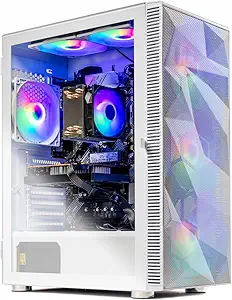
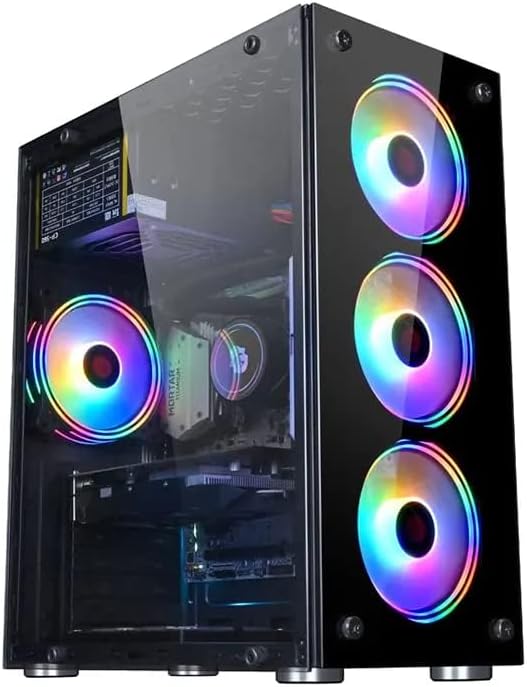
For a tower PC in this category, scrutinize seller transparency about component origins and warranty on refurbished parts. A quality indicator is clear disclosure of stress testing results for the aging CPU and motherboard. Also, check if the RGB cabinet includes adequate cooling for the older, hotter-running hardware.
Tower PCs Market Context
Market Overview
The Indian market for budget 'gaming' towers often features older corporate off-lease hardware like this Dell Optiplex or HP Elite, refurbished with RGB lighting and extra RAM. This creates an affordable entry point but with severe generational performance gaps. Sellers frequently emphasize RAM and storage while downplaying the limitations of the vintage CPU and integrated graphics.
Common Issues
Common problems include thermal throttling of the old CPU in flashy but poorly-ventilated cases, failure of original motherboard capacitors, and incompatible or outdated drivers for the HD 2000 graphics. Power supplies in these builds are often just adequate, limiting future GPU upgrades.
Quality Indicators
Look for sellers who specify the desktop's original model (e.g., 'Built on a Dell Optiplex 790 MT chassis'), detail the SSD brand, and offer a meaningful warranty on the entire system, not just individual parts. A quality refurbisher will also have cleaned the CPU heatsink and reapplied thermal paste.
Review Authenticity Insights
Grade C Interpretation
A 'C' grade and 22% estimated fake reviews suggest a moderate level of review manipulation, likely to offset negative feedback about the system's true gaming performance. The adjusted rating of 2.90/5 is more indicative of genuine buyer experience than the displayed 3.25/5.
Trust Recommendation
Prioritize the detailed verified purchase reviews, which mention specific game performance issues. Be skeptical of glowing 5-star reviews that don't name tested games or that vaguely praise 'speed' without context. The authenticity data suggests the product's limitations are real and reflected in authentic feedback.
Tips for Reading Reviews
Focus on reviews that specify which games they tried and at what settings (e.g., 'Valorant at 720p, low settings'). Authentic negative reviews often cite driver issues or immediate performance disappointments, while fake positives use generic phrases like 'great for all games.'
Expert Perspective
This PC is mispositioned as a gaming computer; it's better understood as a general-purpose office PC with aesthetic upgrades. The Core i7-2600 and HD 2000 graphics are fundamentally incompatible with modern 3D gaming. The 16GB RAM and SSD are its only competitive features, making it suitable only for basic computing, very old games, or as a foundation for a costly full rebuild with a new GPU, CPU, and likely motherboard. The authenticity analysis, showing a corrected rating below 3 stars, aligns with this technical assessment.
Purchase Considerations
Only consider this if your needs are strictly non-gaming or for pre-2013 titles, and you value the large SSD/HDD combo. The price must be very low to justify the obsolete core components. Calculate the cost of adding a discrete graphics card and potentially a new PSU, as the HD 2000 is not a viable starting point.
Comparing Alternatives
Shoppers should compare the total cost against newer entry-level platforms with modern integrated graphics, like AMD Ryzen 3/5 with Vega or Intel 10th Gen+, which offer better performance and upgrade paths.