
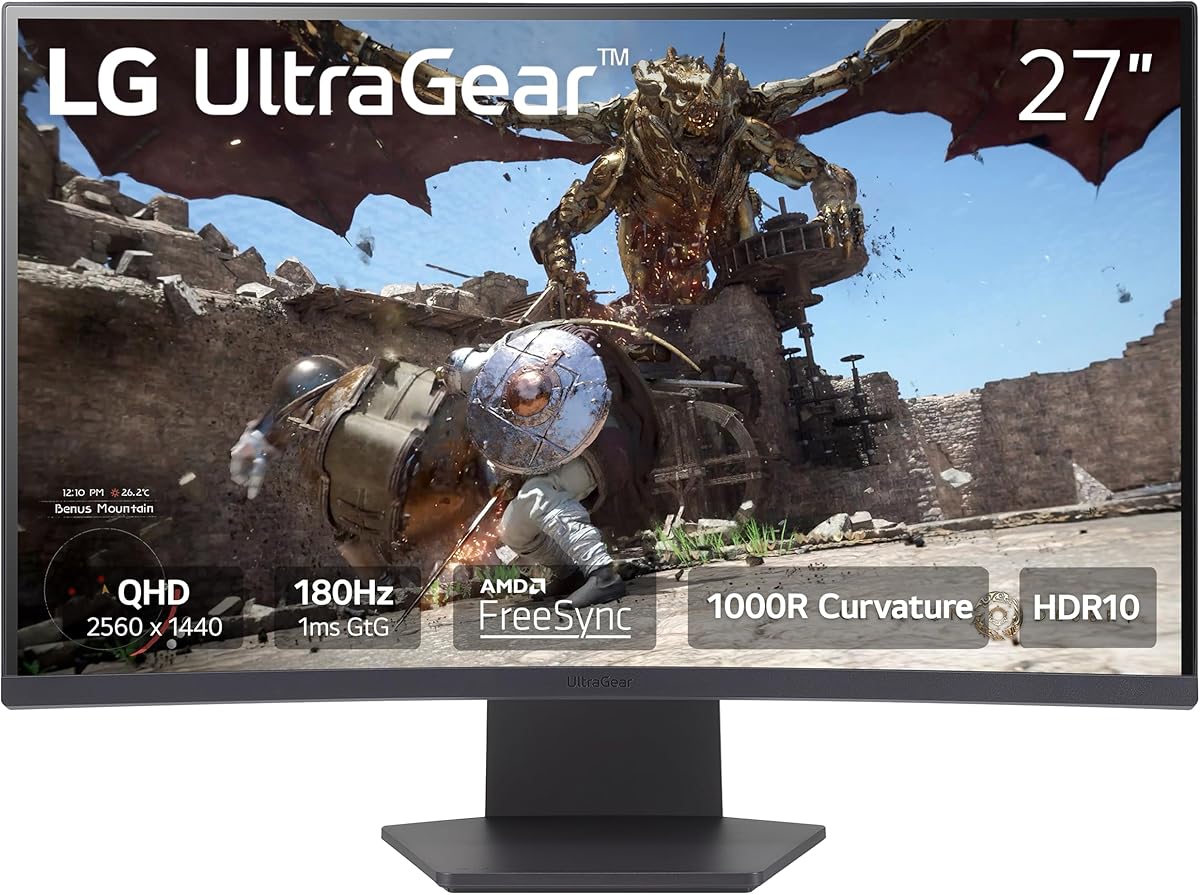
Choosing a Curved QHD Gaming Monitor: What the LG Ultragear 27GS60QC-B Gets Right
When evaluating a curved gaming monitor like the LG 27GS60QC-B, the key specs—its 1000R curvature, 180Hz refresh rate, and QHD resolution—must work in concert. This specific model prioritizes immersion and motion clarity, making it a strong contender for competitive and immersive gaming, but understanding how its features align with your setup is crucial.
Key Considerations Before Buying
- The 1000R curve is aggressive and designed to fill your peripheral vision; ensure your desk depth (ideally 24+ inches) can accommodate this immersive but space-demanding form factor.
- While 180Hz is excellent for fast-paced games, its full benefit requires a GPU capable of pushing high frame rates at 2560x1440; pair this with at least a mid-range current-generation card.
- The inclusion of Black Stabilizer and an on-screen FPS counter are practical tools for competitive gamers, but check if the monitor's HDR10 implementation provides meaningful contrast or is more of a compatibility feature.
What Our Analysts Recommend
Beyond specs, examine build quality for a borderless design that minimizes bezel distraction, and verify the stand offers sufficient tilt adjustment. For this LG model, genuine user reviews frequently highlight the effectiveness of its 1ms response time and AMD FreeSync in eliminating screen tearing during fast action.
Monitors Market Context
Market Overview
The 27-inch QHD curved gaming monitor segment is fiercely competitive, balancing high refresh rates, panel technology, and immersive design. The LG 27GS60QC-B enters this space with a VA panel, offering a strong contrast ratio typical of the technology, which is a key differentiator against faster but lower-contrast IPS alternatives.
Common Issues
Common pitfalls in this category include aggressive curvature causing distortion for productivity tasks, VA panels potentially exhibiting slower pixel response (leading to smearing) in dark scenes, and stands that lack ergonomic adjustments like height or swivel.
Quality Indicators
Look for consistent performance across the stated refresh rate range with adaptive sync enabled, minimal backlight bleed or IPS glow depending on panel type, and robust on-screen display (OSD) menus with gamer-centric features like crosshairs or timers that are actually useful.
Review Authenticity Insights
Grade B Interpretation
A Grade B with a 15% estimated fake review rate suggests the review corpus is generally reliable but requires discernment. The adjusted rating of 4.50/5 (down from 4.89) is a more realistic performance indicator, signaling very positive but not flawless reception.
Trust Recommendation
Prioritize reviews that discuss specific use cases, like performance in particular games (e.g., Apex Legends, Call of Duty) or mention the monitor's performance with specific GPU models (RTX 3060 Ti, RX 6700 XT). Be slightly more skeptical of vague 5-star reviews that lack technical or experiential detail.
Tips for Reading Reviews
For technical products like this, seek out reviews that mention testing the Black Stabilizer in dark game scenes, the smoothness of the 165Hz-180Hz range, or any color calibration they performed, as these indicate hands-on evaluation.
Expert Perspective
The LG 27GS60QC-B presents a compelling package for gamers seeking deep immersion and smooth motion. Its very high adjusted rating of 4.5/5 from a large review pool indicates it delivers on core promises for most users. The combination of 180Hz, 1ms (MPRT), and AMD FreeSync creates a responsive, tear-free experience, while the 1000R curve and QHD resolution offer a tangible upgrade in engagement over flat 1080p panels. The authenticity analysis suggests this positive feedback is largely genuine.
Purchase Considerations
Weigh the immersive benefits of the 1000R curve against potential drawbacks for content creation or multi-monitor setups. Consider if your primary games benefit more from high refresh rates (shooters, racing) or high contrast (horror, RPGs), as this VA panel excels in the latter. The lack of USB ports or a fully ergonomic stand are trade-offs for its price point.
Comparing Alternatives
Shoppers should compare this model directly with other 27-inch QHD curved options, paying close attention to panel type (VA vs. IPS) and the specific implementation of adaptive sync technologies.






