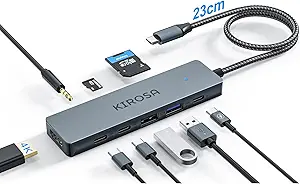
Choosing a USB-C Hub: Balancing Port Selection, Power Delivery, and Device Compatibility
When evaluating the UGREEN Revodok Pro 6-in-1, focus on its specific combination of a 10Gbps USB-C data port, Gigabit Ethernet, and 100W PD charging. This hub is engineered for users who need to connect modern peripherals and maintain high-speed data transfer while simultaneously powering their laptop. Its explicit compatibility with Apple Silicon Macs and the latest iPhones makes it a targeted solution for Apple-centric workflows.
Key Considerations Before Buying
- Power Delivery (PD) wattage is critical: The 100W PD here can charge a 16-inch MacBook Pro at full speed, but ensure your charger supports at least 100W to utilize this feature fully.
- The 10Gbps USB-C data port is a standout for direct high-speed storage transfers, but verify your connected SSD or drive can saturate that bandwidth to justify the spec.
- Explicit M1/M2/M3 Mac compatibility indicates firmware-level handshake support, crucial for avoiding connection drops or power negotiation issues common with generic hubs.
What Our Analysts Recommend
For hubs like the Revodok Pro, scrutinize reviews mentioning sustained 4K@60Hz HDMI output and simultaneous use of all ports without throttling. Quality is often evidenced by consistent performance in data transfer speeds (approaching the rated 10Gbps) and stable Ethernet connections without disconnects, which are common failure points in cheaper models.
USB Hubs Market Context
Market Overview
The USB-C hub market is saturated with options, but the 'Pro' segment featuring 10Gbps ports and 100W PD is becoming a competitive battleground. Brands like UGREEN are pushing feature density, packing Ethernet, high-res video, and fast data into compact form factors aimed at premium laptop users.
Common Issues
Widespread problems include overheating under multi-port load, power delivery that throttles when multiple ports are active, and intermittent HDMI handshake failures, especially with Apple devices. Many hubs advertise 4K 60Hz but cannot maintain it while also using USB-A ports for data.
Quality Indicators
Look for hubs using recognized controller chips (like VIA or Realtek for Ethernet, though brands rarely disclose this). Build quality is often signaled by aluminum alloy bodies for heat dissipation and inclusion of a braided, non-tangle USB-C cable, which suggests attention to durability.
Review Authenticity Insights
Grade B Interpretation
A 'Grade B' with a 15% estimated fake review rate suggests the review corpus is generally reliable but requires discerning reading. The adjusted rating of 4.10/5 (down from 4.44) indicates that removing suspicious reviews slightly tempers the enthusiasm, pointing to a still-strong but not flawless product.
Trust Recommendation
Prioritize verified purchase reviews that detail specific use cases, like connecting to an M2 MacBook Air or transferring files via the 10Gbps port. Be slightly more critical of 5-star reviews lacking technical detail, as they may constitute part of the estimated 15% inflated feedback.
Tips for Reading Reviews
For technical accessories like this, seek out reviews that test bandwidth (with speed test screenshots), mention heat levels during extended use, or confirm compatibility with your exact device (e.g., 'iPhone 16 Pro Max'). Critical 1- and 2-star reviews often reveal consistent hardware flaws or compatibility quirks.
Expert Perspective
The UGREEN Revodok Pro presents a compelling, feature-dense package for Apple ecosystem and Steam Deck users. Its 4.10 adjusted rating from a largely authentic review pool indicates it delivers on core promises for most buyers. The specific inclusion of a 10Gbps USB-C data port, rather than just a charging port, elevates it above hubs that sacrifice true data throughput. However, the authenticity analysis suggests a minor layer of review inflation, so real-world performance may vary slightly from the stellar top-rated testimonials.
Purchase Considerations
Weigh the necessity of Gigabit Ethernet and a dedicated 10Gbps data port against your daily workflow. If you primarily need HDMI and USB-A, a simpler, less expensive hub may suffice. This hub's value is maximized by users who will actively use the high-speed data port and Ethernet concurrently with charging.
Comparing Alternatives
Shoppers should compare the port selection and PD wattage against similar 6-in-1 hubs from Anker, Satechi, or HyperDrive to find the best match for their specific port priorities.