
Choosing an 11-in-1 USB-C Dock: Balancing Port Selection with Power Delivery
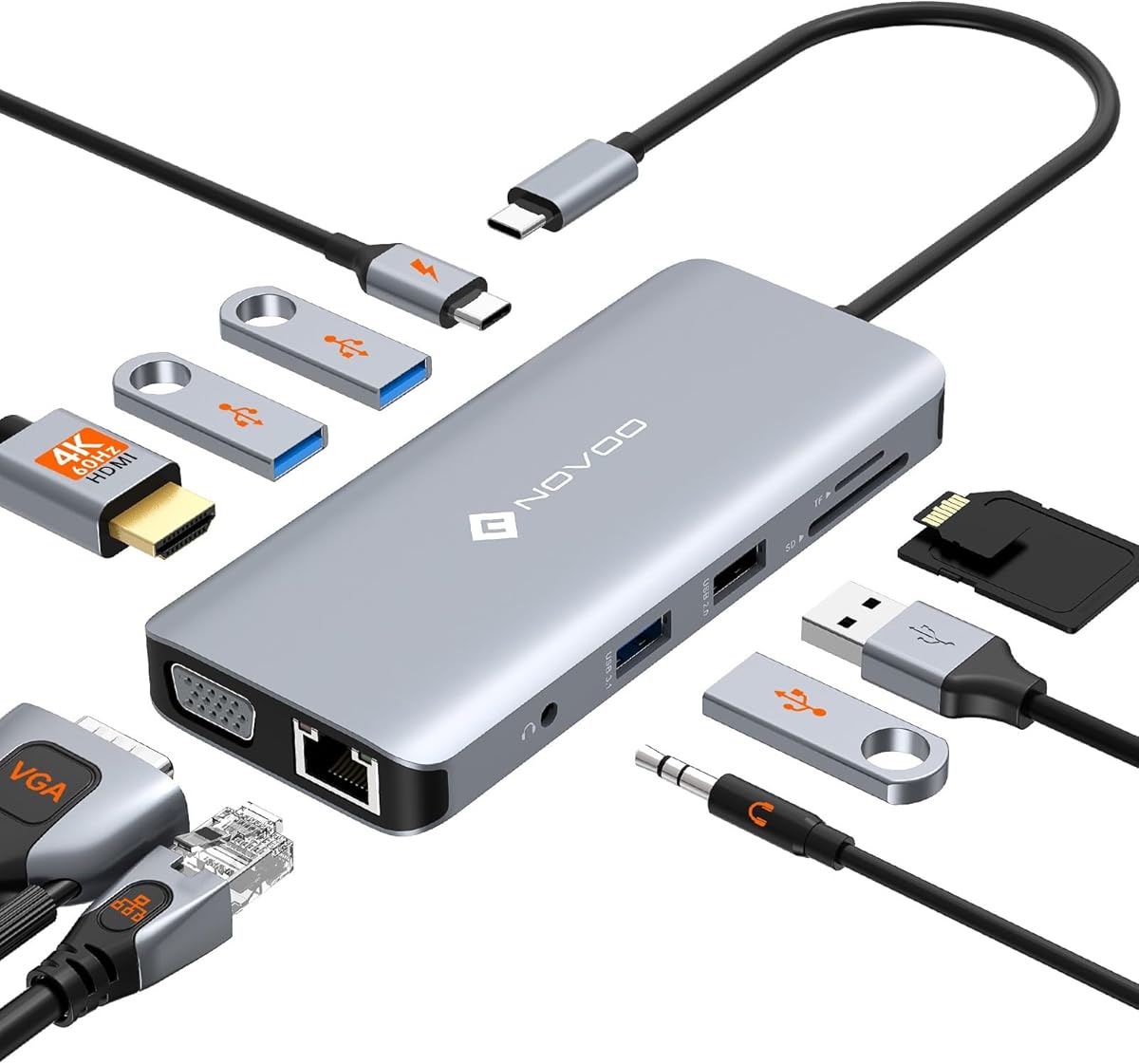
The NOVOO 11-in-1 dock exemplifies the modern USB-C hub, offering legacy VGA alongside modern 4K@60Hz HDMI. Buyers should evaluate if this specific combination of 4 USB-A ports, 100W PD charging, and dual video outputs aligns with their workflow needs, as not all 11-in-1 docks share this exact configuration.
Key Considerations Before Buying
- The 100W Power Delivery (PD) is crucial for charging high-wattage laptops like the 16-inch MacBook Pro; ensure your laptop's charger meets or exceeds this to utilize full passthrough charging.
- The inclusion of both HDMI (4K@60Hz) and VGA makes this dock uniquely suited for environments with mixed modern and legacy projectors or monitors, a specific advantage over docks with only digital outputs.
- With four USB-A 3.0 data ports, verify your simultaneous peripheral needs (e.g., external drive, keyboard, mouse, webcam) as bandwidth is shared; intensive data transfers may slow other connected devices.
What Our Analysts Recommend
For docks like this, check for aluminum alloy construction for heat dissipation, a braided nylon cable for durability at the stress point, and clear manufacturer specifications on simultaneous use limits (e.g., can HDMI and VGA output at the same time?). The presence of a dedicated Gigabit Ethernet chip, not a shared USB controller, is a key quality differentiator.
USB Hubs Market Context
Market Overview
The USB-C docking station market is saturated with hubs claiming similar port counts, but real-world performance in data transfer speeds, video output stability, and power delivery consistency varies dramatically between brands. Products like the NOVOO compete directly on offering a 'complete' port set including often-omitted VGA.
Common Issues
Common failures include overheating under full load (all ports active), intermittent disconnects due to poor cable strain relief, and power delivery circuits that fail to negotiate the advertised 100W consistently with certain laptop models. Bandwidth contention is also frequent when using the SD card reader, Ethernet, and USB-A ports simultaneously.
Quality Indicators
Look for docks that specify the chipset brand (e.g., VIA, Realtek) for Ethernet and video, as this indicates component-level engineering. A higher-quality dock will explicitly state its video processor supports HDMI 2.0 (necessary for 4K@60Hz) and will list certified compatibility with specific laptop models, not just brands.
Review Authenticity Insights
Grade B Interpretation
A Grade B with a 15% estimated fake review rate suggests the majority of the 599 reviews are trustworthy, but a notable portion may be incentivized. The adjusted rating of 3.70/5 (down from 4.00) is a more realistic performance indicator, pointing to some genuine user frustrations.
Trust Recommendation
Focus on the 3- and 4-star verified purchase reviews for balanced perspectives on real-world performance quirks. Be skeptical of 5-star reviews that lack specific detail about simultaneous use or long-term reliability, as these may constitute the inflated portion.
Tips for Reading Reviews
For technical products like this, prioritize reviews that mention specific laptop models (e.g., 'MacBook Air M1', 'Dell XPS 15'), describe multi-monitor setups, or test power delivery with a watt meter. These contain the substantive details needed to assess compatibility with your setup.
Expert Perspective
The NOVOO dock presents a compelling, port-dense solution for users who genuinely need VGA connectivity alongside modern standards—a niche but valuable offering. The 0.30-point drop from the displayed to adjusted rating (4.00 to 3.70) is significant and typical for hubs in this price segment, often reflecting inconsistencies in power delivery or thermal performance under sustained load. Its strength lies in its breadth of connectivity, but that same complexity can be a point of failure if the internal power and data bus design is not robust.
Purchase Considerations
Weigh the necessity of VGA and four USB-A ports against potential thermal trade-offs. If your primary needs are stable 4K video, Ethernet, and charging, a simpler hub may offer more reliable performance. This product is best for users in corporate or educational settings with fixed, mixed-format AV equipment.
Comparing Alternatives
Shoppers should compare the chipset specifications and simultaneous use policies of similar 11-in-1 docks from Anker, CalDigit, or Plugable to gauge relative engineering quality.


