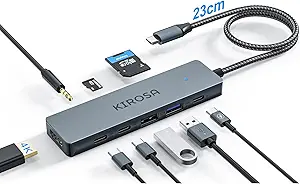
Choosing a Powered USB-C Hub: What the Minisopuru's Specs Mean for You
The Minisopuru Powered USB-C Hub is a specific type of accessory: a bus-powered hub with an external power adapter. Unlike simple port replicators, its 72W adapter enables 45W pass-through charging to your laptop while powering connected devices. This is crucial for users who need to connect power-hungry peripherals like external SSDs or multiple accessories simultaneously without draining their laptop battery.
Key Considerations Before Buying
- The 45W pass-through charging is sufficient for maintaining charge on ultraportable laptops like MacBook Air or certain iPads during use, but falls short for powering high-performance laptops under heavy load, which often require 60W+.
- The 'Not for Monitor' designation is critical; this hub lacks video output protocols (like DisplayPort Alt Mode), so it cannot drive an external display, a common expectation for USB-C hubs.
- The 10Gbps data transfer refers to USB 3.2 Gen 2 speeds, ideal for fast external storage, but real-world performance depends on the connected device and your laptop's host controller.
What Our Analysts Recommend
For powered hubs, scrutinize the power delivery (PD) specifications: the input wattage from the adapter (72W here) and the output wattage to your laptop (45W here). Ensure the PD profile matches your laptop's requirements. Also, verify the data protocol (USB 3.2 Gen 2 at 10Gbps) and check for explicit mention of video support if needed.
USB Hubs Market Context
Market Overview
The USB-C hub market is saturated with products ranging from unpowered dongles to sophisticated docking stations. Powered hubs like the Minisopuru occupy a middle ground, offering more stable power for multiple peripherals than bus-powered hubs but fewer ports and features than full docks.
Common Issues
Common problems include overheating under sustained load, inconsistent pass-through charging that fails to negotiate properly with certain laptops, and data transfer speeds that don't reach advertised rates due to bandwidth sharing across ports or poor chipset quality.
Quality Indicators
Look for hubs using recognized controller chips from manufacturers like VIA Labs or Realtek, explicit listing of supported power delivery profiles (e.g., PD 3.0), and clear thermal management descriptions. A robust external power adapter is a key sign of a well-designed powered hub.
Review Authenticity Insights
Grade B Interpretation
A 'Grade B' authenticity score with an estimated 15% fake review rate suggests the review corpus is moderately reliable. For this Minisopuru hub, it indicates most feedback is from real buyers, but a small portion of reviews may be inauthentic, potentially skewing ratings slightly upward.
Trust Recommendation
Focus on the verified purchase reviews that discuss specific, technical experiences—like charging behavior with a MacBook Air or data transfer speeds with an SSD—rather than vague praise. The adjusted rating of 3.50/5, down from 3.78/5, is a more accurate reflection of genuine user sentiment.
Tips for Reading Reviews
Prioritize reviews that mention long-term use (over a week) and detail interactions with specific devices (e.g., '45W charging worked on my iPad Pro but not my Dell XPS'). Be skeptical of reviews that only praise packaging or delivery speed without addressing core functionality.
Expert Perspective
The Minisopuru hub presents a focused solution for users needing stable power delivery and fast data transfer without video output. Its 3.50 adjusted rating from genuine reviews suggests a product with competent core functionality but likely some inconsistencies, common in this price segment. The significant detail is its dedicated power adapter, which separates it from cheaper, bus-powered hubs that can cause voltage drops. However, the lack of video support is a major limitation that buyers must not overlook.
Purchase Considerations
This hub is a strong fit if your primary needs are charging your laptop at 45W and connecting high-speed storage or peripherals. It is a poor fit if you need to connect a monitor or require full-power charging (65W-100W) for a high-performance laptop. Weigh the value of the included 72W adapter against hubs that may offer more ports or video outputs at a similar price.
Comparing Alternatives
Shoppers should compare this model against other powered USB-C hubs in the same price range, specifically checking for video output capabilities and higher wattage pass-through charging if needed.