
Choosing a dual-monitor KVM switch requires balancing display quality, connectivity, and power delivery
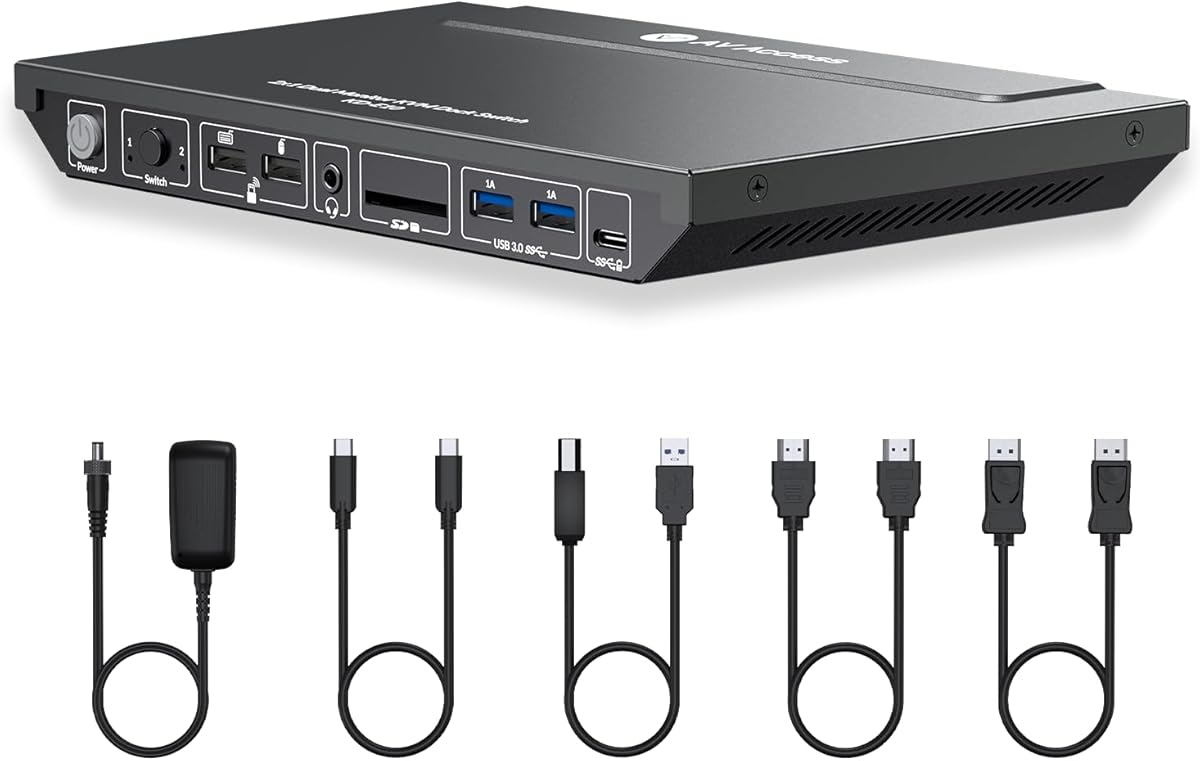
The AV Access KVM Switch Docking Station targets users managing two computers with dual 4K monitor setups, offering specific features like EDID emulation and 100W USB-C charging. Buyers should evaluate whether this product's combination of 1G Ethernet passthrough, USB 3.0 ports, and gaming/home office positioning matches their actual workflow needs.
Key Considerations Before Buying
- EDID emulation is crucial for maintaining consistent display resolutions when switching between computers, preventing monitor renegotiation delays that disrupt productivity.
- The 100W USB-C charging must be assessed against your laptop's power requirements—some gaming laptops may require more wattage than this dock provides.
- Dual-monitor KVMs require verifying your specific monitor connections (HDMI vs. DisplayPort) and whether your computers support the dock's video bandwidth for 4K@60Hz on both displays simultaneously.
What Our Analysts Recommend
Quality KVM switches demonstrate stable EDID emulation that prevents monitor flickering during computer switching. Check for consistent USB device recognition across all ports when toggling between systems, as peripheral disconnection is a common failure point in budget models.
KVM Switches Market Context
Market Overview
The KVM switch market has expanded beyond basic keyboard/video/mouse switching to include docking station features like Ethernet, USB hubs, and charging, creating hybrid products like this AV Access model. Competition is fierce between brands offering similar port configurations at varying price points.
Common Issues
Many dual-monitor KVMs struggle with HDMI/DisplayPort handshake problems, especially with mixed monitor brands or resolutions. USB peripheral disconnection during switching remains a frequent complaint, alongside insufficient power delivery for power-hungry laptops.
Quality Indicators
Look for products with explicit EDID management features and heat dissipation design—overheating during prolonged dual 4K operation causes signal degradation. Quality manufacturers provide detailed compatibility lists for specific computer and monitor models.
Review Authenticity Insights
Grade B Interpretation
A Grade B authenticity rating with 15% estimated fake reviews suggests generally trustworthy feedback but warrants scrutiny of overly enthusiastic 5-star reviews. The adjusted 4.00/5 rating (down from 4.33/5) indicates genuine user experiences trend slightly more critical than the raw average suggests.
Trust Recommendation
Focus on reviews discussing specific use cases like gaming performance, dual 4K monitor stability, or USB-C charging reliability rather than generic praise. The 85% authentic reviews provide substantial material about real-world performance with different computer combinations.
Tips for Reading Reviews
Prioritize reviews that mention specific monitor models (Dell, LG, etc.) and computer types (MacBook Pro, gaming PC) similar to your setup. Look for detailed accounts of switching speed between systems and whether all USB peripherals remain reliably connected.
Expert Perspective
This AV Access product represents a feature-dense contender in the hybrid KVM/docking station segment, particularly for users needing dual 4K monitor support with two computers. The inclusion of 1G Ethernet and 100W charging addresses common workspace clutter issues, though the 'ideal for gaming' claim requires verification of actual refresh rate support at 4K resolution. The authentic review corpus suggests reliable performance for office productivity setups, with some noted limitations for high-demand gaming scenarios.
Purchase Considerations
Weigh the convenience of integrated Ethernet and charging against potential bandwidth limitations when running dual 4K displays alongside multiple USB 3.0 devices. Consider whether you truly need simultaneous dual-monitor switching or if single-monitor alternatives might offer better value for your specific computer setup.
Comparing Alternatives
Shoppers should compare this model's specific port configuration and EDID implementation against competitors like TESmart or UGREEN, which offer similar feature sets at different price points.


