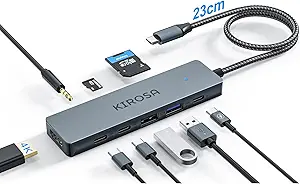
Choosing a USB-C Hub: Balancing Video Output, Power Delivery, and Port Expansion
When selecting a USB-C hub like the StarTech HB31C3A1CDPPD3, you're not just adding ports—you're managing critical system resources. This specific model combines DisplayPort Alt Mode for 4K 60Hz video with 100W power pass-through, requiring careful consideration of your laptop's capabilities and power needs.
Key Considerations Before Buying
- Verify your laptop's USB-C port supports DisplayPort Alt Mode; not all USB-C ports carry video signals, which would render the 4K 60Hz output useless.
- The 100W power pass-through requires your charger to exceed your laptop's needs by approximately 15W to account for hub overhead and connected devices.
- With only one downstream USB-C port alongside three USB-A ports, assess whether your newer peripherals require USB-C connectivity or can adapt to USB-A.
What Our Analysts Recommend
For hubs with video output, check for explicit support of your monitor's maximum resolution and refresh rate combination—4K 60Hz isn't universal. Genuine USB 3.2 10Gbps ports should maintain near-theoretical speeds when multiple devices transfer data simultaneously, not just in isolation.
USB Hubs Market Context
Market Overview
The USB-C hub market has fragmented into specialized segments, with video-capable models like this StarTech hub commanding premium pricing over basic port replicators. Manufacturers increasingly differentiate through power delivery specifications and video protocol support rather than just port counts.
Common Issues
Overheating during simultaneous high-bandwidth operations (video streaming plus data transfer) remains prevalent, as does inconsistent power delivery that causes laptop batteries to drain despite being 'connected' to power. Cable strain relief failures at the hub body junction are frequent physical failure points.
Quality Indicators
Look for explicit mention of chipset brands (VLI, Realtek, ASMedia) in detailed reviews, as these determine reliability more than housing materials. Quality hubs maintain stable video output while other ports are active, rather than dropping resolution or introducing artifacts under load.
Review Authenticity Insights
Grade B Interpretation
A Grade B with 15% estimated fake reviews indicates generally trustworthy feedback but suggests scrutinizing overly enthusiastic 5-star reviews that lack technical specifics. The adjusted 3.90 rating (down from 4.22) better reflects genuine user experiences, particularly regarding thermal performance and real-world power delivery.
Trust Recommendation
Prioritize reviews discussing specific use cases like driving a 4K monitor while charging and transferring files, as these stress-test the hub's capabilities. Verified purchases mentioning the model number HB31C3A1CDPPD3 typically provide more reliable insights than generic positive feedback.
Tips for Reading Reviews
For technical products like this, seek reviews that mention compatibility with your specific laptop model and monitor, as USB-C implementation varies between manufacturers. Reviews noting sustained performance over weeks of use are more valuable than first-impression testimonials.
Expert Perspective
The StarTech HB31C3A1CDPPD3 occupies a strategic niche for users needing both high-resolution video output and substantial power delivery through a compact hub. Its 3.90 adjusted rating suggests it performs competently but may exhibit limitations under maximum simultaneous load—a common trade-off in single-cable solutions. The inclusion of both USB-C and USB-A ports reflects practical recognition that most users still operate legacy peripherals alongside newer devices.
Purchase Considerations
This hub makes most sense for MacBook Pro or high-end Windows laptop users who require single-cable docking for a 4K display while preserving other ports for peripherals. Consider whether you truly need 100W pass-through or if a lower-power (and potentially cooler-running) hub might suffice for your laptop model.
Comparing Alternatives
Compare this hub's specific combination of one USB-C data port plus video output against competitors offering multiple USB-C ports or different video interface options like HDMI 2.0.