
Choosing a reliable RCA-to-HDMI converter requires understanding legacy signal conversion
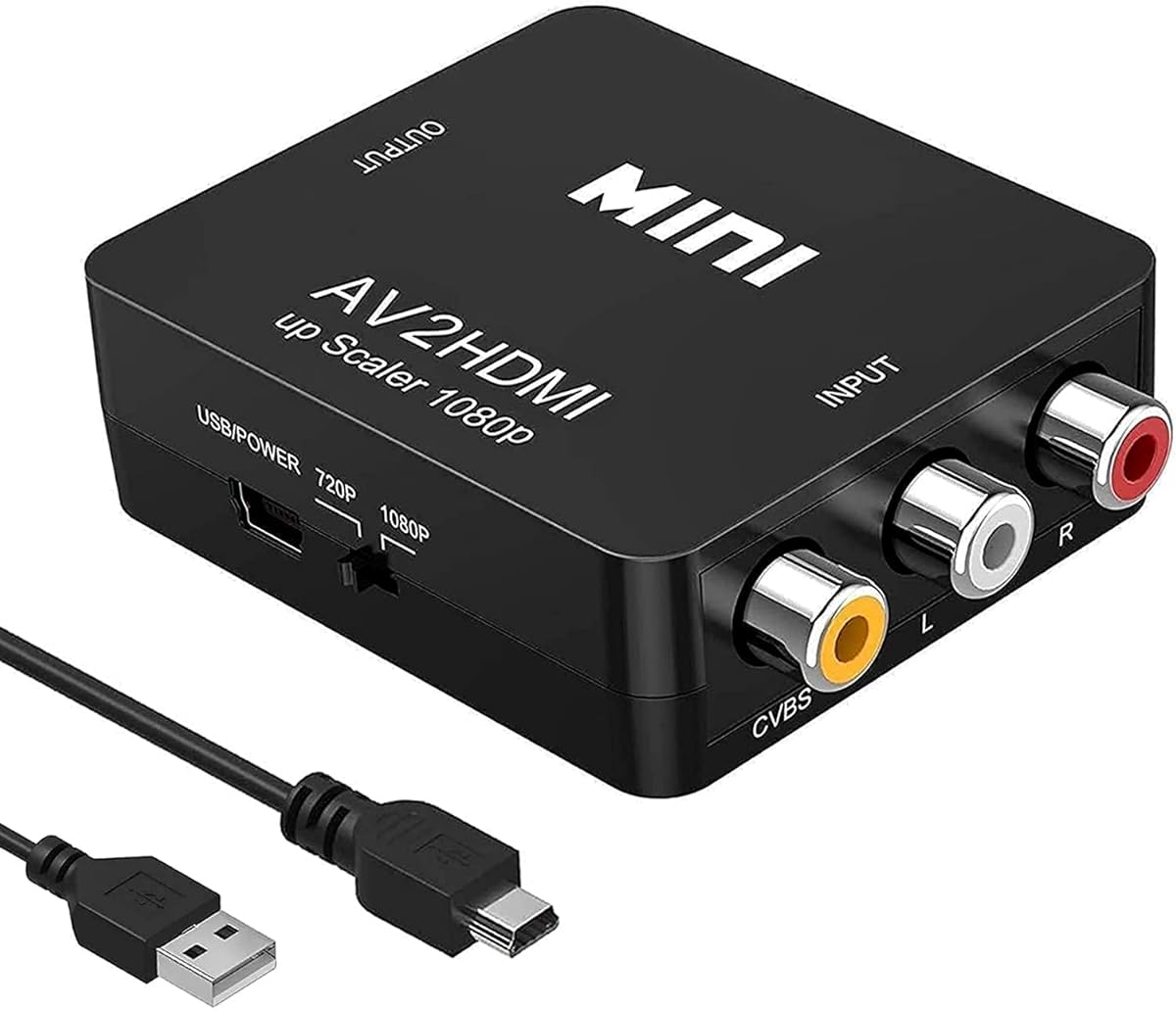
The HPDELGB converter bridges the gap between analog composite video (RCA/CVBS) and modern HDMI displays, specifically converting 480i/576i signals to 1080p output. Buyers should note this device handles PAL/NTSC formats and requires external USB power, which is typical for active converters that must process and upscale analog signals rather than just pass them through.
Key Considerations Before Buying
- This converter's compatibility with VHS/VCR sources is crucial—look for proper deinterlacing capability to handle 480i signals without introducing motion artifacts or jagged edges during playback.
- The included USB power cable indicates this is an active converter requiring 5V power; ensure your setup has an available USB port or power adapter, as insufficient power can cause signal dropouts or no output.
- Support for both PAL (576i) and NTSC (480i) formats makes this suitable for international media, but verify your source device's output format matches the converter's processing capability.
What Our Analysts Recommend
Quality converters maintain stable synchronization between audio and video channels, which can degrade with cheaper chipsets. Check for metal housing that dissipates heat from the processing chip, as sustained operation during movie-length conversions requires thermal management that plastic housings often lack.
Video Converters Market Context
Market Overview
The RCA-to-HDMI converter market is saturated with budget devices using similar chipset solutions, with most offering basic 1080p upscaling but varying in signal stability and compatibility with older gaming consoles like PS2/PS3 that output 240p/480i signals.
Common Issues
Many converters struggle with proper aspect ratio maintenance, incorrectly stretching 4:3 content to 16:16 widescreen, while others introduce noticeable input lag making them unsuitable for real-time gaming. Audio-video synchronization drift during extended use is another frequent complaint.
Quality Indicators
Superior converters specify their deinterlacing method (bob vs. weave) and include adjustable output resolution options rather than fixed 1080p. Look for devices with separate audio RCA inputs rather than relying solely on the composite video cable's audio channel.
Review Authenticity Insights
Grade U Interpretation
Grade U with 0.00% fake reviews indicates this product has no review history to analyze, making it impossible to assess real-world performance through verified purchaser feedback. This is common for newly listed electronics accessories.
Trust Recommendation
Without verified reviews, scrutinize the product specifications for technical details like chipset model (often undisclosed) and check the manufacturer's responsiveness to technical questions. Consider purchasing from retailers with favorable return policies for untested devices.
Tips for Reading Reviews
For converters, prioritize reviews mentioning specific source devices (like particular VCR models or PS2 consoles) and look for detailed observations about output stability, color accuracy, and whether 240p retro gaming signals are properly handled versus misinterpreted as 480i.
Expert Perspective
The HPDELGB converter's specifications suggest standard functionality for basic analog-to-digital conversion, but the complete lack of user reviews creates uncertainty about its real-world performance with various source devices. The 1080p upscaling claim is typical but doesn't guarantee quality scaling algorithms—many budget converters simply line-double 480i to 960i then pad to 1080p, creating soft, blurry output. The inclusion of a USB power cable is necessary but doesn't indicate power regulation quality.
Purchase Considerations
Weigh this device's unknown reliability against your specific use case: occasional VHS digitizing may tolerate imperfections, while regular retro gaming demands proven signal integrity. Consider whether you need additional features like scanline generators for authentic CRT emulation or adjustable output resolutions for compatibility with capture cards.
Comparing Alternatives
Shoppers should compare this with established brands in the $20-$40 range that have documented compatibility with their specific legacy devices.


