
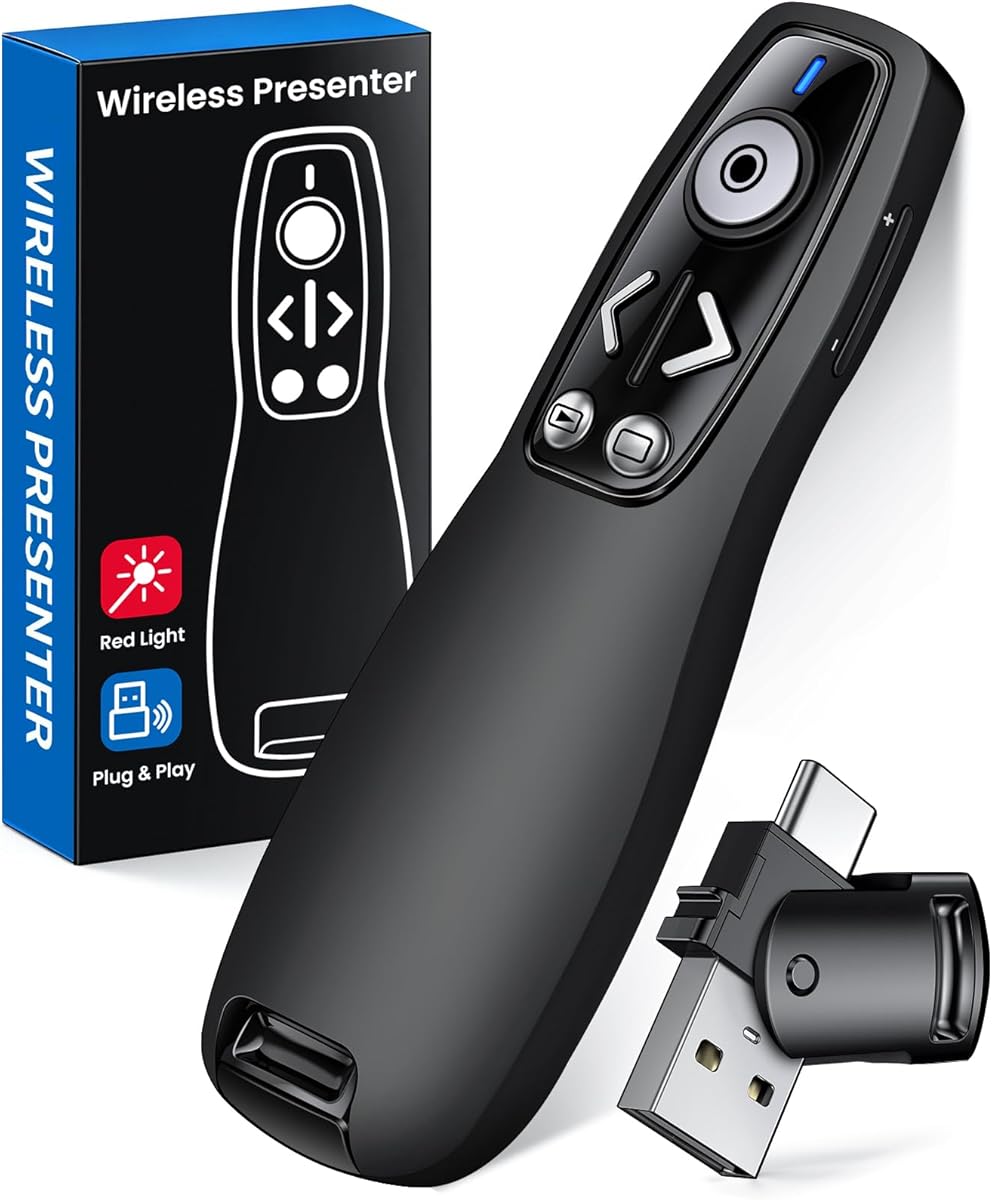
Choosing a Presentation Clicker: What Matters for the E600 Wireless Presenter
The E600 wireless presenter is positioned as a multi-function remote with volume control and Mac compatibility, distinguishing it from basic slide advancers. Buyers should evaluate its specific feature set against their presentation workflow needs, particularly its dual-function buttons and cross-platform claims.
Key Considerations Before Buying
- The E600's advertised volume control function requires checking compatibility with your specific presentation software, as not all applications support external volume adjustment via USB receiver.
- Mac compatibility claims should be verified against your macOS version, as some presenters require specific driver installations or have limited functionality on newer Apple silicon systems.
- The ergonomic design and button placement directly impact usability during live presentations, where tactile feedback and intuitive controls prevent fumbling.
What Our Analysts Recommend
Quality indicators for presenters like the E600 include a stable 2.4GHz wireless connection with minimal lag, a receiver that fits securely in laptop USB ports without blocking adjacent ports, and clear battery life specifications. The construction should withstand frequent transport in a laptop bag.
Presentation Remotes Market Context
Market Overview
The presentation remote market is saturated with similar-looking devices, creating intense competition on price while quality varies significantly. The E600 enters a segment where established brands compete with generic models, making feature differentiation critical.
Common Issues
Common problems include unreliable wireless connections in crowded RF environments, poorly placed buttons causing accidental slide advances, and receivers that are easily lost due to minimal storage solutions. Many budget models also suffer from short battery life despite claims.
Quality Indicators
Look for presenters with clear operating range specifications (typically 30-100 feet), laser pointer visibility in various lighting conditions, and receivers with indicator lights showing connection status. Quality models often include a protective case or receiver storage compartment.
Review Authenticity Insights
Grade B Interpretation
The 'Grade U' and 0.00% fake review percentage indicate this product has no verified purchase reviews, making it impossible to assess real-world performance. This is common for newly listed products or those with minimal sales history.
Trust Recommendation
Given the complete lack of user feedback, rely entirely on the manufacturer's specifications and return policy. Consider purchasing from retailers with generous return windows in case the E600 doesn't meet your specific compatibility requirements.
Tips for Reading Reviews
For presentation remotes, prioritize reviews discussing long-term reliability over months of use, specific software compatibility experiences, and real-world battery life. Look for mentions of the exact presentation software you use, as compatibility varies.
Expert Perspective
The E600 presents a feature set typical of mid-range presentation remotes, with its volume control capability being the primary differentiator. However, with zero verified reviews and an unestablished track record, it represents a higher-risk purchase compared to models with extensive user feedback. The product's success hinges on its wireless stability and software compatibility, which cannot be verified from current data.
Purchase Considerations
Weigh the E600's specific features against your presentation needs—if volume control during presentations is essential, this model warrants consideration. However, be prepared to potentially encounter compatibility issues given the lack of user-reported experiences with various operating systems and presentation software.
Comparing Alternatives
Shoppers should compare the E600's specifications against established models from Logitech, Kensington, or DinoFire that have documented compatibility and reliability records.


