Choosing a 7-in-1 USB-C Hub: What the UGREEN Revodok 1071 Reveals
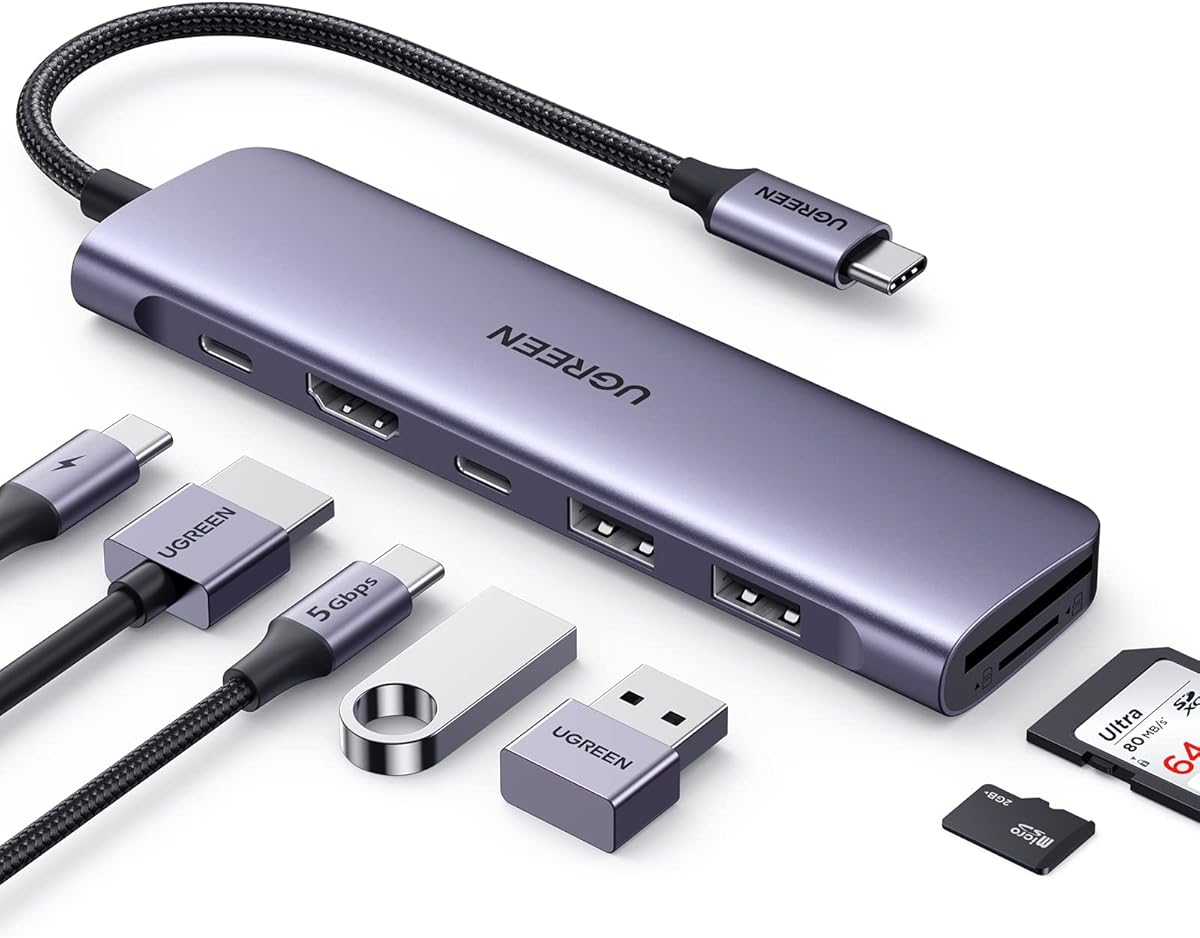
The UGREEN Revodok 1071 exemplifies the modern compact docking solution, combining 100W Power Delivery with 4K HDMI and versatile data ports. Buyers should evaluate whether this specific port configuration—including its single USB-C data port and dual USB-A 5Gbps ports—matches their workflow needs for devices like MacBooks or XPS laptops.
Key Considerations Before Buying
- Assess if the 100W PD passthrough charging is sufficient for your laptop model, as some high-performance laptops may require the full wattage from their native charger.
- Verify that the 4K HDMI output at 30Hz meets your external display needs, as video editors or gamers might require 60Hz refresh rates not supported here.
- Consider the simultaneous use of ports; the hub's shared bandwidth means transferring data via SD card while outputting 4K video may impact performance.
What Our Analysts Recommend
Quality indicators include robust heat dissipation (noted in UGREEN's aluminum alloy casing), stable simultaneous 4K output with PD charging, and reliable plug-and-play compatibility without requiring additional drivers. Check for consistent performance across the SD/TF card reader's transfer speeds.
USB Hubs Market Context
Market Overview
The USB-C hub market is saturated with compact 7-in-1 designs, where UGREEN competes by emphasizing build quality and reliable Power Delivery. Current trends favor hubs that support at least 85W charging and 4K video for modern ultrabooks.
Common Issues
Common problems include overheating during prolonged use, bandwidth throttling when multiple data ports are active, and compatibility hiccups with specific laptop models like certain ThinkPad or iPad Pro generations. Inconsistent SD card reader performance is another frequent complaint.
Quality Indicators
Look for hubs using premium chipsets (like VIA or Realtek) for stable data transfer, aluminum enclosures for heat management, and clear specifications on supported resolutions and charging protocols. Brands like UGREEN that detail compatibility lists tend to have more refined firmware.
Review Authenticity Insights
Grade B Interpretation
A Grade B with a 15% estimated fake review rate suggests the UGREEN Revodok 1071's 4.87/5 rating is slightly inflated but still reflects strong genuine satisfaction. The adjusted 4.50/5 rating is a more reliable benchmark, indicating very positive but not flawless reception.
Trust Recommendation
Focus on reviews that mention specific use cases, like connecting to an M1 MacBook Air or a Dell XPS 13, and detail long-term performance over weeks. Be slightly skeptical of reviews that only praise generic 'great product' aspects without technical details.
Tips for Reading Reviews
Prioritize reviews discussing simultaneous port usage, heat generation during 100W charging, and real-world transfer speeds with USB-C SSDs. Look for balanced feedback that acknowledges minor drawbacks, which is characteristic of authentic experiences.
Expert Perspective
The UGREEN Revodok 1071 presents a compelling package for users needing essential expansion without bulk. Its high genuine rating suggests reliable performance in core functions: PD charging, 4K HDMI output, and multi-device connectivity. The aluminum build addresses durability concerns common in plastic hubs. However, the 30Hz HDMI limit and potential bandwidth sharing are trade-offs for its compact form factor.
Purchase Considerations
This hub is ideal for MacBook Pro/Air, iPad Pro, or XPS users who prioritize a sleek, portable dock for office and travel use. Consider alternatives if you require 4K@60Hz, multiple USB-C data ports, or Ethernet. The strong authenticity-adjusted rating of 4.50/5 indicates it's a low-risk purchase within its category.
Comparing Alternatives
Shoppers should compare the Revodok 1071's specific port layout against hubs from Anker, Satechi, or CalDigit offering different port combinations or higher video refresh rates.