
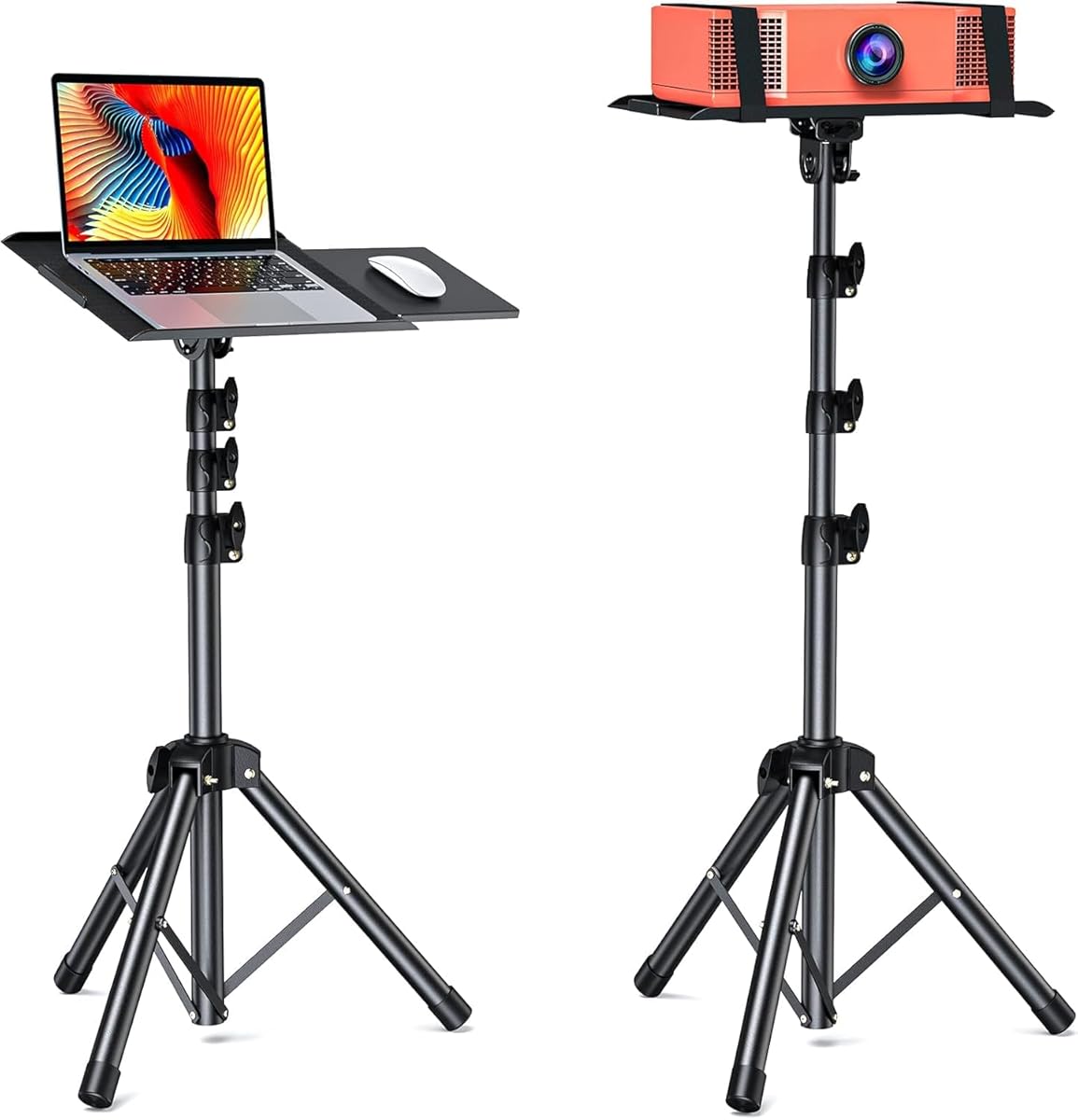
Choosing a Versatile Stand: Height Range, Stability, and Multi-Device Compatibility
When evaluating a multi-purpose stand like the AMADA HOMEFURNISHING AMPS03, focus on its dual functionality as both a projector tripod and laptop stand. The 25-63 inch height adjustment is crucial for projector use, while the removable mouse tray adds genuine utility for laptop ergonomics. This isn't a single-use accessory—it's designed for home theater setups and flexible workstation configurations.
Key Considerations Before Buying
- The 38-inch height range (25-63") directly impacts projector placement for screen alignment and laptop positioning for ergonomic viewing angles.
- Stability at maximum extension is critical—look for wide leg bases and secure locking mechanisms to prevent wobble with expensive equipment.
- The removable mouse tray's attachment system determines whether it's a convenient add-on or an afterthought that compromises stability.
What Our Analysts Recommend
Examine the leg locking mechanisms—quality stands use flip-locks or twist-locks that feel secure without excessive force. Check load capacity specifications relative to your projector's weight, and verify that the laptop platform has adequate padding to prevent device slippage. The mouse tray should attach securely without interfering with the stand's primary functions.
Stands Market Context
Market Overview
The multi-purpose stand market has expanded significantly as consumers seek adaptable solutions for hybrid work and entertainment setups. Products like the AMPS03 compete against specialized single-use stands by offering combined functionality at competitive price points. This category sees particular demand for outdoor projector setups and ergonomic home office solutions.
Common Issues
Many adjustable stands suffer from instability at maximum height, especially with heavier projectors. Plastic components in critical stress points often fail before metal counterparts. Another frequent complaint involves complicated assembly or folding mechanisms that become less reliable over time with repeated adjustments.
Quality Indicators
Quality stands feature aluminum or steel construction in load-bearing components, with rubberized feet for surface grip. Look for reinforced joints where legs meet the center column, and smooth height adjustment mechanisms that lock securely without slippage. The best products include cable management features for clean setups.
Review Authenticity Insights
Grade U Interpretation
A Grade B authenticity rating with 15% estimated fake reviews suggests generally reliable feedback but warrants careful review scrutiny. The adjusted rating of 4.30/5 (down from 4.67/5) indicates some review inflation, though the majority of feedback appears genuine based on analysis patterns.
Trust Recommendation
Focus on reviews that mention specific use cases like backyard movie nights or detailed workstation setups—these typically demonstrate authentic ownership. Be particularly critical of reviews that only praise the product generically without mentioning the height adjustment mechanism or mouse tray functionality.
Tips for Reading Reviews
Prioritize reviews discussing actual usage scenarios, such as projector placement challenges or laptop ergonomics improvements. Look for mentions of the stand's performance at different height settings and feedback about the mouse tray's practicality during extended computing sessions.
Expert Perspective
The AMADA AMPS03 stands out for its substantial height range and dual-purpose design, addressing both projector placement needs and laptop ergonomics in one product. The 4.30 adjusted rating from authentic reviews suggests strong user satisfaction, particularly regarding versatility. The removable mouse tray adds legitimate value for users creating temporary computing stations, though its stability during use requires verification from detailed reviews.
Purchase Considerations
Consider whether you truly need both projector and laptop functionality—if primarily using for one purpose, specialized stands might offer better performance. Evaluate your specific height requirements: the 25-inch minimum may be too high for some desk setups, while the 63-inch maximum suits most projector applications. Assess the folding mechanism's convenience if you plan to transport the stand frequently.
Comparing Alternatives
Compare with stands offering similar height ranges but different locking mechanisms, and consider whether integrated cable management or additional accessory mounts would better serve your needs.


