
Evaluating Triple-Screen Portable Monitors: What SideTrak Solo Pro Delivers
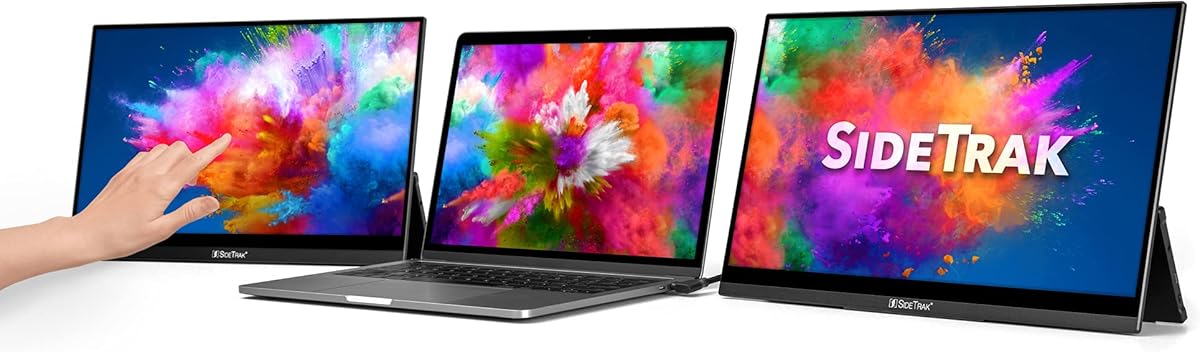
The SideTrak Solo Pro represents a niche but growing category: portable multi-monitor solutions for mobile professionals. Unlike single portable displays, this system adds two freestanding 15.6" FHD screens to your laptop, creating a triple-screen workstation that collapses into a single package. Buyers should understand this isn't just about screen quality but about the entire portable multi-display ecosystem.
Key Considerations Before Buying
- Portability vs. stability trade-offs: The freestanding design eliminates mounting hardware but requires careful desk placement, with some users noting the screens can be top-heavy without proper support.
- Connectivity requirements: While offering USB-C and HDMI options, true triple-screen functionality depends on your laptop's graphics capabilities and available ports—not all systems can drive three displays simultaneously.
- Touchscreen utility: The touch capability adds mobile-like interaction but may have limited practical application in traditional desktop workflows compared to dedicated graphics tablets.
What Our Analysts Recommend
For portable multi-monitor systems, examine hinge durability and screen alignment mechanisms—these are common failure points. Also verify the power delivery through USB-C; some systems require separate power adapters for all screens to function at full brightness, which defeats the portable purpose.
Monitors Market Context
Market Overview
The portable multi-monitor market has expanded beyond simple USB-powered displays to include magnetic attach systems, folding designs, and now freestanding solutions like SideTrak. These products target digital nomads, traders, and developers who need multiple screens but can't carry traditional monitors.
Common Issues
Users frequently report inconsistent brightness across screens, color calibration mismatches between displays, and connectivity drops when daisy-chaining multiple monitors. The mechanical aspects—how screens attach, fold, and transport—often prove more problematic than the display technology itself.
Quality Indicators
Look for monitors with uniform bezel thickness across all panels, robust connection points (not just friction-fit), and adequate heat dissipation. Premium portable monitors typically include carrying cases with proper padding for each screen, not just a single sleeve.
Review Authenticity Insights
Grade B Interpretation
A Grade B authenticity rating with 10% estimated fake reviews suggests mostly genuine feedback but warrants careful review reading. The 3.10 adjusted rating (down from 3.25) indicates some potentially inflated positive reviews were filtered out.
Trust Recommendation
Focus on reviews that mention specific use cases like trading setups, remote work configurations, or travel scenarios—these are harder to fabricate. Be particularly skeptical of reviews that don't address the unique three-screen setup or portability challenges.
Tips for Reading Reviews
Look for mentions of the actual screen alignment process, carrying weight (approximately 4-5 pounds for this type of system), and real-world battery drain when powered via laptop USB-C. Authentic reviews often compare this to working with two separate portable monitors.
Expert Perspective
The SideTrak Solo Pro addresses a specific productivity need but comes with inherent compromises. The 3.10/5 authentic rating suggests users appreciate the concept but encounter practical limitations. The freestanding design is innovative but may sacrifice stability compared to mounted solutions. The inclusion of HDR mode on portable 1080p panels is more of a marketing feature than practical benefit given the limited peak brightness of portable displays.
Purchase Considerations
Consider your actual workspace scenarios: if you frequently work from different desks with varying depths, the freestanding design offers flexibility. If you primarily work from one location, traditional monitor arms might provide better ergonomics. Also evaluate whether you truly need three simultaneous screens or if two higher-quality portable displays would serve better.
Comparing Alternatives
Shoppers should compare against dual-screen portable solutions from brands like Asus or Lenovo, and consider whether a single ultra-wide portable monitor might better suit their needs with fewer connectivity complications.






