
Choosing a Vacuum-Style Laptop Cooler: What the KLIM Tempest Reveals
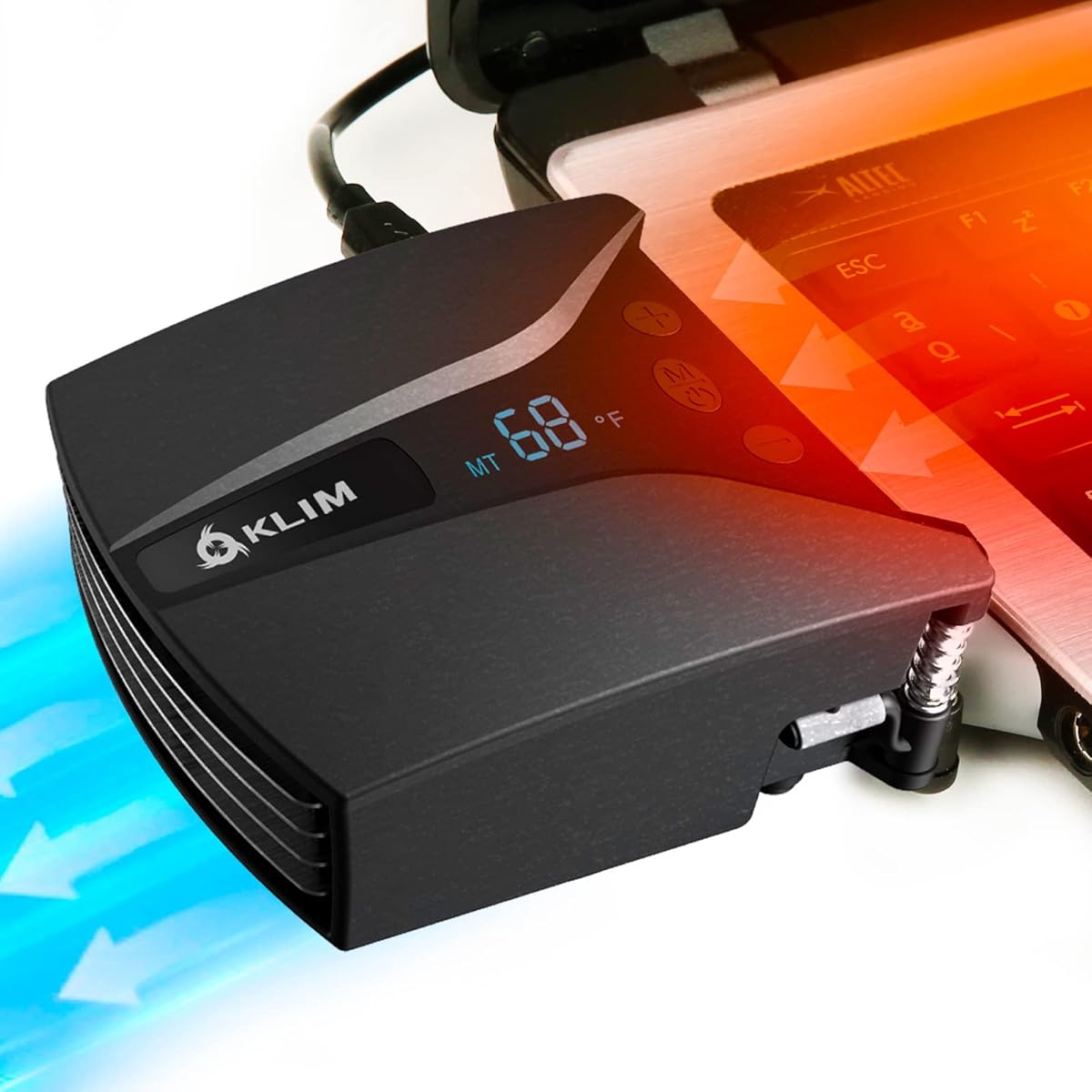
The KLIM Tempest represents a specific niche in laptop cooling: the vacuum-style external fan. Unlike traditional cooling pads that blow air upward, this design creates negative pressure to pull hot air directly from your laptop's intake vents. This approach can be more targeted but requires understanding its unique operational characteristics and compatibility.
Key Considerations Before Buying
- Vacuum seal compatibility is paramount; the effectiveness of the KLIM Tempest hinges on its rubberized nozzle creating an airtight seal against your specific laptop's vent grill pattern.
- The 4000 RPM motor and automatic temperature detection mode, while powerful, generate noticeable noise—a trade-off for the high airflow rate this cooler provides.
- Portability and the integrated display are practical features, but assess if the unit's weight and cable management suit your mobile setup versus a stationary gaming station.
What Our Analysts Recommend
For vacuum coolers, prioritize a flexible, high-quality rubber seal that can conform to various vent geometries without blocking airflow. A genuine high-RPM motor (like the 4000 RPM here) should be paired with multiple speed settings or an automatic mode to balance cooling and noise. Check that the USB power draw doesn't exceed your laptop's port capability.
External Cooling Fans Market Context
Market Overview
The external laptop fan market is bifurcating between passive cooling pads and active, high-performance solutions like the KLIM Tempest. Vacuum-style coolers are gaining traction among gamers and power users seeking direct heat extraction over general ambient cooling, driving innovation in smart features like temperature displays and auto modes.
Common Issues
Users frequently report poor seal formation on certain laptop vent designs, rendering vacuum coolers ineffective. Noise levels from high-RPM fans are a consistent complaint, and durability concerns arise around the longevity of the suction motor and the pliability of the rubber seal over time.
Quality Indicators
Look for detailed specifications on static pressure (suction strength), not just RPM. Quality units specify dB levels for noise and use braided cables for durability. Genuine reviews will mention specific laptop models they worked or failed with, which is more valuable than generic praise.
Review Authenticity Insights
Grade B Interpretation
A 'Grade B' with an estimated 15% fake review rate suggests generally reliable feedback, but warrants cautious scrutiny. For a product like the KLIM Tempest, where performance is highly dependent on individual laptop compatibility, this level of inauthenticity could obscure critical, model-specific shortcomings.
Trust Recommendation
Focus on the verified purchase reviews (90% in this analysis) that mention specific laptop brands and models (e.g., 'Asus ROG Strix G15,' 'MSI GE76'). Be skeptical of reviews that only praise generic 'cooling power' without detailing setup, seal quality, or noise in specific usage scenarios like gaming or rendering.
Tips for Reading Reviews
Search reviews for your exact laptop model to assess seal compatibility. Pay close attention to reviews discussing long-term use (3+ months) regarding seal degradation or motor consistency. The disparity between the raw 4.67 and adjusted 4.30 rating indicates some inflated praise, so weigh critical reviews more heavily.
Expert Perspective
The KLIM Tempest's high adjusted rating of 4.30/5 from likely genuine reviews indicates it is a competent performer within the vacuum-cooler niche. Its defining features—the temperature display, automatic mode, and 4000 RPM motor—are legitimate value-adds for users seeking active thermal management. However, its effectiveness is not universal; it is a specialized tool best suited for laptops with accessible and compatible intake vents where a strong seal can be formed. The product's success in the market is reflected in its strong authentic review sentiment, but the category's inherent compatibility limitations remain.
Purchase Considerations
Decide if your primary need is targeted, high-intensity cooling for sustained GPU/CPU loads (where the Tempest excels) versus general laptop temperature reduction. Consider your tolerance for fan noise at high RPMs and whether your workspace allows for the extra cable and device. This is not a 'set and forget' accessory; it requires proper positioning each use.
Comparing Alternatives
Shoppers should compare the Tempest's vacuum approach with high-airflow traditional cooling pads and even laptop stands, as the best solution depends entirely on your laptop's chassis design and thermal architecture.


