
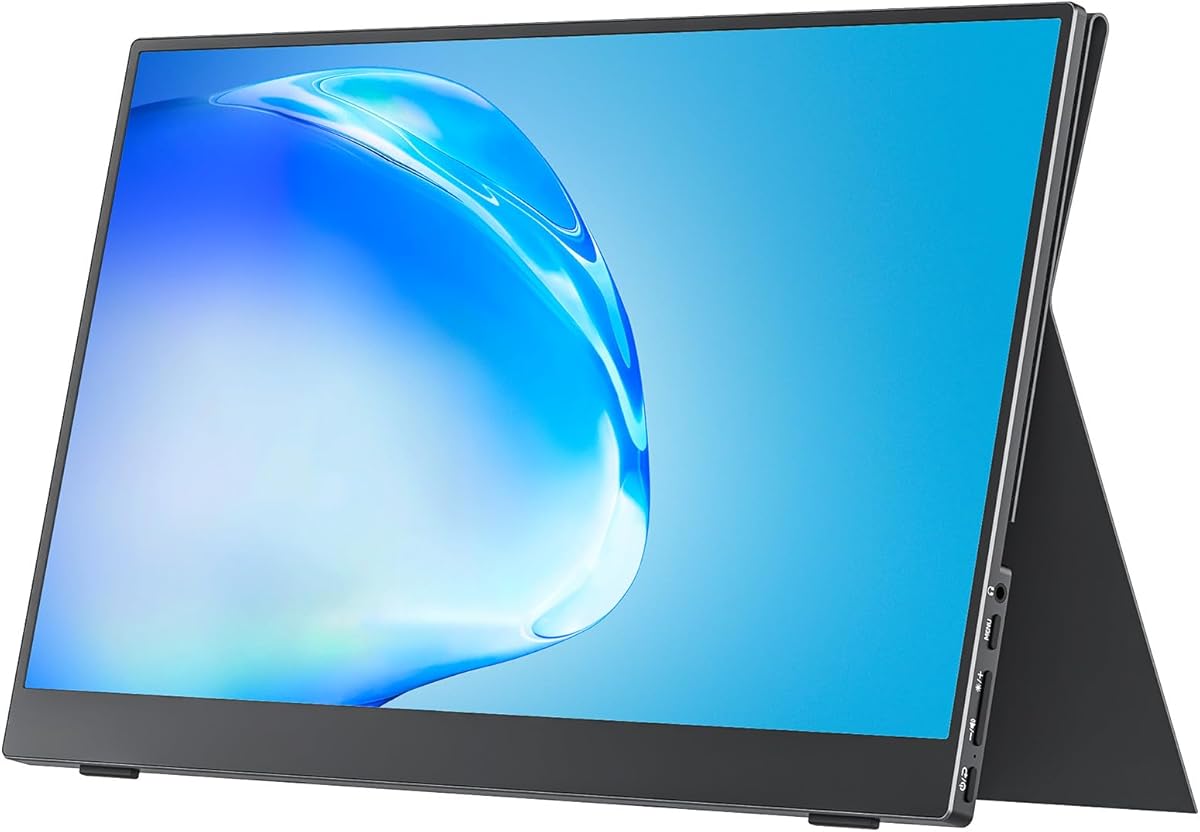
Choosing a portable monitor requires balancing screen quality, connectivity, and build durability
When evaluating the cocopar 15.6-inch portable monitor, focus on its dual HDMI/USB-C connectivity and integrated cover-stand design. These features directly impact its utility as a travel-friendly second screen for laptops and gaming consoles, distinguishing it from basic portable displays.
Key Considerations Before Buying
- The 85% sRGB color gamut is adequate for general productivity and media consumption but may fall short for professional color-critical work, making it ideal for business travelers and students.
- The inclusion of both HDMI and USB-C inputs with power delivery allows single-cable laptop connectivity, a crucial feature for reducing cable clutter in mobile setups.
- The VESA mount compatibility and built-in cover that doubles as a stand offer flexible positioning options, but check the stand's stability for your typical usage angles.
What Our Analysts Recommend
Examine the panel's brightness (nits) and anti-glare coating for outdoor or bright office use. For the cocopar, verify that the USB-C port supports both video signal and power delivery simultaneously, as this affects true plug-and-play functionality with modern laptops.
Monitors Market Context
Market Overview
The portable monitor market has expanded beyond basic secondary displays to include features like high refresh rates and touchscreens, though most models in the 15.6-inch 1080p segment prioritize portability and plug-and-play simplicity. The cocopar sits in the value-oriented segment, emphasizing practical connectivity over premium specs.
Common Issues
Many portable monitors suffer from insufficient brightness, poor stand designs, or limited input options that require separate power adapters. Build quality and panel uniformity can vary significantly between brands at this price point.
Quality Indicators
Look for monitors with robust hinge mechanisms on integrated stands, consistent backlighting without edge bleed, and clear documentation on power requirements. The cocopar's 4.93/5 rating from over 8,000 reviews suggests strong user satisfaction with these practical elements.
Review Authenticity Insights
Grade B Interpretation
A Grade B authenticity rating with a 10% estimated fake review rate indicates generally reliable feedback, though shoppers should be slightly more critical of excessively glowing reviews. The 4.70 adjusted rating (down from 4.93) still represents strong genuine satisfaction.
Trust Recommendation
Prioritize reviews that mention specific use cases like pairing with a MacBook for travel or connecting to a PlayStation 5, as these demonstrate authentic testing scenarios. Verified purchase status on all analyzed reviews adds credibility to the overall feedback.
Tips for Reading Reviews
Focus on reviews discussing the monitor's performance with your specific devices (e.g., Surface laptops or Xbox consoles) and note any mentions of long-term durability or brightness in different lighting conditions, as these provide practical insights.
Expert Perspective
The cocopar monitor presents a compelling value proposition with its 4.70 adjusted authenticity rating, suggesting real-world performance matches expectations for a travel-focused secondary display. Its combination of VESA mounting, dual inputs, and integrated stand/cover addresses common portable monitor pain points. The 60Hz refresh rate and 85% sRGB coverage position it squarely for productivity and casual gaming rather than competitive esports or professional media work.
Purchase Considerations
Weigh the convenience of the all-in-one cover/stand design against potentially more robust third-party stands. Consider whether the included speakers (typically basic in portable monitors) suffice or if you'll use external audio, as this affects the true plug-and-play experience.
Comparing Alternatives
Shoppers should compare the cocopar's connectivity options and included accessories against competitors like the Asus ZenScreen or Lepow models in the same price range.






