Choosing a Portable Label Maker: What the Phomemo M110's Features Mean for You
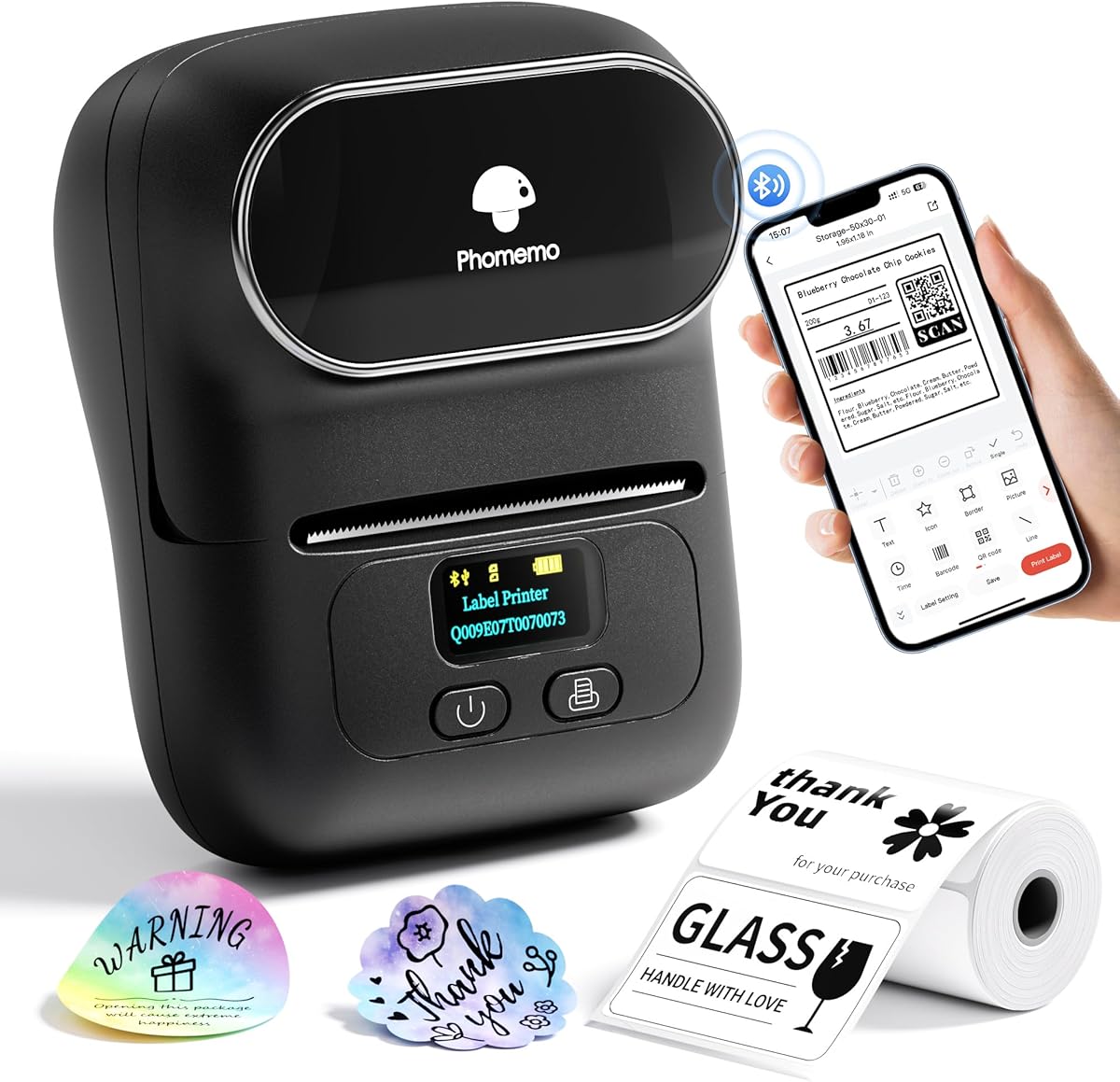
When selecting a portable thermal label printer like the Phomemo M110, buyers should focus on how its specific connectivity and application features match their workflow. This Bluetooth-enabled device emphasizes mobile-first printing from phones, which differs from traditional PC-centric label makers. Understanding its thermal printing mechanism versus ink-based systems is crucial for durability expectations.
Key Considerations Before Buying
- Evaluate your primary use case: the M110's barcode, logo, and clothing label capabilities suggest it's optimized for small business inventory and branding, not just basic address labels.
- Assess connectivity needs: Bluetooth-only operation means no direct USB or Ethernet connectivity, requiring consistent device pairing for PC use.
- Consider thermal label compatibility: This printer uses specific 110mm width thermal paper rolls; factor ongoing supply costs and availability of specialty labels like clothing tags.
What Our Analysts Recommend
For portable thermal printers, examine battery life specifications and app ecosystem quality—Phomemo's proprietary app functionality directly impacts the barcode and logo creation features. Check for consistent print density across the entire 110mm width, as cheaper thermal heads can produce uneven barcode scans. Verify the Bluetooth connection stability mentioned in reviews, as dropouts disrupt workflow efficiency.
Label Printers Market Context
Market Overview
The portable label printer market has shifted toward mobile integration, with devices like the Phomemo M110 competing against established brands by offering specialized features like clothing label printing at lower price points. Thermal technology dominates portable segments due to its maintenance-free operation compared to ink-based systems.
Common Issues
Users frequently report connectivity drops with Bluetooth-only models and software limitations in companion apps for designing complex labels. Thermal print heads can degrade with heavy use, causing faint barcodes that fail to scan properly. Compatibility issues arise with third-party label rolls that may jam or damage the heating element.
Quality Indicators
Look for consistent print resolution (the M110 offers 203 DPI) across the entire label width, crucial for professional barcode scanning. Quality thermal printers maintain connection stability during batch printing sessions. Robust companion software should offer template libraries specifically for mailing, clothing, and inventory labels without requiring advanced design skills.
Review Authenticity Insights
Grade B Interpretation
The Grade B authenticity rating with 10% estimated fake reviews indicates generally reliable feedback, though shoppers should remain slightly cautious of overly enthusiastic reviews. The 4.60 adjusted rating (down from 4.89) suggests some review inflation but still reflects strong genuine satisfaction.
Trust Recommendation
Focus on verified purchase reviews that detail specific use cases like clothing label creation or small business inventory management. The high number of reviews (6,191) provides substantial data—look for patterns in mentions of Bluetooth connectivity performance and battery life during actual barcode printing sessions.
Tips for Reading Reviews
Prioritize reviews discussing the Phomemo app's functionality for logo design and barcode generation, as software experience varies significantly. Look for long-term usage reports (3+ months) that comment on thermal print head durability and label adhesion quality for different surfaces.
Expert Perspective
The Phomemo M110 presents a compelling option for mobile-first users needing specialized label functions beyond basic addressing. Its 4.60 adjusted rating from verified purchasers suggests strong performance in its niche, particularly for small businesses requiring barcode and clothing label capabilities. The thermal printing mechanism eliminates ink costs but requires understanding proper label roll compatibility. The Bluetooth-only design prioritizes portability over wired reliability, which suits on-the-go usage but may frustrate stationary office environments.
Purchase Considerations
Weigh the convenience of wireless phone printing against potential Bluetooth latency during high-volume sessions. Consider whether your label needs justify the 110mm width limitation versus narrower portable options. Factor the learning curve for the companion app's design features if creating custom logos or complex barcodes is essential to your workflow.
Comparing Alternatives
Shoppers should compare the M110's thermal technology and 110mm format against similar-priced models from Brother or Dymo that may offer different connectivity options or label size flexibility.