
Evaluating a Renewed HP Elite Desktop: Balancing Legacy Performance with Modern Needs
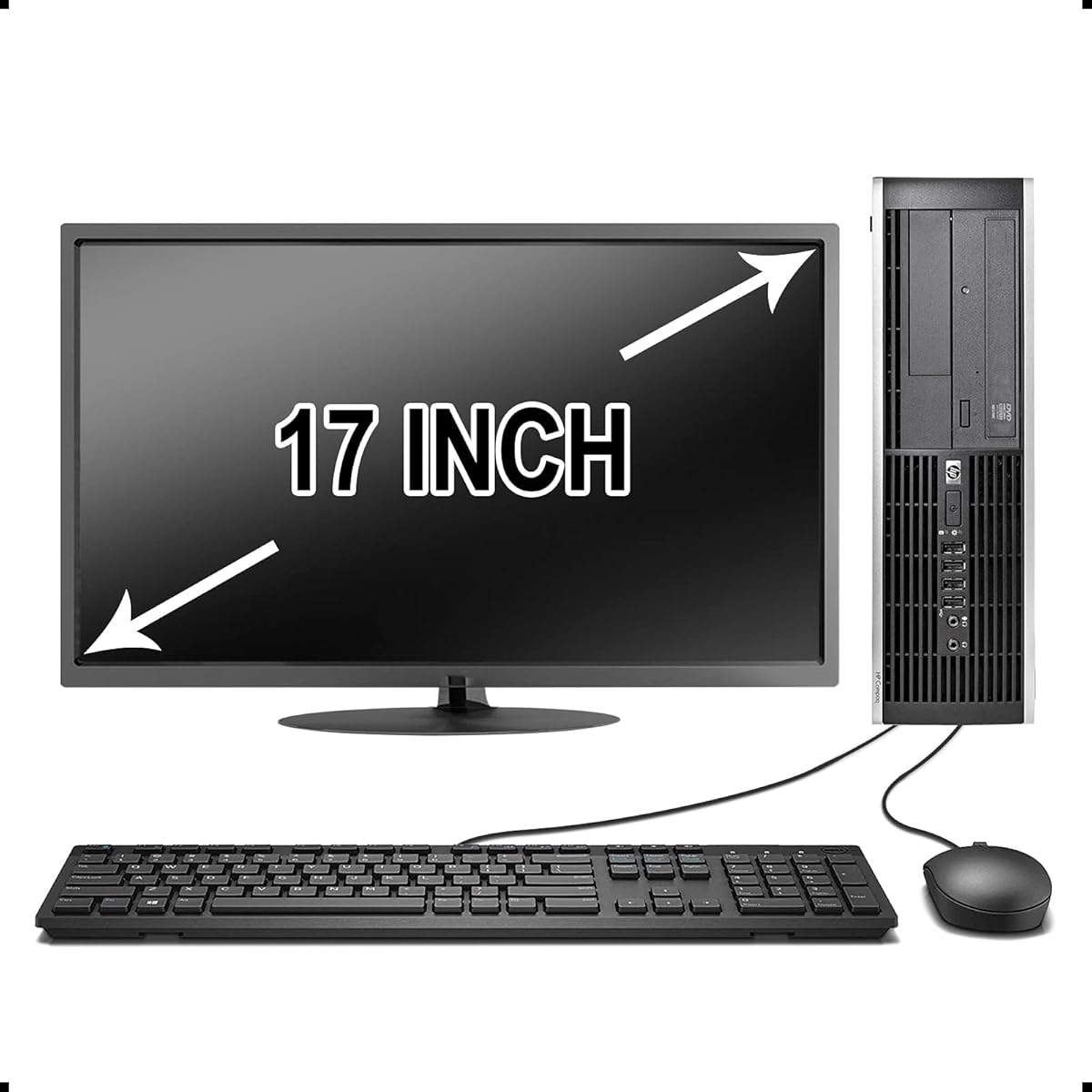
This renewed HP Elite Desktop PC represents a specific value proposition: enterprise-grade build quality from a business-class line, now available at a budget price. Buyers should understand they're purchasing a system built around a 2nd or 3rd generation Intel Core i5 processor, which dictates its capabilities and limitations compared to current hardware. The inclusion of a 17-inch monitor and peripherals makes it a complete, ready-to-use workstation bundle.
Key Considerations Before Buying
- The 3.1 GHz Intel Core i5 is likely from the Sandy Bridge or Ivy Bridge era (circa 2011-2013), meaning it lacks modern instruction sets and integrated graphics performance, making it suitable for office tasks and light browsing but not for demanding applications or modern gaming.
- A 500GB HDD is a significant performance bottleneck; even a basic SATA SSD upgrade would dramatically improve system responsiveness and boot times, which is why the 'Upgrades Available' note is crucial to factor into your total cost.
- The 'Brands Vary' note on the 17-inch LCD monitor indicates you may receive a basic, older panel with limited viewing angles and lower resolution (likely 1280x1024), which impacts the overall usability and visual experience of the bundle.
What Our Analysts Recommend
For renewed business desktops like this HP Elite, prioritize listings that specify the processor generation (e.g., i5-2400) and the renewal certification process. Check if the seller clarifies the monitor model or at least its resolution. The presence of a legitimate Windows 10 license that activates properly is non-negotiable for a functional system.
Market Context
Market Overview
The market for renewed enterprise desktops is thriving, offering robust, serviceable hardware for basic computing at a fraction of the cost of new systems. These PCs, like the HP Elite series, were built to higher durability standards than consumer models, often featuring better cooling and more expansion slots.
Common Issues
Common concerns include worn-out mechanical hard drives, missing or incorrect device drivers for the specific HP model, and cosmetic wear consistent with office use. The bundled peripherals, especially the keyboard and mouse, are often basic replacements and not the original HP accessories.
Quality Indicators
Quality sellers for renewed PCs provide clear photos of the actual unit (not stock images), detail the testing performed (e.g., RAM, HDD health checks), and specify the warranty period. A well-described renewal process that includes thermal paste replacement and dust cleaning is a strong positive signal.
Review Authenticity Insights
Grade B Interpretation
A Grade 'B' with an estimated 10% fake review rate suggests the majority of feedback is trustworthy, but a small portion may be inauthentic. This is common in the renewed electronics category where seller incentives might exist. The adjusted rating of 3.70/5 is a more reliable metric than the raw 3.90/5.
Trust Recommendation
Focus on the 3-star reviews for this product, as they often contain the most balanced assessments of performance versus expectations for a renewed PC. Be slightly more skeptical of extreme 5-star reviews that don't mention specific use cases or any minor drawbacks.
Tips for Reading Reviews
Look for reviews that mention the specific tasks they use the PC for (e.g., 'for my home office running Word and Chrome'), comments on the monitor's clarity, and notes about the renewal quality—like whether it arrived clean or with fresh installation media. These details indicate genuine user experience.
Expert Perspective
This bundle is a competent entry-point computing solution for very specific users: those needing a basic, durable machine for word processing, web browsing, and legacy software in a home office or educational setting. Its value is contingent on the understood limitations of its aging CPU and slow HDD. The 3.70 adjusted rating reflects realistic user satisfaction where expectations were properly set. It is not a future-proof machine but a cost-effective tool for defined, light-duty tasks.
Purchase Considerations
Weigh the total cost of this all-in-one bundle against the price of a new budget desktop or mini-PC, which would include a modern CPU, SSD, and warranty but likely exclude a monitor. Your decision hinges on whether immediate out-of-the-box functionality for under $200 is more critical than modern performance and upgrade potential.
Comparing Alternatives
Shoppers should compare this with other renewed business desktops from Dell OptiPlex or Lenovo ThinkCentre lines, which offer similar specs, and with new Chromeboxes or entry-level Intel NUCs for a modern, low-power alternative.


