Choosing a Bluetooth Mouse That Works Across Mac, Windows, and Chromebook Devices
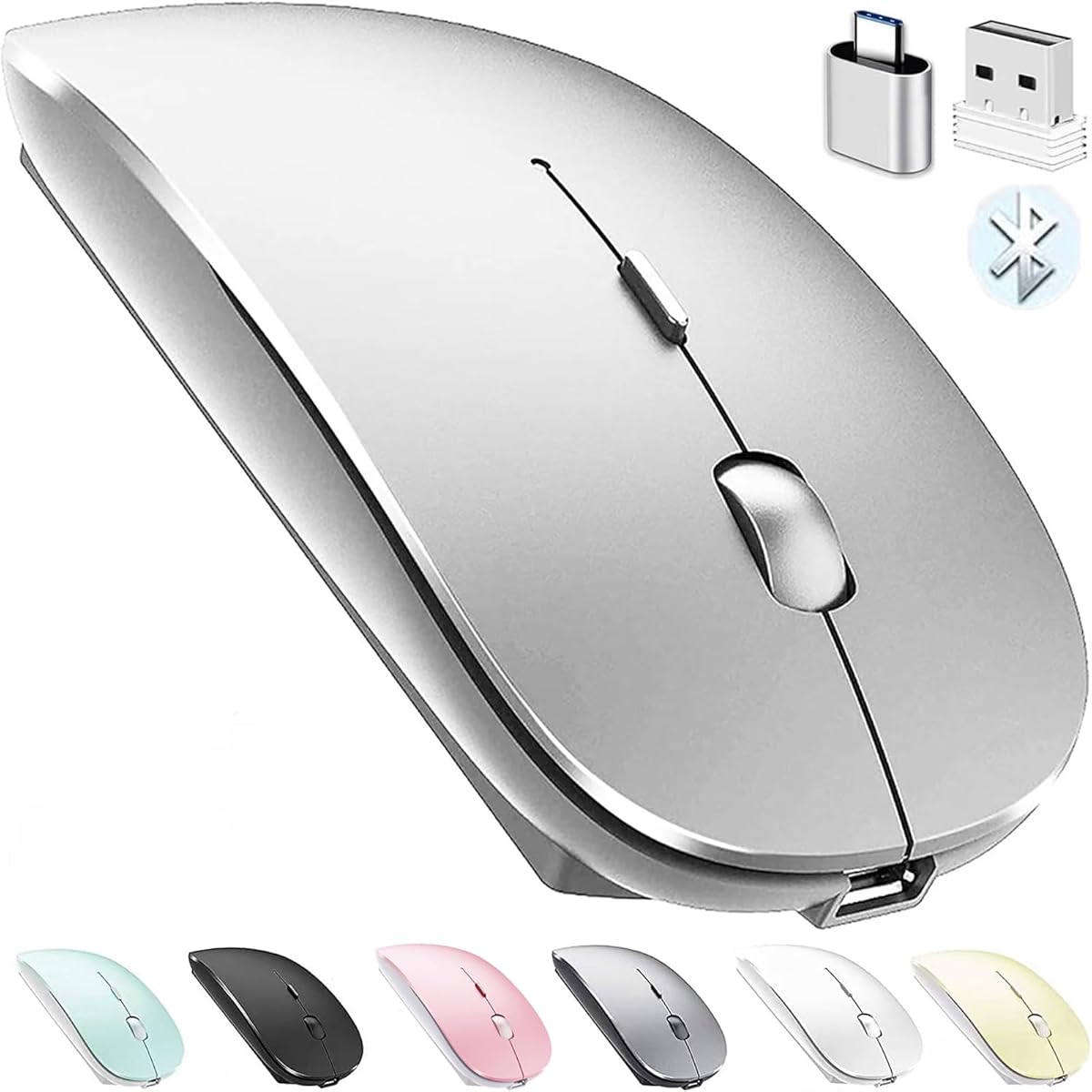
This silver Bluetooth mouse markets itself as a universal solution for Apple and PC ecosystems, but compatibility claims require careful verification. Buyers should prioritize connection stability across their specific devices rather than assuming seamless cross-platform functionality. The product's minimalist design suggests it's targeting users who value portability with their MacBooks and laptops.
Key Considerations Before Buying
- Verify Bluetooth version compatibility with your specific MacBook generation or Windows laptop, as older Bluetooth standards can cause pairing issues.
- Assess whether the mouse's ergonomics suit extended use, as ultra-slim designs often sacrifice palm support for portability.
- Check if the product includes both Bluetooth and USB receiver options, as some devices have unreliable native Bluetooth that benefits from a dongle.
What Our Analysts Recommend
Quality indicators include consistent tracking on various surfaces (glass desks challenge optical sensors) and battery life that matches manufacturer claims. Genuine reviews will mention specific device pairings—like 'MacBook Air M1' or 'Windows 11 laptop'—rather than generic compatibility statements.
Mice Market Context
Market Overview
The budget Bluetooth mouse market is saturated with products claiming universal compatibility, but actual performance varies significantly between Apple's macOS and Windows' Bluetooth implementations. Silver finishes have become particularly popular for matching Apple's aesthetic, creating a competitive segment focused on design cohesion.
Common Issues
Users frequently report intermittent disconnections, lag during video editing or precision tasks, and incompatibility with specific Chromebook models despite universal claims. Battery compartment designs in slim mice often compromise structural integrity, leading to creaking or loose battery covers.
Quality Indicators
Look for mice with adjustable DPI settings (800-1600+ range) for task flexibility and sensors that work on both hard and cloth surfaces. Quality Bluetooth implementations maintain connections within the advertised 10-meter range without requiring frequent re-pairing.
Review Authenticity Insights
Grade B Interpretation
A Grade B authenticity rating with 15% estimated fake reviews indicates generally reliable feedback but suggests some review manipulation. The 4.20 adjusted rating (down from 4.56) reveals genuine satisfaction sits closer to 'very good' than 'excellent.'
Trust Recommendation
Focus on verified purchase reviews that mention specific use cases like 'graphic design on MacBook Pro' or 'all-day office work.' Be skeptical of reviews that only praise generic compatibility without device specifics, as these may be among the estimated 15% questionable reviews.
Tips for Reading Reviews
Prioritize reviews discussing connection stability over multiple months and those comparing this mouse to other Bluetooth models. Look for detailed critiques about tracking precision or battery life degradation, as these indicate genuine long-term use.
Expert Perspective
With 21,578 reviews maintaining a 4.20 adjusted rating, this mouse demonstrates solid market acceptance, particularly among users seeking affordable cross-platform functionality. The silver finish specifically targets Apple ecosystem users who prioritize aesthetic matching with their devices. The high review volume suggests the manufacturer has addressed early production issues, though Bluetooth performance consistency remains the critical variable. The product's success likely stems from balancing MacBook-compatible design with Windows/Chromebook functionality at a competitive price point.
Purchase Considerations
Weigh the convenience of Bluetooth-only connectivity against potential reliability issues if your primary device has historically struggled with Bluetooth peripherals. Consider whether you need programmable buttons or high-precision tracking, as budget universal mice typically excel at basic navigation rather than specialized tasks.
Comparing Alternatives
Compare this mouse's Bluetooth performance reviews against similarly priced models from Anker, Logitech, and Microsoft that offer comparable cross-platform claims.