
Choosing a Membrane Gaming Keyboard: Balancing RGB, Quiet Operation, and Durability
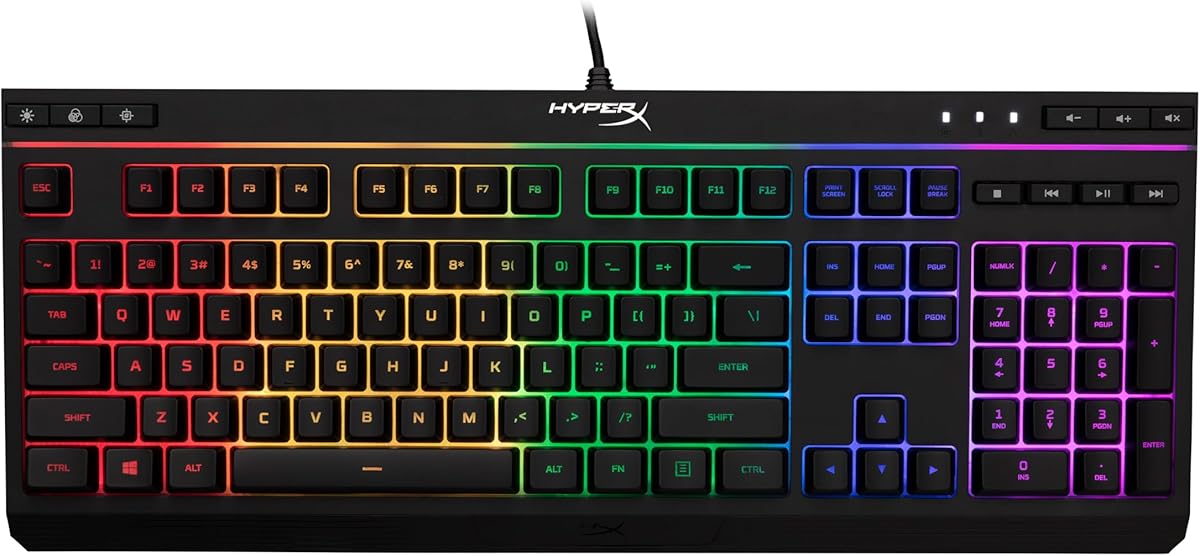
The HyperX Alloy Core RGB represents a specific segment of gaming keyboards that prioritizes quiet membrane switches over mechanical clickiness. Buyers considering this keyboard should understand it's designed for gamers who want RGB lighting effects without the audible feedback of mechanical switches, while offering spill resistance as a practical feature for gaming setups.
Key Considerations Before Buying
- Membrane vs. mechanical switches: This keyboard uses membrane technology, which provides a softer, quieter typing experience but lacks the tactile feedback and customization options of mechanical switches.
- RGB implementation quality: With dedicated media keys and RGB lighting effects, evaluate whether the lighting is customizable enough for your preferences and if media controls are conveniently placed.
- Spill resistance claims: While marketed as spill-resistant, understand this typically means protection against minor spills rather than complete waterproofing—important for gamers with drinks nearby.
What Our Analysts Recommend
For membrane gaming keyboards like the Alloy Core RGB, examine key rollover specifications (how many keys can be pressed simultaneously), anti-ghosting technology for gaming, and the quality of the wrist rest if included. The durability of membrane switches typically ranges from 5-10 million keystrokes, so check manufacturer specifications.
Gaming Keyboards Market Context
Market Overview
The gaming keyboard market is currently divided between mechanical switches dominating the premium segment and membrane keyboards offering affordable alternatives with quieter operation. RGB lighting has become standard across both categories, with software integration being a key differentiator.
Common Issues
Membrane keyboards often face criticism for 'mushy' feel compared to mechanical switches, and RGB software compatibility issues with different operating systems. Spill resistance claims can be misleading, as many keyboards only protect against minor liquid exposure rather than complete immersion.
Quality Indicators
Look for N-key rollover for gaming performance, durable keycap legends that won't wear off, and responsive media controls. Quality membrane keyboards should offer consistent actuation force across all keys and minimal flex in the keyboard chassis during intense gaming sessions.
Review Authenticity Insights
Grade B Interpretation
A Grade B authenticity rating with 15% estimated fake reviews suggests generally reliable feedback, but shoppers should be cautious of overly enthusiastic reviews. The adjusted rating dropping from 4.89 to 4.50 indicates some review inflation, though 85% authentic reviews is solid for this category.
Trust Recommendation
Focus on verified purchase reviews that mention specific use cases like typing feel, RGB software experience, or spill testing. Be skeptical of reviews that only praise aesthetics without discussing performance, as these may be less authentic.
Tips for Reading Reviews
Look for reviews that compare this membrane keyboard to mechanical alternatives, discuss long-term durability beyond initial setup, or mention specific gaming genres where the quiet keys provided an advantage. These detailed perspectives are typically more authentic.
Expert Perspective
The HyperX Alloy Core RGB presents a compelling option for gamers prioritizing quiet operation and RGB aesthetics at a membrane keyboard price point. With an adjusted 4.50/5 rating from predominantly authentic reviews, it appears to deliver on its core promises of comfortable silent keys and reliable RGB effects. The spill resistance adds practical value for gaming setups where beverages are present, though this shouldn't be tested intentionally.
Purchase Considerations
Consider this keyboard if you game in shared spaces where mechanical keyboard noise would be disruptive, or if you prefer the softer actuation of membrane switches. However, if you value customizable switch types, tactile feedback, or plan on frequent keycap replacements, mechanical alternatives might better suit your needs despite higher cost.
Comparing Alternatives
Shoppers should compare with similar membrane offerings from Razer, Corsair, and Logitech, particularly examining software ecosystems and additional gaming features.


