
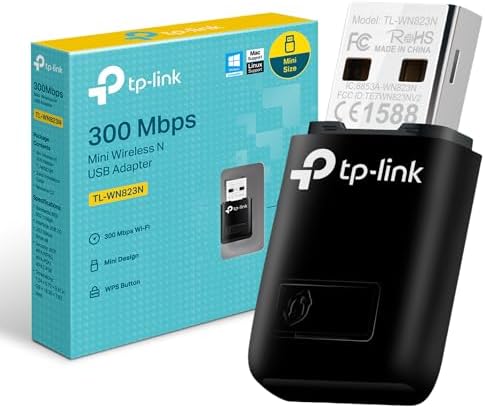
Choosing a 300Mbps USB WiFi adapter: What the TL-WN823N offers and where it fits
The TP-LINK TL-WN823N is a compact, 300Mbps USB 2.0 wireless adapter designed to add WiFi connectivity to older desktops or laptops with failed internal cards. Its key characteristics include broad OS compatibility, a 'Soft AP' mode to create a hotspot, and a mini form factor that minimizes desk clutter. Buyers should understand that its 300Mbps speed is a theoretical maximum for the 802.11n standard, and real-world performance depends heavily on router capability and signal strength.
Key Considerations Before Buying
- The USB 2.0 interface is a bottleneck; it cannot fully utilize the adapter's 300Mbps potential, making it suitable for basic browsing and streaming but not for high-bandwidth local file transfers.
- Broad driver support for legacy systems (Windows XP, older Mac OS) is a standout feature, but ensure you download the correct drivers from TP-LINK's website before installation, as Windows may not auto-install them.
- The 'Soft AP' and WPS features are useful for quickly connecting to secured networks or sharing a wired connection, but performance in AP mode will be significantly slower than the primary connection.
What Our Analysts Recommend
For a product like this, scrutinize reviews mentioning long-term driver stability, especially after major OS updates, as this is a common failure point for budget adapters. Look for consistent mentions of plug-and-play simplicity versus experiences requiring manual driver hunting, which indicates potential support issues. The physical build quality of the USB connector is also critical; a loose or flimsy fit can cause intermittent disconnections.
Wireless USB Adapters Market Context
Market Overview
The budget USB WiFi adapter market is saturated with similar 150-300Mbps models, where TP-LINK, D-Link, and Netgear compete on driver reliability and form factor rather than raw speed. The TL-WN823N occupies a specific niche for users needing legacy OS support, as many newer adapters have dropped XP and older Mac compatibility.
Common Issues
Common problems include driver conflicts, overheating during prolonged use leading to throttled performance, and signal dropouts due to the adapter's small, non-adjustable antenna. Many users also mistakenly expect USB 3.0 speeds from a USB 2.0 device, leading to disappointment with file transfer rates.
Quality Indicators
In this category, quality is shown through consistent driver updates from the manufacturer, a metal or reinforced USB connector for durability, and clear documentation for advanced features like Soft AP mode. A lower rate of 'dead on arrival' complaints in reviews is also a strong positive signal.
Review Authenticity Insights
Grade B Interpretation
A 'Grade B' authenticity score with an estimated 15% fake review rate suggests the overall rating of 4.11 is slightly inflated. The adjusted rating of 3.80/5 is a more reliable indicator of real-user satisfaction, pointing to a decent but not flawless product.
Trust Recommendation
Focus on the verified purchase reviews, particularly the 3 and 4-star ratings, as they often detail specific pros and cons like driver installation quirks or range limitations. Be skeptical of 5-star reviews that are overly vague or identical in phrasing.
Tips for Reading Reviews
For technical products like this, prioritize reviews that mention specific use cases (e.g., 'used on my 2012 Dell desktop running Windows 10'), describe the installation process in detail, or compare performance to an internal network card. These are hallmarks of genuine user experiences.
Expert Perspective
The TL-WN823N is a competent entry-level solution for its intended purpose: adding basic, reliable WiFi to older systems. Its high review volume and solid adjusted rating of 3.80 suggest it generally delivers on its core promise of connectivity. However, the 300Mbps speed is largely theoretical due to the USB 2.0 bottleneck and environmental factors, so it's not a performance upgrade for modern systems. Its greatest strength is its extensive driver library, making it a pragmatic choice for legacy hardware support where newer adapters may fail.
Purchase Considerations
Purchase this adapter if your primary need is adding WiFi to a desktop without it, or replacing a broken internal card in an older laptop. Consider alternatives if you require faster local network speeds (look for USB 3.0 adapters), have a weak router signal (consider models with an external antenna), or use a modern OS where driver stability for newer chipsets might be better.
Comparing Alternatives
Shoppers should compare the TL-WN823N against similar-priced models from D-Link (DWA-131) and TP-LINK's own Archer T2U Nano, which may offer updated chipsets or USB 3.0 for a small price increase.


