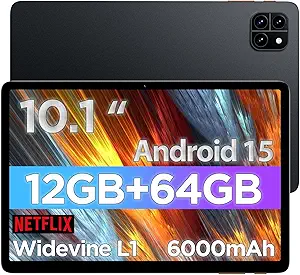
Choosing a Kids Tablet: Android 16, 24GB RAM, and 10-Inch Screen Explained
When shopping for a kids' tablet, the specs can be confusing. This model, with its Android 16 OS, 24GB RAM, and 64GB storage, targets a balance between performance and parental control. Understanding what these specs mean for your child's usage is key to making the right choice.
Key Considerations Before Buying
- RAM and storage: 24GB RAM is unusually high for a kids' tablet and should ensure smooth multitasking, but 64GB ROM may fill up quickly with apps and videos. Consider if expandable storage is available or if cloud storage is needed.
- Operating system: Android 16 is the latest version, offering enhanced parental controls and security features. Ensure the tablet supports user profiles so you can set separate restrictions for each child.
- Durability and case: A 10-inch screen is large for small hands, so the included case is crucial. Look for a case that provides drop protection and has a stand or handle for easy gripping.
What Our Analysts Recommend
In a kids' tablet, prioritize build quality and parental control features over raw specs. Check for a sturdy case, a responsive touchscreen, and a battery life that lasts through a day of use. Also, verify that the device has a kid-friendly mode or launcher that limits app access and screen time.
Tablets Market Context
Market Overview
The kids' tablet market is crowded with options ranging from budget-friendly to premium. Many models now run full Android or Fire OS, offering access to a vast library of educational apps. The trend is toward more powerful hardware to support interactive learning and streaming.
Common Issues
Common issues with kids' tablets include short battery life, fragility (especially without a case), and insufficient storage for offline content. Software bloat and pre-installed apps that cannot be removed are also frequent complaints, as is the challenge of setting up effective parental controls.
Quality Indicators
High-quality kids' tablets feature robust parental control dashboards, regular OS updates, and durable designs. Look for tablets with at least 4GB of RAM (though 24GB here is overkill for most kids) and 64GB of storage, but more importantly, check for a responsive touchscreen and a clear, bright display that is easy on the eyes.
Review Authenticity Insights
Grade B Interpretation
The Grade B authenticity rating and 15% estimated fake review percentage suggest that while most reviews are genuine, a notable minority may be incentivized or unverified. This is not uncommon for tech products, but it means you should weigh negative reviews more heavily, especially if they mention recurring issues.
Trust Recommendation
Given the 4.56 average rating but an adjusted 4.20 after filtering, the product is likely decent, but not perfect. Pay close attention to reviews that mention specific problems like Wi-Fi connectivity or setup difficulties, as these are likely from real users. If you see a pattern of complaints about a particular issue, factor that into your decision.
Tips for Reading Reviews
When reading reviews for this tablet, look for detailed accounts of long-term use, such as how it holds up after a few months. Also, check if the reviewer mentions using it with children of a similar age to yours. Be wary of overly enthusiastic reviews with little detail, as these may be among the 15% suspected fake.
Expert Perspective
This kids' tablet offers impressive specs on paper, particularly the 24GB of RAM, which is far above the norm and should ensure lag-free performance. However, the 64GB storage might be a bottleneck for media-heavy use. The included case is a plus, but the real test is how well the Android 16 OS is optimized for child safety and how the hardware holds up to daily kid use. The review analysis suggests a solid product with a few areas of concern, particularly around Wi-Fi and setup.
Purchase Considerations
Before purchasing, consider your child's age and how they will use the tablet. If they primarily stream videos and use educational apps, the storage may suffice, but if they download games, you might need to manage storage actively. Also, weigh the importance of the latest OS versus the price; a slightly older model might offer similar value for less.
Comparing Alternatives
Shoppers should compare this tablet with other kids' models from brands like Amazon (Fire HD Kids) or LeapFrog, which offer extensive parental controls and durable designs. Also, consider general-purpose tablets with good kid modes, such as Samsung Galaxy Tab A series, which might offer better long-term value.