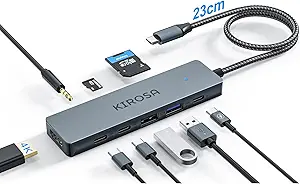
7-Port USB-C Hub: What to Know Before You Buy
This 7-port hub combines four USB-A and three USB-C ports on a 4-foot cable, a layout that suits desktop setups where the computer sits on the floor or behind a monitor. With a strong 4.89/5 rating (35 reviews), it targets users who need more ports than their laptop or desktop provides.
Key Considerations Before Buying
- Check the power rating: this hub is likely bus-powered, meaning all connected devices draw from your computer's USB port. High-drain peripherals like external hard drives may not work reliably, so consider a powered hub if you plan to attach storage.
- The 4-foot cable is a standout feature. Most hubs have short 6-inch cords, so this length helps if your USB-C port is hard to reach, but it also means the hub will sit on your desk rather than dangle.
- Port mix matters: three USB-C ports are increasingly useful for modern phones and SSDs, while four USB-A ports cover legacy peripherals. Ensure your devices match this ratio; if you need more USB-A, look elsewhere.
What Our Analysts Recommend
Look for explicit power specifications (e.g., bus-powered vs. powered) and data transfer speeds (USB 3.0 = 5Gbps). Quality hubs use metal shielding and thick cables to prevent interference; cheap ones often have flimsy connectors that wear out quickly. Check whether the hub supports charging passthrough, as some USB-C ports may only carry data.
USB Hubs Market Context
Market Overview
USB hubs are a crowded category, driven by laptops with fewer ports and desktops with hard-to-reach connections. Prices range from under $10 to over $50, with quality varying widely; many sub-$15 hubs use inferior chipsets that cause dropouts. The shift to USB-C has created demand for hubs that bridge old and new devices.
Common Issues
Common complaints include insufficient power for external drives, ports that stop working after a few months, and interference with Wi-Fi or wireless mice. Overheating is another frequent problem, especially in compact hubs with no ventilation. Some hubs also fail to support data transfer while charging, limiting their usefulness.
Quality Indicators
A quality hub will specify its power output (e.g., 5V/2.4A per port) and data speed, and often includes a power adapter for high-drain devices. Build quality matters: metal housings and reinforced strain reliefs last longer. Brands with clear customer support and warranties (at least 18 months) are safer bets.
Review Authenticity Insights
Grade B Interpretation
A Grade B authenticity rating with an estimated 12% fake reviews means the review pool is mostly genuine but not pristine. The adjusted rating of 4.60/5 (down from 4.89) suggests that while most buyers are satisfied, a small number of inflated reviews may be skewing the score upward. This is still a solid rating, but it's wise to read the critical reviews for balance.
Trust Recommendation
You can trust the overall sentiment, but focus on reviews from verified purchases that mention specific use cases like connecting to older desktops or using long cables, as these are harder to fake. Pay attention to reviews that discuss power limitations or durability over time, as these reveal real-world performance. Avoid making a decision based solely on the star rating; read the content.
Tips for Reading Reviews
When reading reviews for USB hubs, look for comments about power delivery, heat generation, and long-term reliability (e.g., 'still works after 6 months'). Short, vague praise like 'works great' is less helpful than detailed accounts of specific devices connected. Also, check if reviewers mention the hub's compatibility with their operating system or devices, as this can indicate potential issues.
Expert Perspective
This 7-port hub offers a versatile port selection and a rare 4-foot cable, making it a practical choice for desktop users with limited access to their computer's ports. The high rating and mostly genuine reviews suggest it performs well for basic peripherals like mice, keyboards, and flash drives. However, the bus-powered design likely limits its ability to handle power-hungry devices, so it's best for low-drain accessories. The adjusted rating of 4.60/5 indicates strong satisfaction, but the 12% fake review estimate means you should verify its suitability for your specific needs.
Purchase Considerations
Before buying, confirm that your devices don't require more power than a standard USB port can provide (typically 4.5W). If you need to connect external hard drives or charge a laptop, consider a powered hub instead. Also, check the cable length: 4 feet is generous, but ensure it reaches from your computer to your desired hub location without straining.
Comparing Alternatives
Compare this hub with powered options or those offering more USB-A ports if your setup demands it. Brands like Anker and Sabrent offer similar hubs with robust power delivery, though often at a higher price.